
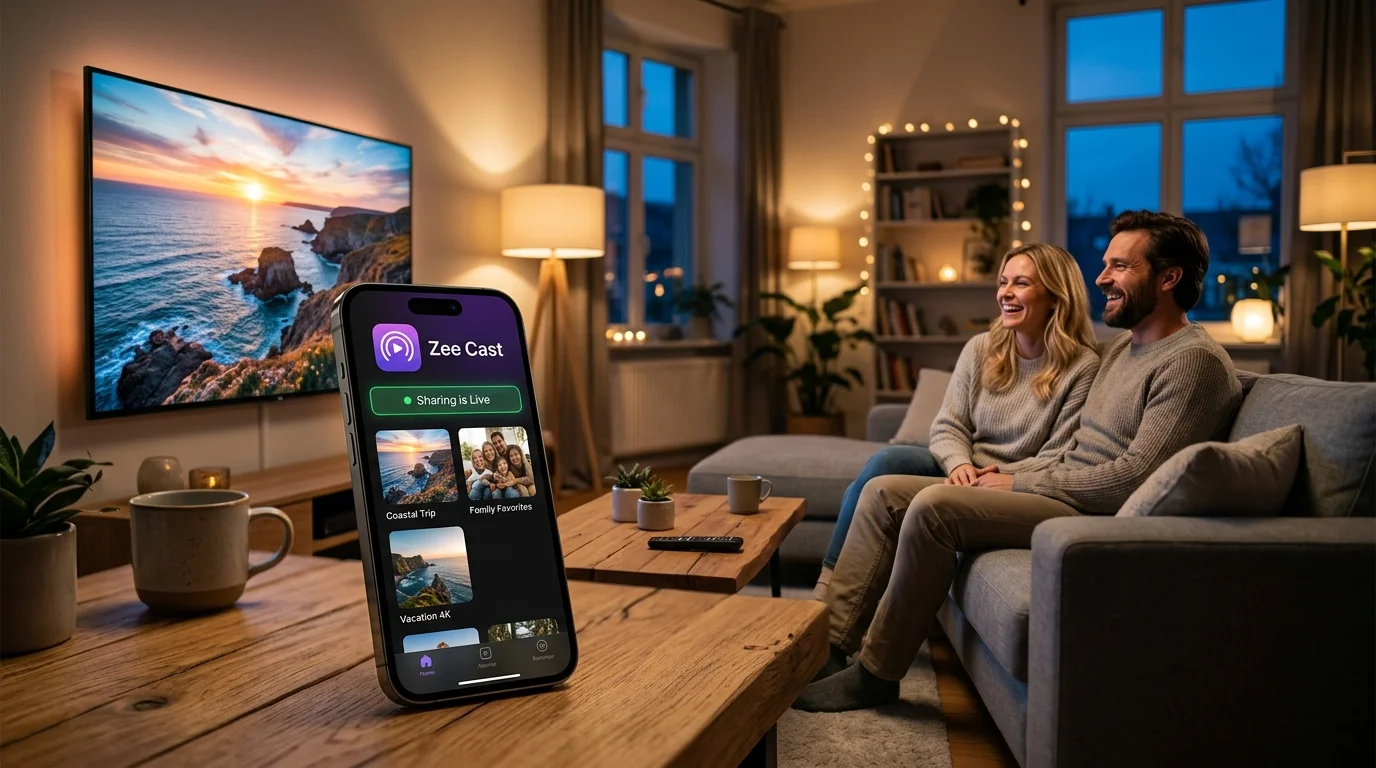
 ⚡ At a Glance: AirScreen vs Zee Cast Shootout Specs ⚡ At a Glance: AirScreen vs Zee Cast Shootout Specs | |
|---|---|
| Target Platform & OS | Fire TV, Google TV, Apple AirPlay & DLNA Smart TVs |
| Protocol & Port | Screen Mirroring vs DLNA Direct Play (Port 8080) |
| Connection Type | Local Wi-Fi or Personal Hotspot |
| Transcoding | Screen Recording (AirScreen) vs Raw Direct Play (Zee Cast) |
| Typical Setup Time | ~1 minute (Zero apps required on your TV with Zee Cast) |
Key takeaways
- AirScreen enforces an aggressive 15-minute time limit on free streams, followed by an intrusive recurring subscription paywall.
- Screen mirroring with AirScreen re-encodes your mobile display to 30fps, causing severe battery heat, lag, and notification leaks.
- Zee Cast uses native UPnP/DLNA Direct Play: raw 4K 60fps files stream directly to your TV's built-in media player.
- 100% ad-free, 100% offline-ready, and backed by a single one-time $3.99 Pro unlock rather than endless monthly subscriptions.
The Reality of AirScreen in 2026
When users search for ways to cast photos or personal videos from an iPhone or Android phone to an Amazon Fire TV Stick, Google TV, or smart monitor, AirScreen is frequently recommended in forum threads. AirScreen turns your streaming stick into a software receiver for AirPlay, Google Cast, and Miracast.
However, thousands of user reviews and Reddit discussions highlight major pain points that ruin the viewing experience:
- The 15-Minute Nag Screen: In recent app updates, AirScreen abruptly interrupts your video after 15 minutes of streaming with a modal paywall demanding a recurring subscription.
- Intrusive Banner Ads: The free version bombards you with video advertisements and banner ads on your TV screen before playback even starts.
- Severe Battery Drain: Because screen mirroring forces your phone's GPU to continuously record and compress your display in real time, smartphones overheat and lose up to 25% battery in under an hour.
- Private Notifications on the Big Screen: Every WhatsApp message, incoming phone call, bank alert, and private notification is mirrored in giant letters for everyone in the room to read.
Comprehensive Head-to-Head Comparison
| Feature | AirScreen | Zee Cast |
|---|---|---|
| Streaming Architecture | Screen Mirroring Receiver | UPnP/DLNA Media Server |
| TV App Installation | Mandatory (Must install on TV) | Zero (Uses TV's native player) |
| Free Session Limit | ⛔ 15 Minutes (Stops playback) | ✅ 60 Minutes (Grandfathered collections) |
| Pricing Model | $3.99/mo or $19.99/yr subscription | One-time $3.99 Lifetime Pro unlock |
| Advertising Policy | Intrusive TV banner & video ads | 100% Ad-Free (Free & Pro) |
| Max Video Resolution | 1080p 30fps (Compressed) | Native 4K 60fps Direct Play |
| HDR & Dolby Vision | ❌ Tone-mapped to SDR | ✅ Original HDR10 / Profile 8.4 |
| Phone Screen Locking | ❌ Screen must stay awake | ✅ Phone screen can be locked |
| Notification Privacy | ❌ Broadcasts private alerts | ✅ Completely shielded |
| Offline / Hotspot Ready | ❌ Requires internet for license check | ✅ 100% Offline Socket Architecture |
Why DLNA Direct Play Completely Outperforms Screen Mirroring
The fundamental flaw with AirScreen is its reliance on Screen Mirroring. When mirroring, your phone is doing double duty: rendering its own screen, encoding that screen into a low-latency video stream, and sending it over Wi-Fi.
By contrast, Zee Cast treats your TV as an intelligent client. Zee Cast acts as a local HTTP media server. When your TV plays a video:
- The TV requests the video file over local TCP sockets using standard HTTP byte-range requests.
- The TV's dedicated hardware silicon (MediaTek, Novatek, or Sony Cognitive Processor) handles all decoding.
- Full 60fps frame rates and 10-bit color depths are displayed natively.
- Your phone's screen can be locked, saving 80% more battery life compared to screen mirroring.
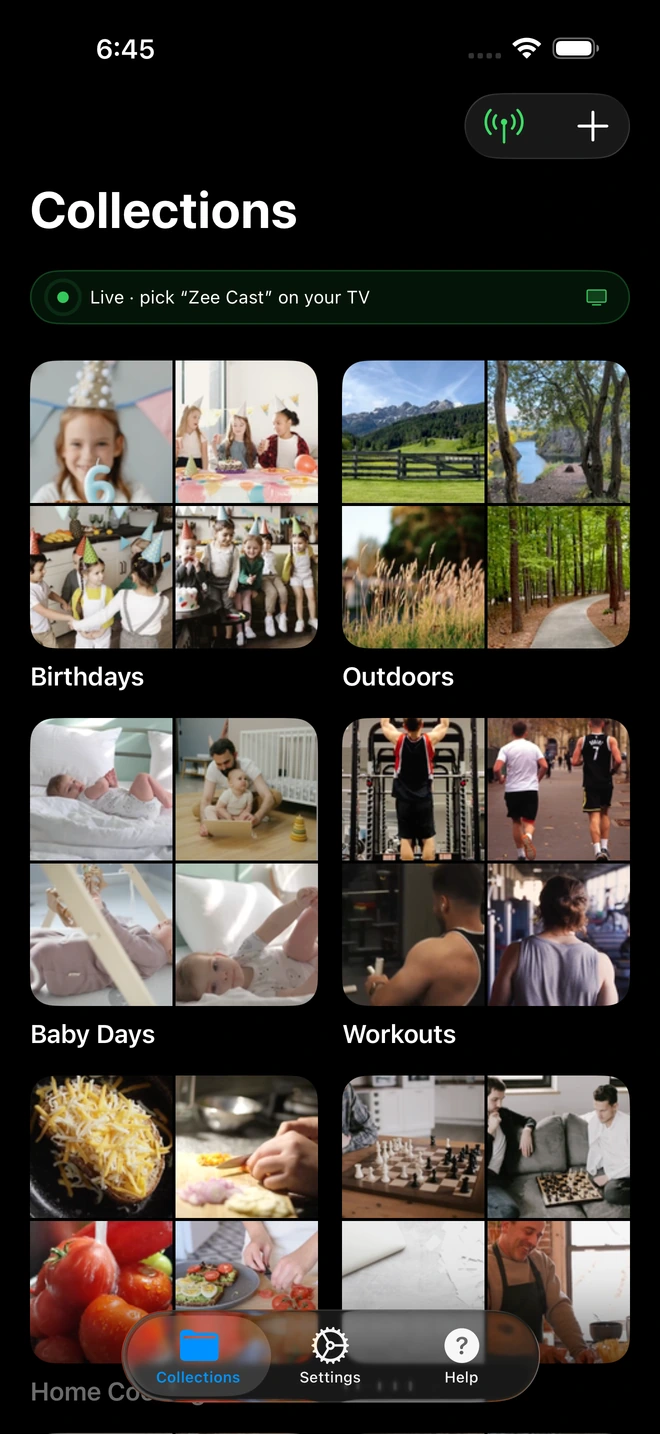
Security & Device Approval: Protect Your Living Room
When you run a generic screen receiver like AirScreen on a shared apartment, dorm, or office Wi-Fi network, anyone on the network can accidentally or maliciously cast their screen to your television.
Zee Cast Pro introduces an active Device Approval Firewall:
- When an unfamiliar Smart TV or device attempts to stream from your phone, playback halts.
- An approval prompt appears on your phone screen showing the device's IP address.
- You have complete authority to tap Allow or Deny before any file or thumbnail is served.
Verdict: Why Zee Cast Is the Modern Choice
If you are tired of AirScreen's 15-minute interruptions, recurring subscription fees, and overheated phone batteries, Zee Cast offers the ideal modern alternative. With zero software required on your television and a clean, privacy-first mobile architecture, streaming your personal media to the big screen has never been smoother.
Frequently Asked Questions
Why does AirScreen stop streaming after 15 minutes?
AirScreen enforces an aggressive 15-minute session limit on its free tier. Once this timer expires, video streaming halts immediately, and a full-screen paywall appears requiring a paid subscription (typically $3.99/month or $19.99/year) to resume playback. By contrast, Zee Cast provides uncapped continuous playback for up to 60-minute sessions in its free edition, and an optional one-time $3.99 Zee Cast Pro lifetime purchase with zero recurring subscriptions.
Is AirScreen safe to use on Fire TV and Android TV?
AirScreen requires extensive system permissions on your streaming stick or TV, including network socket interception and background service access. It also includes third-party ad networks and analytics SDKs that track viewing telemetry. Zee Cast requires zero apps installed on your TV—it communicates purely over local HTTP and SSDP sockets directly with your TV's built-in media player, keeping your network completely private.
What is the difference between Screen Mirroring and DLNA Direct Play?
AirScreen operates via Screen Mirroring: your smartphone continuously screen-records its display, compresses the video to 30fps H.264, and transmits it over Wi-Fi. This causes severe battery drain, phone overheating, and broadcasts all your personal notifications onto the TV. Zee Cast uses DLNA Direct Play: the phone acts as an HTTP server delivering the original, raw video file to your TV's hardware decoder, leaving your phone unlocked, cool, and private.
Do I need to install Zee Cast on my TV or Firestick?
No! Zee Cast runs only on your iPhone or Android phone. Almost every Smart TV and streaming device (Samsung, LG, Sony, TCL, Hisense, Roku, Fire TV, Xbox) already includes a built-in DLNA media player in its firmware. Zee Cast feeds media to this existing player automatically.
Can I stream 4K 60fps HDR video without quality loss?
Yes. Screen mirroring with AirScreen compresses 4K HDR footage down to 1080p 30fps with visible compression banding. Zee Cast serves the original 4K 60fps HEVC or MP4 bitstream directly, preserving full dynamic range (including Dolby Vision Profile 8.4 and HDR10) exactly as recorded by your camera.
Can I lock my phone screen while watching media with Zee Cast?
Yes. With screen mirroring on AirScreen, if you lock your phone, the TV screen goes black. With Zee Cast DLNA Direct Play, your phone acts as a background file server. Once streaming starts, you can lock your phone screen, answer phone calls, or chat without interrupting the movie.
How much does Zee Cast cost compared to AirScreen?
AirScreen locks basic features behind an expensive recurring subscription ($19.99/year or $3.99/month). Zee Cast has a generous free tier with zero ads, and offers Zee Cast Pro as an honest, single one-time lifetime purchase ($3.99) that unlocks unlimited collections and advanced power settings forever.
Does Zee Cast work when there is no internet connection?
Yes! AirScreen requires internet access to verify subscriptions and fetch advertisements. Zee Cast operates 100% locally across your Wi-Fi router or personal hotspot, functioning flawlessly even during home broadband outages or while traveling off-grid.


