
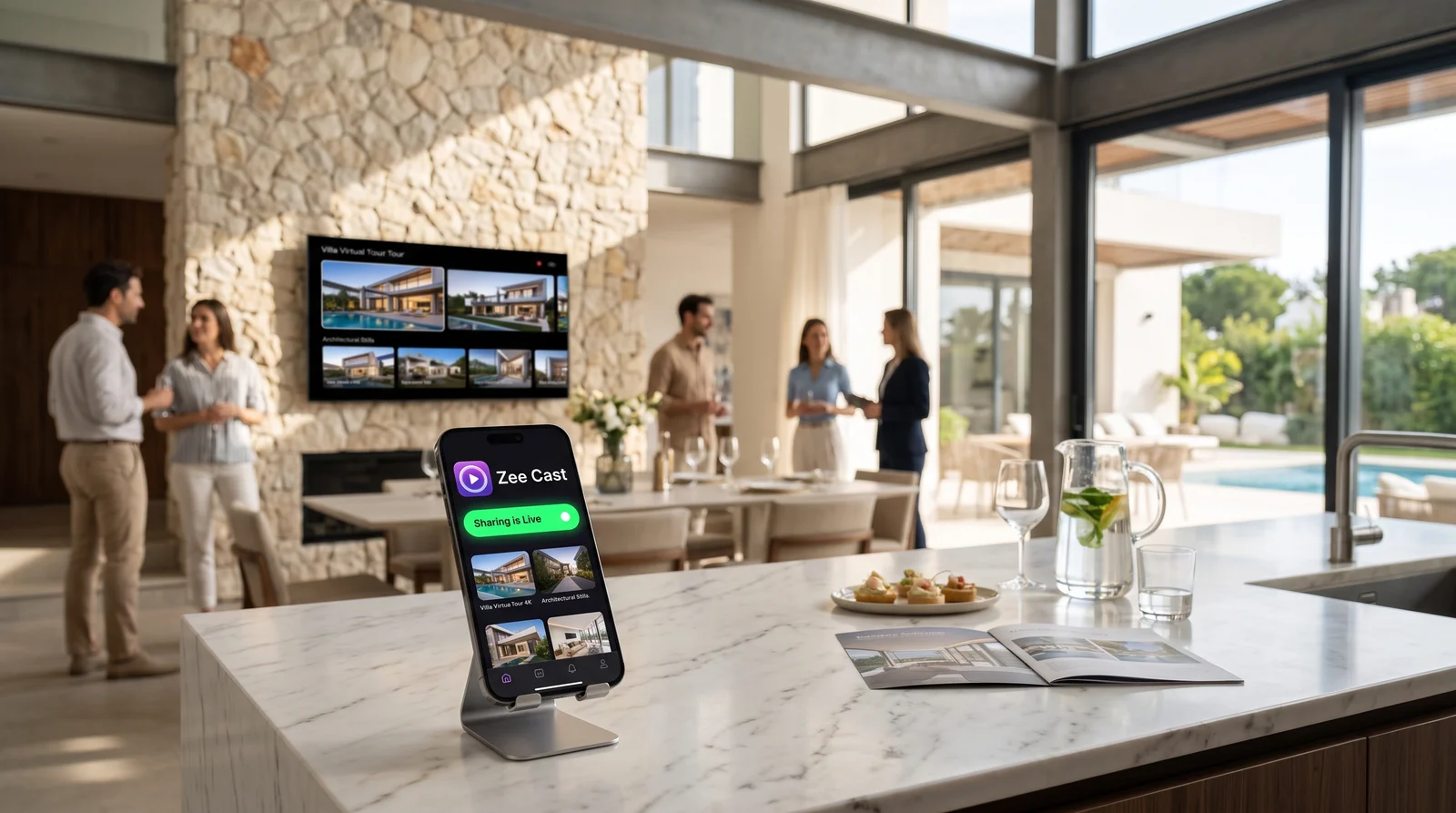
 ⚡ At a Glance: Staging Video Loop Specs ⚡ At a Glance: Staging Video Loop Specs | |
|---|---|
| Target Platform & OS | Vacant Staging Smart TVs (Samsung, LG, Sony, Roku, TCL, Hisense) |
| Protocol & Port | DLNA 1.5 / UPnP MediaServer, HTTP Port 8080 (Local Direct Play) |
| Connection Type | Phone Personal Hotspot (Zero Broadband, 0 MB Cellular Data) |
| Transcoding | None (Direct Play original 4K 60fps bitstream directly to TV SoC) |
| Typical Setup Time | ~90 seconds (Turn on Hotspot, connect TV, tap 'Turn on sharing') |
The Vacant Home Staging Dilemma: High-End TVs with Zero Connectivity
Professional home staging is one of the most effective levers in luxury real estate marketing. National Association of Realtors (NAR) research consistently shows that staged properties sell up to 73% faster and command substantial price premiums over vacant, unstyled spaces. Top staging design firms routinely mount pristine 65-inch and 75-inch 4K smart TVs above living room mantels, in master bedroom suites, and across basement entertainment lounges to create an emotional, move-in-ready ambiance.
However, open house hosts face a harsh technical barrier the moment they arrive at a vacant listing: there is no internet connection. The previous homeowners disconnected their broadband service weeks ago, the cable modem is gone, and no Wi-Fi router exists in the home. Meanwhile, commercial TV mounts hold the display flat against custom millwork or stone tile, making rear HDMI ports and USB inputs practically impossible to reach.
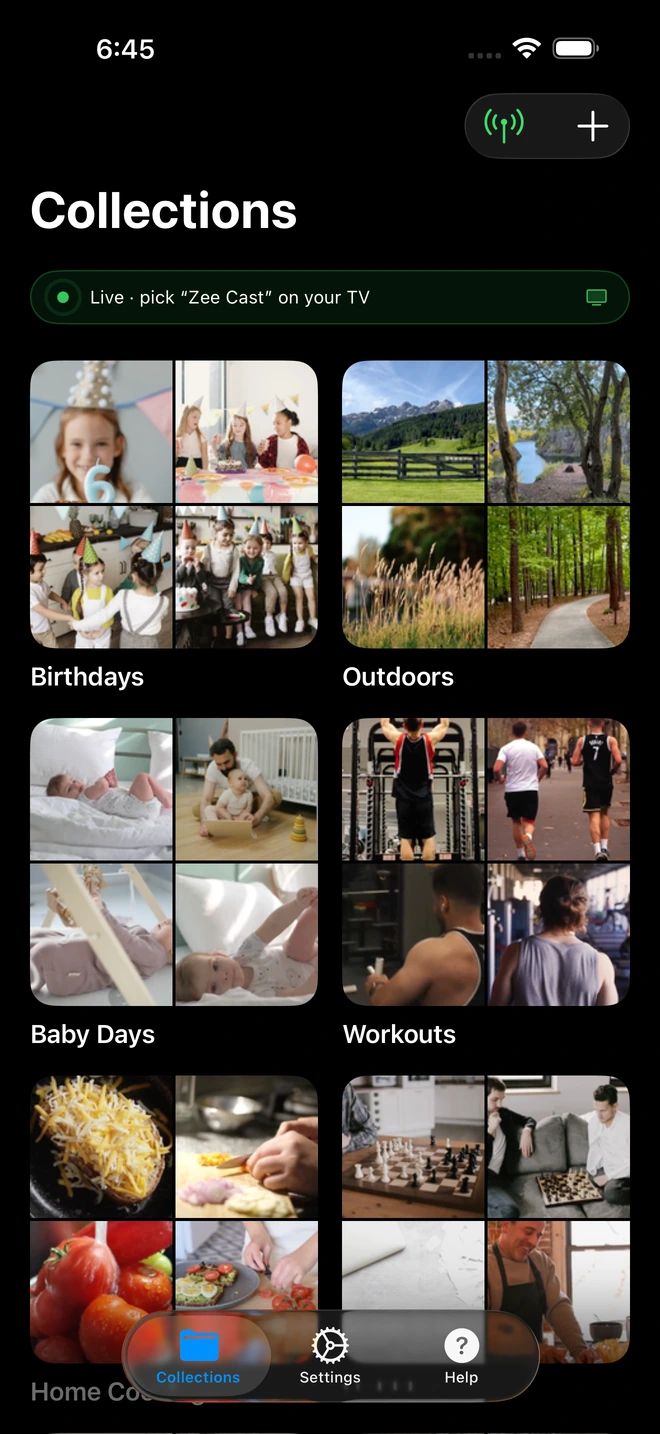
- 1Sharing is Live: TV detects Zee Cast under Connected Devices.
- 2Direct Play streams full-resolution photos & videos without mirroring.
Why Traditional Video Display Workarounds Fail During Open Houses
Real estate agents and luxury listing specialists have spent years wrestling with clumsy AV workarounds, only to run into deal-breaking limitations when prospective buyers begin arriving:
| Method | Physical Obstacles | Internet Requirement | Loop Reliability | Open House Impact |
|---|---|---|---|---|
| USB Flash Drive | Blocked rear TV ports, thumb drive stolen or lost | None | Poor (firmware crashes, file size limits, no loop) | Stops after 20 mins; leaves blank screen |
| Screen Mirroring (AirPlay / Miracast) | Phone screen locked to TV, letterboxing black bars | Requires existing router network | Fails when phone sleeps or takes a call | Exposes personal texts and lockbox codes |
| Apple TV / Chromecast Dongle | Dangling cables ruin clean interior staging | Mandatory cloud / active internet connection | Requires persistent cloud account check | Completely non-functional in vacant homes |
| Zee Cast Local Hotspot | Zero cables, zero hardware dongles | Zero broadband (0 MB data consumed) | 100% stable hardware TV decode loop | Phone in pocket; runs silently all day |
The Architecture: Personal Hotspot Direct Play with 0 MB Data
The breakthrough behind Zee Cast lies in how modern mobile operating systems manage local network traffic. When you activate your smartphone's Personal Hotspot, your device doesn't merely share a cellular modem - it initializes a full-featured, IEEE 802.11 Wi-Fi access point and assigns IP addresses via a local DHCP server.
When you connect the staging television to your hotspot, both devices inhabit the same local subnet (typically 172.20.10.0/24 on iOS or 192.168.43.0/24 on Android). Because the high-definition architectural video file already resides on your phone's physical flash storage, Zee Cast's embedded UPnP server delivers the video payload directly across the wireless chip to the television's hardware decoder via standard HTTP byte-range requests.
Key Technical Takeaway: Data never touches the cellular carrier tower. It never leaves the physical room. Even if the home is located in an isolated rural enclave or concrete-reinforced high-rise with zero cellular bars, Zee Cast streams 4K 60fps walkthrough footage with zero buffering and exactly 0 MB of cellular data consumption.
Step-by-Step: Setting Up an Automated Walkthrough Loop in 90 Seconds
Step 1: Activate Your Phone's Personal Hotspot
Before entering the living room, open your phone's Settings app:
- On iPhone: Navigate to Settings > Personal Hotspot. Toggle Allow Others to Join to ON. If connecting an older smart TV that only supports 2.4 GHz Wi-Fi, ensure Maximize Compatibility is enabled.
- On Android: Navigate to Settings > Network & Internet > Hotspot & Tethering > Wi-Fi Hotspot and toggle it to ON.
Step 2: Connect the Staging TV to the Hotspot
Using the television's remote control, navigate to the system settings:
- Samsung TV: Press Home > Settings > General > Network > Open Network Settings > Wireless. Select your phone name and enter your hotspot password.
- LG TV: Press Settings (Gear) > All Settings > Connection > Wi-Fi Connection. Select your hotspot and connect.
- Roku TV / Hisense / TCL: Press Home > Settings > Network > Set up connection > Wireless.
Step 3: Launch Zee Cast and Start Sharing
Open the Zee Cast app on your phone. Tap the + button to create a dedicated collection named after the property address (e.g., "742 Evergreen Terrace - 4K Tour"). Select your cinematic video clips, drone establishing shots, and architectural photo stills.
Tap the prominent Turn on sharing button. Zee Cast instantly spins up a lightweight, RFC-compliant UPnP MediaServer daemon on port 8080 and broadcasts SSDP discovery beacons across your hotspot's local subnet.
Step 4: Access Zee Cast on the TV Remote and Enable Loop
Pick up the TV remote:
- Open the TV's native media browser:
- Samsung: Open Source or Connected Devices and select Zee Cast.
- LG: Launch Home Dashboard or Photo & Video and choose Zee Cast.
- Roku: Launch the built-in Roku Media Player app.
- Sony / Google TV: Open Media Player or VLC.
- Navigate into your collection and press Play on your master walkthrough video.
- Press the Options or Tools button on the TV remote (often labeled with three dots or a gear icon) and set Repeat to Repeat One (or Repeat All if looping multiple clips).
Pocket Freedom: Why Real Estate Agents Never Mirror Their Screens
The single biggest hazard during an open house or client walkthrough is screen mirroring. When an agent mirrors their iPhone or iPad display to a TV via AirPlay or Miracast, three critical problems immediately compromise their professional standing:
- Severe Aspect Ratio Mismatch: Modern smartphones feature tall 19.5:9 or 20:9 aspect ratios. Mirroring them to a standard 16:9 widescreen 4K TV introduces massive black pillarbox bars on the left and right, shrinking a cinematic 75-inch display down to a tiny, unimpressive center frame.
- Devastating Privacy Exposures: When you mirror your screen, everything that happens on your phone is broadcast to everyone in the room. A text message from another client saying "Offer rejected, they won't go above $1.2M," an incoming lockbox code notification, or a private call banner from your managing broker flashes across the television for all open house attendees to read.
- Battery Drain & Screen Burnout: Screen mirroring forces the phone screen to remain turned on at maximum brightness while continuously encoding a video stream. Your phone overheats and dies within two hours, cutting you off from lead-capture forms and buyer sign-in apps.
With Zee Cast, the streaming model is inverted. Zee Cast acts as a passive, high-performance file server. Once the television begins playback, it fetches raw video frames directly from your phone's memory. You can lock your phone, answer telephone calls, calculate closing estimates, register visitors on your tablet, and mingle freely with prospective buyers while the staging TV plays pristine 4K video uninterrupted.
Battery Endurance and Power Optimization for All-Day Showings
An open house often spans from 1:00 PM to 4:00 PM on a weekend, or runs continuously throughout an evening broker preview. Because Zee Cast eliminates GPU rendering on your smartphone, power draw is minimal.
- Low CPU Overhead: Video decoding happens exclusively on the smart TV's integrated processor. Your smartphone merely handles low-overhead socket I/O.
- Background Execution: Zee Cast leverages Apple's
BGTaskSchedulerand background audio hooks on iOS, and a native foreground service on Android, ensuring the operating system never terminates your video feed while your device is locked in your pocket. - Pro-Tip for 4+ Hour Showings: Keep a compact 5,000 mAh magnetic battery pack attached to your phone, or plug your phone into a discreet wall charger in the staging kitchen. Your 4K architectural loop will run indefinitely without a single hiccup.
Frequently Asked Questions
Why can't real estate agents rely on broadband Wi-Fi in vacant staging homes?
When a property is vacated, sellers almost universally cancel their ISP subscriptions (Comcast, Spectrum, AT&T, Verizon) to eliminate carrying costs, and modems/routers are packed away by the movers. Even when stagers install temporary designer furniture, high-end art, and premium smart TVs over the fireplace, the house remains completely disconnected from the internet. Traditional streaming solutions like Chromecast, Apple TV screen mirroring, and cloud storage links fail immediately in this broadband vacuum.
Why not simply plug a USB flash drive into the staging TV?
USB flash drives suffer from three major operational hurdles in real estate staging: (1) Staging TVs are typically flush-mounted against stone fireplaces or recessed into custom millwork, making rear USB ports physically inaccessible without unmounting the 65-pound display; (2) Many consumer smart TVs format or fail to read newer exFAT USB drives or choke on video files exceeding the FAT32 4GB file boundary; and (3) TV firmware USB video players frequently crash, display intrusive on-screen menus, or lack a reliable 'infinite loop' toggle, halting after a single playback.
Does running a video loop over my phone's Personal Hotspot consume my cellular data plan?
No. Zee Cast streams media entirely over the local Layer 2 Wi-Fi subnet established between your phone and the smart TV. Because the video file is already stored in your phone's local storage and streamed over the local wireless link using HTTP Range requests (TCP port 8080), exactly 0 MB of cellular carrier data is consumed. Even if the vacant home is located in a cellular dead zone with zero cellular reception, the local Wi-Fi hotspot functions seamlessly.
Can I leave my phone in my pocket while walking buyers through the house?
Yes. Zee Cast operates as a true headless background UPnP/DLNA server. On iOS, it leverages background task scheduling and silent audio sessions to prevent operating system suspension; on Android, it utilizes a dedicated foreground media playback service. You can lock your phone screen, receive client phone calls, take notes in your MLS app, or conduct walkthroughs across multiple floors while the staging TV plays continuously.
Will streaming a 4K loop for a 3-hour open house drain my phone battery?
Because Zee Cast performs zero video re-encoding or GPU screen rendering, power consumption is exceptionally low. Zee Cast simply serves static byte chunks from flash storage across the local Wi-Fi chip directly to the TV's hardware decoder. During a typical 3-hour open house, Zee Cast consumes roughly 8% to 14% of battery life on a modern iPhone or Android device - far less than power-hungry screen mirroring, which keeps the screen lit and the GPU throttled.
What happens if a prospective buyer attempts to cast their own device to the staging TV?
In competitive luxury markets or multi-agent showings, unauthorized casting can cause major disruptions. With Zee Cast Pro's 'Device Approval' security engine, every incoming connection request from an unrecognized IP address is blocked until you explicitly authorize it on your smartphone. Furthermore, because your TV is connected directly to your personal hotspot rather than an open public network, outside devices cannot even discover the screen.
Which TV brands support native continuous video looping over DLNA?
Virtually all major television manufacturers natively support continuous looping in their built-in media players. Samsung Tizen TVs feature a 'Repeat' icon in the top playback control bar; LG webOS displays provide a 'Play Mode' toggle (Repeat All / Repeat Current); Roku Media Player features a dedicated '*' options menu with 'Repeat Mode: On'; and Sony Google TVs running the native Media Player or VLC app provide standard continuous loop toggles.
Can I include drone aerials, floor plans, and twilight photos in the same loop?
Yes. In the Zee Cast app, you can create a curated collection that combines 4K video clips, high-resolution architectural still photography, 3D CAD floorplan renderings, and twilight drone photography. When selected on the smart TV, the media player can cycle through the photos and videos sequentially or display photos as a timed 4K slideshow.
What video formats and codecs provide the highest quality playback on staging TVs?
For universal compatibility and maximum visual fidelity on 4K HDR displays, export your property video using the H.264 or HEVC (H.265) video codec with AAC audio in an MP4 container. Bitrates between 25 Mbps and 50 Mbps deliver broadcast-grade architectural clarity with silky-smooth frame rates without overwhelming local wireless bandwidth.


