
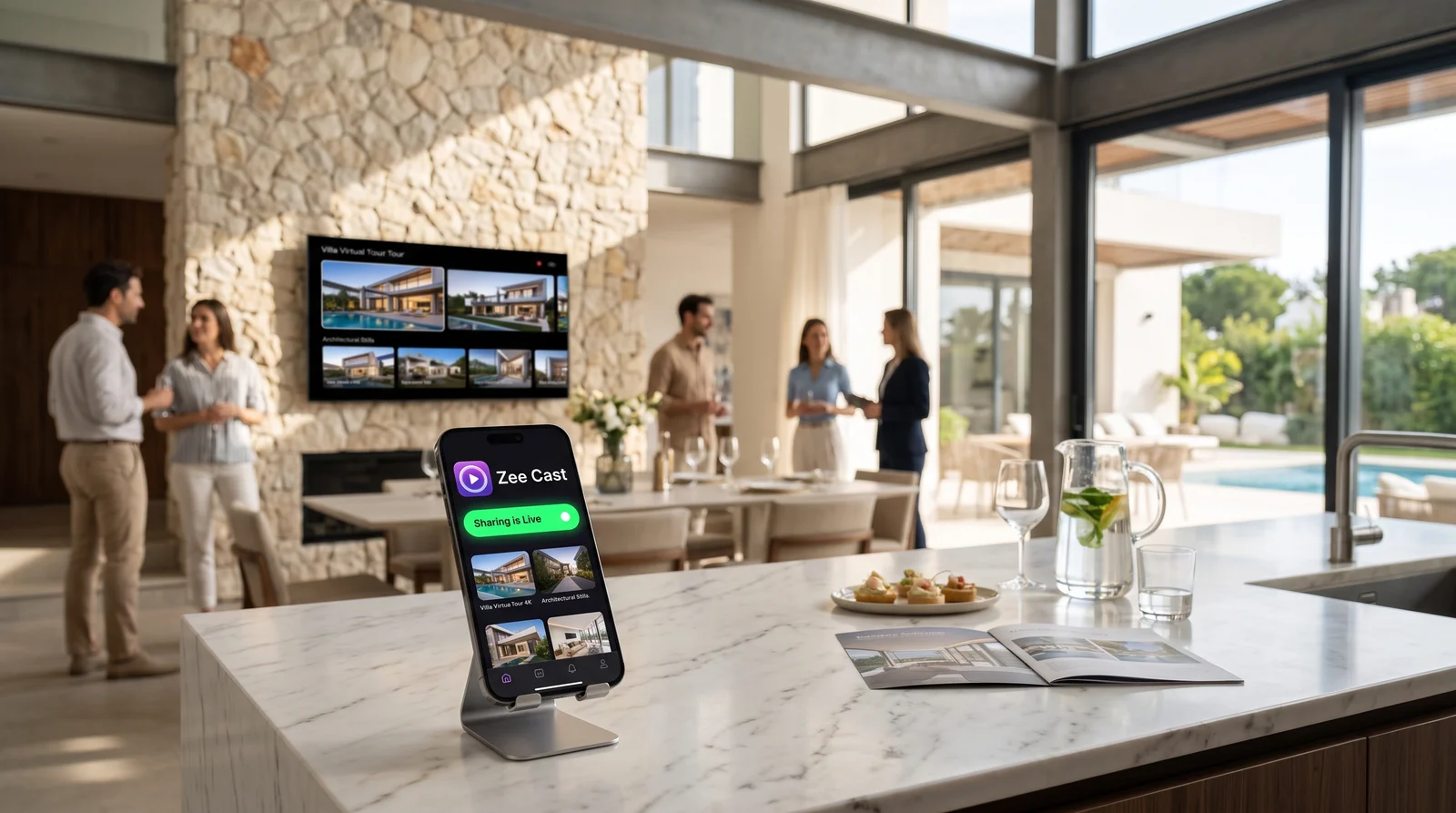
 ⚡ At a Glance: Listing Pitch Specs Specs ⚡ At a Glance: Listing Pitch Specs Specs | |
|---|---|
| Target Platform & OS | Client Smart TVs & Boardroom Displays (Samsung, LG, Sony, Apple TV, Roku) |
| Protocol & Port | UPnP / DLNA 1.5 MediaServer (HTTP Port 8080, Byte-Range Requests) |
| Connection Type | Client Wi-Fi or Agent Personal Hotspot (0 MB Internet Usage) |
| Transcoding | None (Direct Play original 4K 60fps master to TV hardware decoder) |
| Typical Setup Time | < 60 seconds (Select album, tap 'Turn on sharing', open TV Media Player) |
The High-Stakes Listing Pitch: Where Screen Mirroring Destroys Credibility
When pitching a multimillion-dollar residential listing or commercial development to discerning property owners, visual presentation is everything. High-end listing agents invest thousands of dollars in cinema-grade drone flyovers, architectural lighting videography, 3D floor plan animations, and ultra-high-resolution twilight photography. The goal is to demonstrate to prospective sellers that their property will be marketed with the highest echelon of prestige.
Yet, when it comes to presenting this media in the seller's living room or private boardroom, many agents default to screen mirroring - swiping down to tap Apple AirPlay or Android Smart View. Within seconds, the pitch begins to unravel:
- The Pillarbox Effect: A modern iPhone display has an elongated aspect ratio of 19.5:9. When mirrored onto the seller's 16:9 4K OLED television, massive vertical black bars clamp down on both sides of the screen. The $5,000 drone video is shrunk into an amateurish window, losing its cinematic grandeur.
- The Notification Nightmare: While walking the client through an architectural feature, an incoming banner alert pops up on the screen: "Buyer for 42 Elm just pulled their escrow deposit" or a text from another agent displaying a sensitive lockbox code. Even with 'Do Not Disturb' enabled, system alerts and private calendar reminders frequently slip through.
- Choppy Frame Rates & Color Banding: Screen mirroring re-compresses the phone's GPU framebuffer on the fly, typically capping playback at 30 frames per second and crushing 10-bit HDR gradients into noisy 8-bit artifacts. Sweeping drone shots stutter, ruining the smooth cinematic experience.
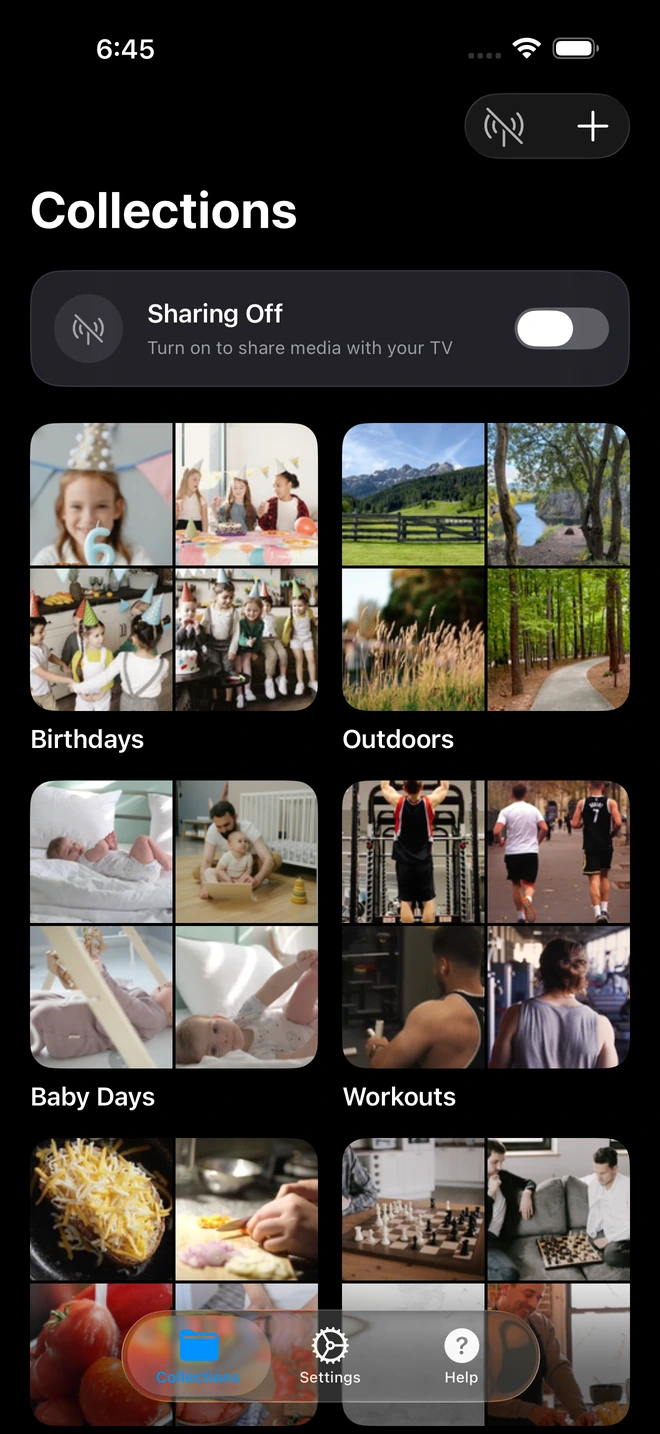
- 1Curated collections isolate shared media from your camera roll.
Direct Play vs. Screen Mirroring: Architectural Breakdown
To understand why elite agents are switching to Zee Cast, consider the structural difference in how video data is routed and decoded:
| Feature | Screen Mirroring (AirPlay / Miracast) | Zee Cast Direct Play |
|---|---|---|
| Display Format | Pillarboxed (19.5:9 phone ratio with black bars) | True 16:9 Full Screen (Edge-to-edge 4K) |
| Video Quality | Lossy re-compression, 30fps cap, color banding | Bit-for-bit master playback, 60fps 4K HDR |
| Privacy & Security | Exposes entire phone screen, notifications, texts | 100% Private (Phone screen independent) |
| Phone Usability | Phone locked to mirroring; cannot open other apps | Full phone access for MLS notes & CRM |
| TV Remote Control | Must control from phone touch screen | Controlled via physical TV remote |
| Battery Consumption | High (continuous GPU encoding + display active) | Minimal (passive local HTTP byte serving) |
Curated Collections: Expose Only What the Client Needs to See
One of the greatest fears for any business professional is accidentally exposing personal photos during a client presentation. A standard photo-sharing app or cloud gallery often displays thumbnail strips of your entire camera roll, revealing family pictures, private medical receipts, or photos of other properties.
With Zee Cast, privacy is engineered into the core data model. Zee Cast never exposes your full camera roll to the UPnP network. Instead, you create an explicit Collection:
- Create a collection titled "124 Ocean Avenue - Presentation".
- Select only the finalized, approved marketing assets: the 4K video teaser, the full architectural walk, drone stills, and floor plan graphics.
- When the client's smart TV browses Zee Cast via DLNA, the television sees only those specific files. The rest of your storage remains completely invisible and inaccessible.
Step-by-Step: Conducting a Flawless Client TV Presentation
1. Prepare Your Media Album in Advance
Before your meeting, open Zee Cast and build your presentation collection. Ensure your master video files are encoded in standard MP4 (H.264 or HEVC) for instant hardware decoding compatibility across Samsung, LG, Sony, and Roku smart TVs.
2. Establish Network Connectivity
Ask your client: "May I join your Wi-Fi network to display our marketing portfolio on your screen?" Connect your phone to their home Wi-Fi. If their network has guest isolation enabled, or if they prefer not to share their password, simply activate your phone's Personal Hotspot, pick up their TV remote, and connect the TV to your phone in 20 seconds.
3. Activate Sharing and Hand Over the TV Remote
Tap Turn on sharing in Zee Cast. Hand the television remote control to the homeowner or sit beside them with the remote:
- On Samsung TVs: Press Source and select Zee Cast under Connected Devices.
- On LG TVs: Open the Home Dashboard or Photo & Video app and select Zee Cast.
- On Sony Bravia / Google TVs: Select Zee Cast in the pre-installed Media Player or VLC app.
4. Dual-Screen Confidence: Phone for Notes, TV for Cinematic Art
Once playback begins, your phone screen goes quiet. The television takes over the heavy lifting, streaming the 4K 60fps video directly from your phone's internal memory. You can now:
- Open your real estate notes to quote exact square footage, zoning restrictions, and tax assessment figures.
- Review competing MLS comps and recent neighborhood closed sales.
- Calculate estimated mortgage payments and seller net sheets while the client is immersed in your high-definition video showcase.
Handling Unstable Client Networks and High-Security Estates
Ultra-luxury homes and corporate boardrooms often feature complex enterprise Wi-Fi systems with strict client isolation firewalls (VLANs) designed to prevent guest devices from communicating with AV hardware. When you encounter a locked-down enterprise network:
The Zero-Friction Workaround: Do not waste time asking the client for IT administrator credentials or router logins. Simply toggle on your phone's Personal Hotspot, point the TV remote to Network Settings, and connect the TV directly to your phone. Zee Cast will establish a dedicated, high-speed 5 GHz local link capable of streaming 80 Mbps 4K video flawlessly - without touching the client's home internet or using a single byte of your cellular data.
Frequently Asked Questions
Why is screen mirroring considered a serious risk during high-stakes luxury listing pitches?
Screen mirroring broadcasts every pixel of your phone display directly to the client's 75-inch living room television. When a broker mirrors their screen, incoming push notifications - such as private SMS messages, lockbox combinations from active listings, competing offer negotiations, or CRM commission alerts - flash across the screen in front of prospective sellers. In high-stakes luxury real estate where discretion and professionalism are paramount, a single accidental notification leak can destroy client trust.
How does screen mirroring degrade the visual quality of architectural drone videos?
Smartphones use tall, narrow aspect ratios (typically 19.5:9 on iPhones and 20:9 on modern Android devices), whereas smart TVs are 16:9 widescreen displays. Mirroring your screen forces the TV to pillarbox the feed, resulting in large, unprofessional black bars on the left and right sides. Furthermore, screen mirroring relies on real-time lossy H.264 compression with heavy downscaling and frame-rate caps (often dropping to 30fps), introducing visible compression banding, artifacting, and jitter during sweeping architectural drone pans.
How does Zee Cast protect my personal camera roll from being browsed by clients?
Unlike generic photo sharing tools that expose your entire camera roll, Zee Cast is built around explicit 'Collections'. The UPnP ContentDirectory service only exposes the specific photos and video files you manually add to that active collection. Your private family photos, personal travel snapshots, receipts, and client documents never appear in the TV's media directory.
Can I take notes or calculate financing on my phone while the video is playing on the TV?
Yes, completely. Because Zee Cast operates as a local HTTP streaming server rather than a display duplicator, your smartphone screen is entirely independent of the television. You can switch between apps, open your real estate CRM, calculate loan amortization schedules, review contract clauses, or reply to emails while the television plays 4K video seamlessly in the background.
What if the client has an older TV that doesn't support Apple AirPlay 2?
AirPlay 2 is restricted to Apple TVs and select television models manufactured after 2018. However, DLNA is an open worldwide standard integrated into virtually every smart TV manufactured over the past fifteen years (including older Samsung Tizen, LG webOS, Sony Bravia, Panasonic, and Sharp models). Zee Cast allows an iPhone or Android phone to stream directly to any DLNA-capable screen without requiring Apple TV hardware or proprietary receivers.
How does direct play ensure true 4K 60fps HDR playback?
Zee Cast streams the original, unaltered master video file directly to the smart television using HTTP 1.1 Range requests. The television's own dedicated hardware video decoder chip decompresses the HEVC/H.264 bitstream directly to the 4K panel. This eliminates the CPU transcoding bottleneck on your phone, preserving full 10-bit HDR color depth, cinematic 60fps frame rates, and maximum dynamic range.
What should I do if the client's Wi-Fi network has client isolation enabled?
High-end homes with enterprise-grade network security (such as Ubiquiti UniFi, Cisco Meraki, or guest Wi-Fi VLANs) frequently enable Access Point (AP) Client Isolation, which prevents wireless devices from communicating with one another. When you encounter this, simply activate your phone's Personal Hotspot and connect the client's TV to your hotspot. Zee Cast will stream over your private local hotspot subnet with zero network friction and 0 MB of carrier data consumption.
Can I control playback using the TV remote instead of touching my phone?
Yes. Because the television's native media player is the active client rendering the stream, you or your client can use the television's physical remote control to pause, rewind, fast-forward, or skip to the next architectural asset. This lets you sit side-by-side with your client and pass them the remote, giving them tactile, interactive control over the listing tour.
Does Zee Cast require an internet connection or cloud upload during the presentation?
No. Zee Cast operates 100% locally. No files are ever uploaded to cloud servers, and no external internet bandwidth is required. The video files stream directly from your phone's internal storage across the local Wi-Fi or hotspot link to the television, ensuring instantaneous loading even in basements, remote estates, or mountain properties with poor cellular coverage.


