
The Missing Link for iPhone Users
For more than a decade, Android users have relied on BubbleUPnP as their go-to Swiss Army knife for local UPnP and DLNA streaming. It allows users to turn their phone into a media server, stream to smart TVs, and bridge network renderers.
However, if you switch to iPhone or own an iPad, you quickly hit a roadblock: BubbleUPnP does not exist on the Apple App Store. Apple's strict background execution rules, sandboxed photo permissions, and custom media frameworks kept traditional Android developers from porting their tools to iOS.
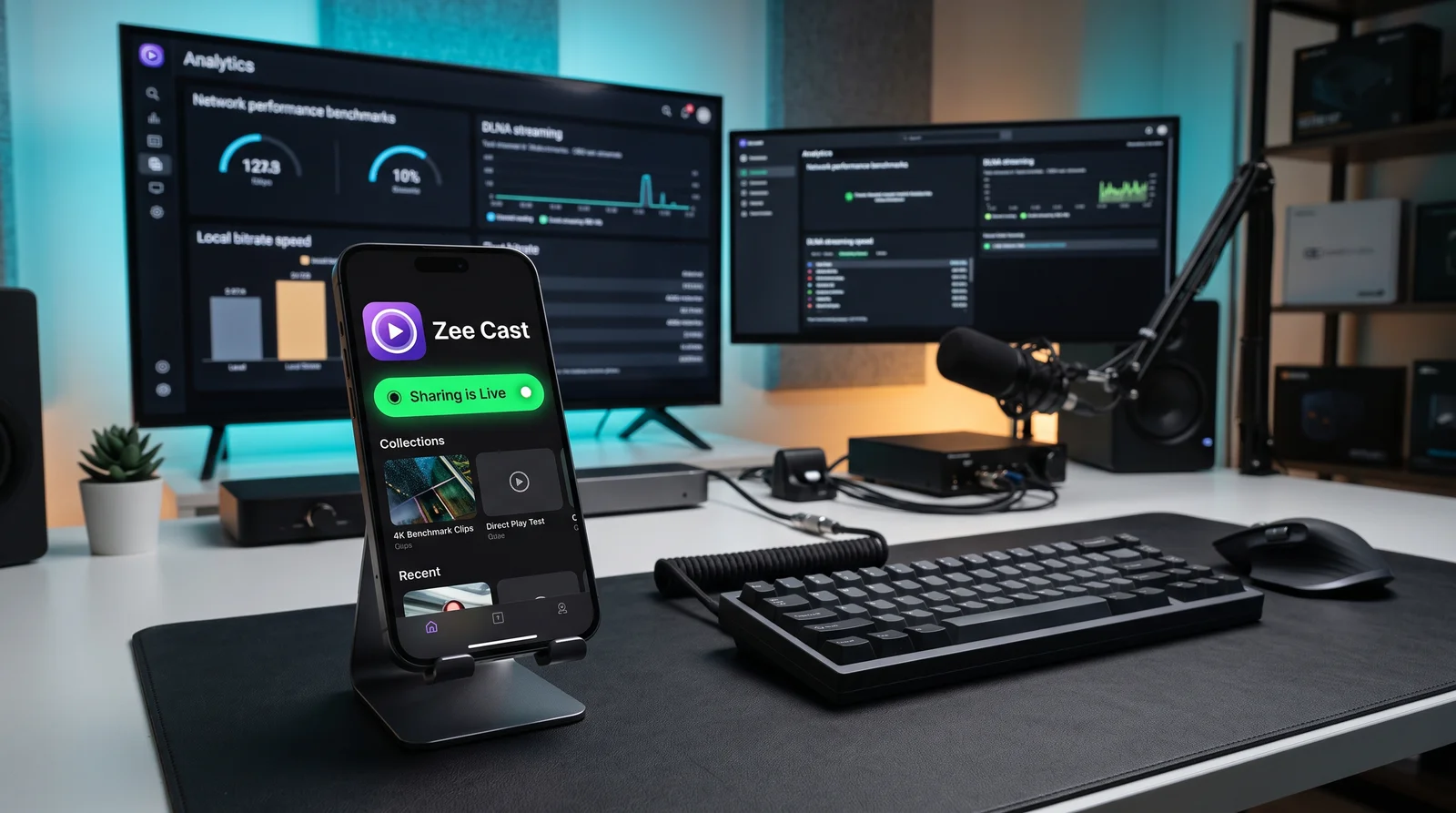
Zee Cast was built to solve this exact problem. It delivers a modern, lightweight, mobile-first UPnP/DLNA media server that runs natively on both iOS and Android with zero desktop requirement.
Side-by-Side Comparison: Zee Cast vs BubbleUPnP
Here is how Zee Cast and BubbleUPnP compare across core media serving features, platform availability, and user experience:
| Capability | Zee Cast | BubbleUPnP |
|---|---|---|
| iOS & iPadOS Support | ✅ Native iOS app (iOS 16, 17, 18+) | ❌ Not Available (Android Only) |
| Android Support | ✅ Native Android (Material 3 Expressive) | ✅ Native Android (Classic UI) |
| Setup Complexity | ✅ 1-Tap Activation (Pick media → Turn on sharing) | ⚠️ Moderate (Multi-tab menus, network profiles) |
| Local Media Collections | ✅ Curated visual photo & 4K video collections | ⚠️ Raw file system & folder tree browsing |
| Background Streaming | ✅ Yes (Silent audio keepalive + background tasks) | ✅ Yes (Android foreground service) |
| 4K Direct Play | ✅ Lossless byte-range streaming (0% CPU transcode) | ✅ Direct play supported |
| Privacy & Security | ✅ Optional IP-based Device Approval gate | ⚠️ Open access on local subnet |
| Pricing & Ads | ✅ 100% Ad-free Free tier / One-time Pro purchase | ⚠️ Ad-supported Free version / License key |
Why Zee Cast is the Modern Alternative
While traditional DLNA tools like BubbleUPnP were designed during the early Android era around raw file hierarchies, modern users want simplicity and privacy. Zee Cast re-imagines mobile media serving for today:
- Curated Privacy: Rather than exposing your entire camera roll or SD card over your local network, Zee Cast lets you select exactly which photos and videos belong to a shared collection. What isn't added stays private.
- Zero Battery Drag: Zee Cast serves your media via standard HTTP Byte-Range requests. The smart TV's hardware decoder pulls the exact bytes it needs, allowing 4K 60fps streaming with virtually zero CPU heat or battery consumption.
- Device Approval Security: On shared networks (dormitories, shared flats, office Wi-Fi), Zee Cast Pro lets you approve or reject incoming connection requests per device IP before serving media.
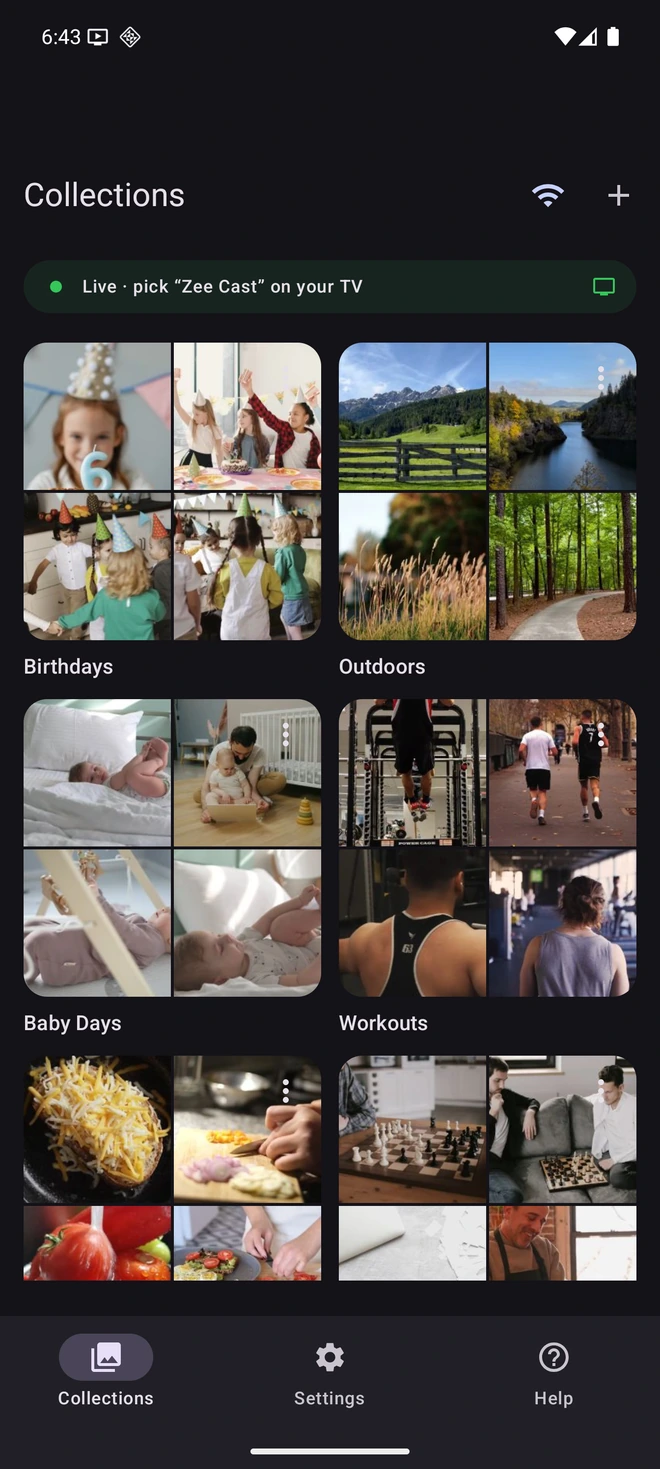
- 1Sharing is Live: TV discovers your device instantly via SSDP.
- 2Direct Play streams original 4K video files without Chromecast.
Why Other "BubbleUPnP iOS Alternatives" Fall Short
Software directories and forums often recommend apps like Replica or Web Video Caster to users looking for BubbleUPnP on iOS. However, these tools operate on entirely different, inferior mechanisms:
| Alternative App | Underlying Mechanism | Drawbacks vs Zee Cast DLNA |
|---|---|---|
| Replica / Screen Mirroring Apps | Lossy screen recording streamed via WebSocket / RTSP | Compresses 4K down to 1080p, black bars, battery drain, latency, and exposes private notifications on your TV. |
| Web Video Caster / CastBrowser | In-app web browser that scrapes video URL tags from web pages | Designed for pirated video streams or embedded HTML5 players, not for browsing or serving local camera roll 4K HDR videos. |
| TV Assist / mconnect Player | Legacy DLNA controller / renderer | Outdated UI, lacks background runtime keepalives, and drops streaming sessions when your iPhone screen is locked. |
| Zee Cast (Recommended) | Native UPnP / DLNA Digital Media Server (DMS) | Bit-perfect 4K Direct Play, zero screen mirroring, background playback with locked screen, and ad-free privacy. |
How to Stream from iPhone in 3 Quick Steps
- 1
Create a Collection
Open Zee Cast on your iPhone and tap + Create Collection. Select the photos, vacation clips, or 4K videos you want to enjoy.
- 2
Turn On Sharing
Tap the main Turn on sharing toggle. Zee Cast launches an instant UPnP/DLNA media server on your local Wi-Fi or Personal Hotspot.
- 3
Open Media on Your TV
On your Samsung, LG, Roku, Fire TV, or media player (VLC, Infuse, Kodi), navigate to Connected Devices or Local Network and select Zee Cast. Your media streams instantly in original quality.
Frequently Asked Questions
Is BubbleUPnP available on iOS or the Apple App Store?
No. BubbleUPnP is exclusively available for Android devices via Google Play. The developer has never released an iOS version due to the architectural differences in how iOS manages background network daemons and sandboxed media libraries. Zee Cast was built specifically to fill this gap, giving iPhone users a native, modern UPnP/DLNA media server.
How does Zee Cast compare to BubbleUPnP for streaming to smart TVs?
Both apps function as mobile DLNA Digital Media Servers (DMS). However, while BubbleUPnP features a legacy Android interface with complex networking tabs, Zee Cast provides a streamlined 1-tap experience built natively for modern iOS (with Liquid Glass aesthetics) and Android (Material 3 Expressive). Zee Cast focuses on curating and serving your local photos and 4K videos directly to Samsung, LG, Roku, Fire TV, and gaming consoles without configuration hassle.
Does Zee Cast stay running in the background when my iPhone screen is locked?
Yes. Just like BubbleUPnP's Android service, Zee Cast includes robust background execution support on iOS. Once you tap 'Turn on sharing', Zee Cast continues serving your 4K videos and photo collections even when you switch to other apps, make phone calls, or lock your device.
Can I use Zee Cast without home Wi-Fi or when traveling?
Yes. Zee Cast operates entirely over local IP networking without needing an active internet connection. You can turn on your phone's Personal Hotspot, connect your smart TV or laptop to that hotspot, and stream your media seamlessly with 0 MB of cellular data consumption.
Does Zee Cast require setting up a PC server or cloud account?
No. Zee Cast runs 100% locally on your smartphone. There are no user accounts, no tracking servers, no cloud subscriptions, and no desktop PC required.


