
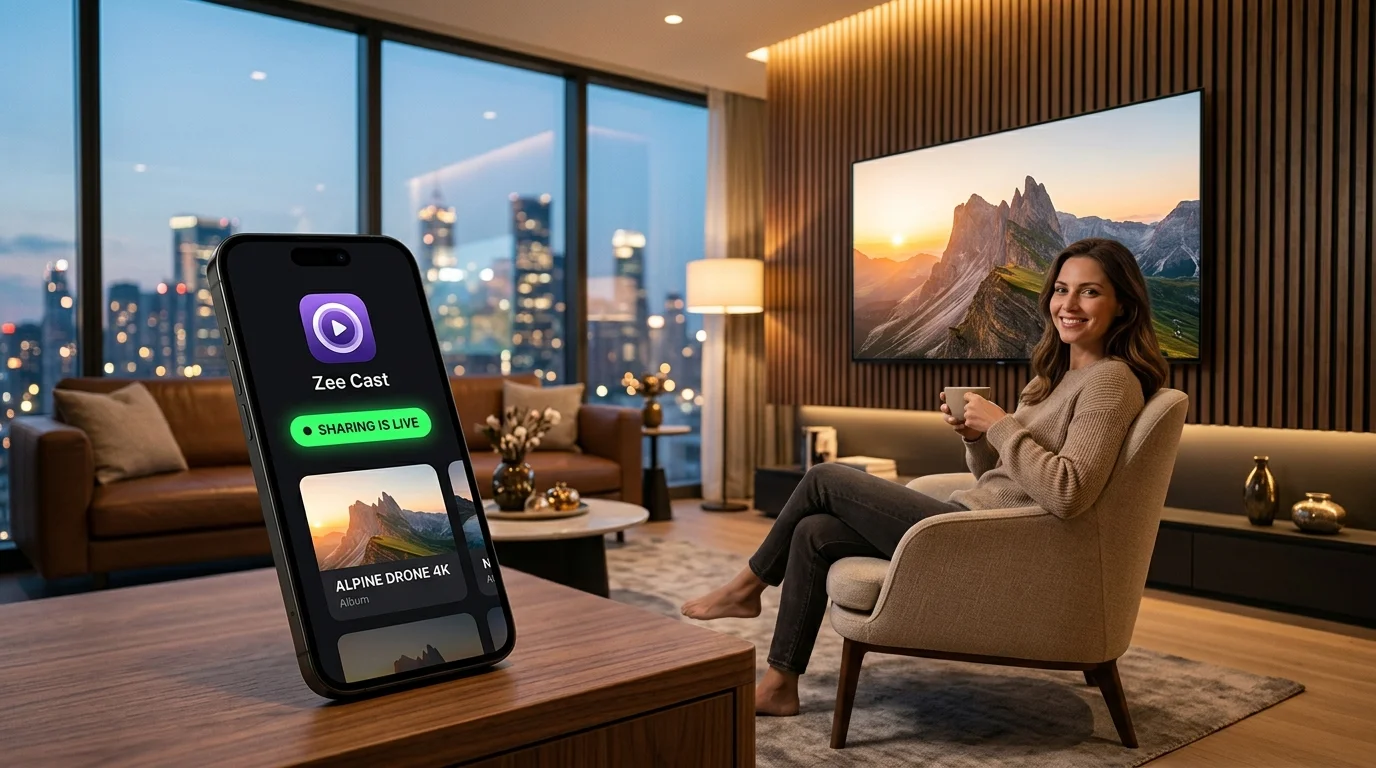
Your smartphone is now your primary 4K HDR video camera and family photo archive. But how do you stream personal media directly to your smart TV without running a power-hungry 24/7 desktop server, transferring files to a NAS, or uploading private memories to the cloud? We tested and ranked the top mobile and desktop DLNA servers available today.
2026 DLNA Media Server Apps at a Glance
Compare the leading UPnP/DLNA servers across platform compatibility, mobile-native serving, privacy guarantees, battery impact, and pricing models:
| Media Server | Zee Cast | BubbleUPnP | Plex Media Server | Kodi | Serviio | Universal Media Server |
|---|---|---|---|---|---|---|
| Server Platform | iOS & Android (Mobile) | Android (Mobile) | Windows, Mac, Linux, NAS | Android, Windows, Mac, Linux | Windows, Mac, Linux, Synology | Windows, Mac, Linux |
| Native Mobile Server | Yes (1-tap DMS on phone) | Yes (Android only) | No (Client only; host on PC/NAS) | Partial (Runs on Android; sideload on iOS) | No (Desktop/NAS host required) | No (Desktop host required) |
| Initial Setup Time | Under 30 seconds | 2–5 minutes | 30–60+ minutes | 15–30 minutes | 20–45 minutes | 20–45 minutes |
| Privacy & Accounts | 100% Zero-Cloud (No accounts) | Local (Optional cloud drive sync) | Cloud account mandatory + telemetry | 100% Local (Open-source) | Local (Optional remote console) | 100% Local (Open-source) |
| Power & Battery Impact | Extremely Low (0W idle, direct play) | Low to Moderate | High (30–100W 24/7 PC/NAS) | Moderate (10-ft UI engine) | High (Java runtime + CPU load) | High (Heavy CPU live transcoding) |
| Direct Camera Roll | Instant in-app photo/video picker | Local file explorer browsing | Requires copying files to PC disk | Manual file path indexing | Requires copying files to PC disk | Requires copying files to PC disk |
| Pricing Model | Free tier + One-time Pro ($9.99) | Free tier + $4.99 license | Free tier + Plex Pass subscription | 100% Free & Open Source | Free tier + $25 Pro license | 100% Free & Open Source |
Deep Dive: The Best DLNA Media Servers in 2026
We tested each media server against modern Smart TVs (Samsung Tizen, LG webOS, Roku OS, Android TV / Google TV) and media players (VLC, Infuse) over 5GHz Wi-Fi and mobile hotspots:
1. Zee Cast
Best Overall Mobile-First DLNA Server for iPhone & Android
Zee Cast represents a modern shift in how media servers operate. Instead of requiring users to buy, configure, and maintain a dedicated desktop computer or NAS, Zee Cast turns your existing iPhone or Android smartphone into an on-demand UPnP/DLNA Digital Media Server (DMS) in a single tap.
Because you already capture your family photos and 4K 60fps HDR vacation videos directly on your phone, Zee Cast eliminates the tedious middleman step of transferring gigabytes of media over cables or cloud sync to a desktop hard drive. You open the app, organize your photos and videos into curated collections, and tap "Turn on sharing". Your Samsung TV, LG TV, Roku, Fire TV, or VLC player instantly discovers Zee Cast under Connected Devices or Local Network.
Architecturally, Zee Cast is engineered for extreme battery efficiency and privacy. It serves original byte streams using HTTP Range requests without heavy phone-side CPU transcoding, allowing the TV's built-in video processor to handle direct playback. On iOS, HEIC photos are automatically streamed in high-quality JPEG format for universal TV compatibility. Zee Cast also features a built-in Device Approval firewall that lets you approve or block specific TV IP addresses on your local network before any media is served.
Pros
- Instant 1-tap sharing with zero desktop hardware or NAS required
- Full cross-platform feature parity on both iOS and Android
- 100% Zero-Cloud privacy - no accounts, passwords, or telemetry
- Ultra-low battery usage with hardware direct-play streaming
- Curated collections keep private camera roll items protected
- Per-IP Device Approval security for untrusted local networks
- One-time Pro unlock - zero recurring subscriptions
Cons
- Not designed for 20TB commercial movie archives with TV scrapers
- Free tier capped at 20 items and 2 collections (unlimited with Pro)
2. BubbleUPnP
Best for Android Power Users & Multi-Cloud Integration
BubbleUPnP has been a staple in the Android media enthusiast community for over a decade. It is a versatile Swiss-army-knife UPnP/DLNA tool that functions simultaneously as a Digital Media Server (DMS), a Digital Media Controller (DMC), and a Digital Media Renderer (DMR).
BubbleUPnP excels at interconnecting complex media pipelines. It can pull media from local Android storage, network shares (SMB/NFS), or cloud storage accounts (Google Drive, Dropbox, Box, OneDrive, Tidal, Qobuz) and route the stream to DLNA TVs, Chromecast devices, or Sonos speakers. It can also integrate with an optional desktop companion software (BubbleUPnP Server) to perform real-time transcoding.
However, BubbleUPnP's user interface is dense and technical, with dozens of nested menus that can overwhelm everyday users. Crucially, BubbleUPnP is exclusive to Android and does not have an iOS version on the Apple App Store, making it unavailable for iPhone and iPad users (read our full BubbleUPnP Alternative for iPhone guide).
Pros
- Acts as server (DMS), controller (DMC), and renderer (DMR)
- Extensive cloud integration (Google Drive, Dropbox, Tidal, Qobuz)
- Supports casting to DLNA, Chromecast, and smart audio systems
- Highly customizable network buffering and audio resampling
Cons
- Android only - completely unavailable on iOS / iPhone
- Complex, intimidating technical UI for non-technical users
- Free version enforces strict 20-minute audio/video stream limits
- Real-time transcoding requires running a companion desktop server
3. Plex Media Server
Best for Massive Centralized Movie & TV Series Archives
Plex is the undisputed titan of home theater software for centralized movie and TV show collectors. Operating on Windows, macOS, Linux, and dedicated NAS boxes (Synology, QNAP, TrueNAS), Plex indexes vast hard drive libraries, automatically downloads posters, plot summaries, trailer clips, and subtitles, and presents them in a polished Netflix-style interface.
Plex includes a built-in DLNA server toggle under its Advanced Settings, allowing legacy DLNA clients to browse the library. However, Plex is not a mobile server: you cannot turn your phone into a server for the TV. The mobile Plex app functions strictly as a client and remote control. Streaming phone photos and videos requires manually ingesting files into your desktop's file system or configuring Plex camera upload features to your home NAS.
Furthermore, creating and logging into a central Plex.tv cloud account is mandatory. Running a dedicated PC or NAS 24/7 also adds $50 to $150+ in annual electricity costs.
Pros
- Industry-leading automated metadata scrapers for movies and TV series
- Powerful multi-stream hardware transcoding via Intel QuickSync / Nvidia NVENC
- Native client apps for virtually every smart TV, streaming box, and mobile OS
- Remote access over the internet with bandwidth throttling
Cons
- Requires a dedicated 24/7 desktop PC or NAS enclosure
- No mobile server capability (phone cannot act as an independent server)
- Mandatory cloud accounts and privacy telemetry
- Mobile playback locked behind Plex Pass subscription or per-app activation fee
4. Kodi (formerly XBMC)
Best Open-Source Home Theater Platform with Built-In UPnP
Kodi is one of the oldest and most celebrated open-source home theater applications in existence. Designed primarily as a 10-foot television interface for dedicated living room PCs and Android TV boxes, Kodi can play almost any video, audio, or image format known to computing.
Kodi includes robust UPnP/DLNA capabilities out of the box. You can enable its internal UPnP server to share indexed libraries across your local network, or use Kodi as a renderer to receive media sent from mobile devices. Because it is completely open-source, Kodi has zero telemetry, zero mandatory cloud accounts, and zero subscription fees.
On mobile devices, however, Kodi shows its limitations. The user interface is heavily optimized for TV remotes, making touch navigation on a smartphone screen awkward and cramped. More importantly, Apple's App Store policies prohibit Kodi due to its executable add-on engine. Running Kodi on an iPhone requires sideloading via Xcode or AltStore, which requires re-signing the app certificate every 7 days.
Pros
- 100% Free and open-source with no corporate tracking or paywalls
- Plays almost any esoteric video, audio, or subtitle codec natively
- Includes built-in UPnP server, renderer, and control point modules
- Enormous third-party plugin and skin customization ecosystem
Cons
- Not available on the iOS App Store (requires tedious weekly sideloading)
- 10-foot TV UI is difficult and clunky to navigate on mobile touchscreens
- High background resource and battery consumption on mobile devices
- Steep configuration learning curve for non-technical users
5. Serviio
Best for Desktop Profile-Based Real-Time Transcoding
Serviio is a mature, Java-based desktop media server designed to bridge the gap between complex media collections and older smart TVs with restrictive codec support. Running on Windows, macOS, Linux, and Synology NAS devices, Serviio's standout feature is its comprehensive library of device-specific Renderer Profiles.
When a Sony Bravia, Samsung Tizen, LG webOS, or Panasonic TV connects to Serviio, the server detects the TV model's unique DLNA user-agent string and applies tailored real-time transcoding rules. If your TV cannot play high-bitrate HEVC or FLAC audio, Serviio automatically transcodes the stream on-the-fly to H.264/AAC using FFmpeg.
However, Serviio is strictly a desktop application; there is no native server app for iPhone or Android. You must keep your computer awake and connected to the home network. Its desktop console requires configuring Java runtime environments, setting up folder read permissions, and configuring firewall exceptions.
Pros
- Extensive database of TV renderer profiles tailored for specific hardware
- Reliable on-the-fly video and audio transcoding powered by FFmpeg
- Supports live online content streams (RSS feeds, live webcams) via DLNA
- Fine-grained subtitle extraction and on-screen burn-in support
Cons
- Desktop-only software - no mobile server app for iOS or Android
- Requires Java runtime environment installation on your computer
- Heavy desktop CPU and RAM utilization during active transcoding
- Modern mobile web and API features locked behind a $25 Pro license
6. Universal Media Server (UMS)
Best Open-Source Desktop Server with Granular Transcoding Flags
Universal Media Server (UMS) originated as a community fork of the legendary PS3 Media Server. Built by a dedicated team of open-source developers, UMS is a powerhouse desktop UPnP/DLNA server compatible with Windows, macOS, and Linux.
UMS integrates deeply with open-source transcoding engines including FFmpeg, MEncoder, tsMuxeR, and AviSynth. It can parse complex container formats, mux audio channels, inject styled subtitles, and stream high-bitrate video to PlayStation consoles, Xbox, smart TVs, and software media players.
Like Serviio and Plex, UMS is entirely desktop-bound. It cannot run on a smartphone or access mobile camera rolls directly. The configuration dashboard exposes hundreds of technical transcode settings, buffer multipliers, and packet sizes that can be overwhelming for everyday users.
Pros
- 100% Free and open-source with regular community updates
- Unrivaled transcode engine integration (FFmpeg, tsMuxeR, AviSynth)
- Automatic dynamic bitrate scaling to prevent network buffering
- Broad compatibility with game consoles (PS5, PS4, Xbox Series X) and TVs
Cons
- Desktop-only - cannot run as a native mobile media server
- Complex UI with hundreds of technical knobs and transcode settings
- High desktop CPU and power consumption during live video conversion
- Requires computer to remain powered on and connected to the LAN
Mobile-First DLNA vs. Dedicated Desktop Servers: Key Technical Differences
Why has the media server landscape diverged into two distinct categories? Here is how mobile-first architecture solves the limitations of traditional 24/7 desktop servers:
⚡ 1. Direct-Play vs. Transcode Battery Overhead
Traditional desktop servers rely on heavy CPU/GPU transcoding to re-encode files before sending them over the wire. Mobile devices cannot afford this without overheating and draining the battery in 30 minutes. Mobile-first servers like Zee Cast serve original byte streams using HTTP Range headers, letting the Smart TV's dedicated hardware decoder do 100% of the heavy lifting. The result: near-zero battery drain on your phone (< 2-4% per hour).
🔒 2. Strict Zero-Cloud Privacy vs. Account Telemetry
Platforms like Plex require an account on their cloud infrastructure to authenticate users, exposing local metadata and usage habits to third-party databases. Pure UPnP/DLNA operates strictly on layer-2/layer-3 local networking (SSDP multicast discovery on 239.255.255.250:1900 and HTTP unicast). Not a single byte of your family photos or personal video clips ever leaves your local network.
📱 3. Zero File Transfer Bottlenecks
With a desktop or NAS server, sharing a newly recorded 4K video requires transferring the multi-gigabyte file to a computer hard drive first. A mobile DLNA server indexes the native iOS Photos framework or Android MediaStore in-memory, making camera roll items instantly streamable the moment you stop recording.
📶 4. Complete Offline & Hotspot Freedom
Cloud-dependent casting solutions like Google Chromecast fail when an active internet connection is unavailable. Because mobile DLNA is 100% local, it works seamlessly offline: turn on your phone's Personal Hotspot in a vacation cabin, connect your Smart TV or laptop to the hotspot, and stream immediately without any internet connection.
Official DLNA & UPnP Technical Documentation References
- UPnP Forum: UPnP Device Architecture & ContentDirectory Service (CDS) Specifications
- Digital Living Network Alliance (DLNA): Media Interoperability Guidelines
- Plex Support: Overview of Plex Media Server Architecture
- Kodi Official Wiki: UPnP/DLNA Server and Client Configuration
- Universal Media Server: Open-Source Documentation
- BubbleUPnP: Mobile UPnP/DLNA Controller & Server Documentation
Frequently Asked Questions
What is the best DLNA media server app for iPhone in 2026?
Zee Cast is the premier DLNA media server app for iPhone and iPad in 2026. While desktop servers like Plex or Serviio require keeping a PC running, Zee Cast turns your iPhone into an instant local UPnP/DLNA server in 1 tap, streaming high-resolution photos and 4K camera videos directly to your TV with zero cloud uploads or monthly fees.
What is the main difference between mobile-first DLNA servers and desktop servers like Plex?
Mobile-first DLNA servers (like Zee Cast) run directly on your smartphone to stream personal camera roll photos and videos without copying files to a computer or paying for 24/7 desktop electricity costs. Desktop servers (like Plex, Kodi, or Serviio) are designed to run continuously on dedicated PC/NAS hardware for massive commercial movie and TV show archives.
Does streaming 4K video from a phone via DLNA drain the battery quickly?
No. When using direct-play DLNA servers like Zee Cast, the phone serves raw video bytes with HTTP Range seek support over your local Wi-Fi without real-time CPU transcoding. The receiving smart TV decodes the video using its own dedicated hardware decoder, resulting in negligible phone battery usage (typically under 2-4% per hour).
Can I use DLNA media servers without an internet connection or Wi-Fi router?
Yes. DLNA operates purely over local network protocols (SSDP multicast discovery and HTTP unicast). You can stream offline using a portable travel router or by enabling your phone's Personal Hotspot and connecting your smart TV directly to your phone's hotspot network.
Why doesn't Plex support turning an iPhone or Android phone into a media server?
Plex originally experimented with mobile server features but deprecated them years ago to focus on centralized multi-user desktop and NAS servers. Today, Plex mobile apps act strictly as clients and remote controls for an external Plex Media Server.
Is there a BubbleUPnP app for iPhone or iOS?
No. BubbleUPnP is strictly Android-only and is not available on Apple's App Store. If you are an iPhone user looking for an equivalent app to stream your local photos and 4K videos to a DLNA smart TV or media player, Zee Cast is the dedicated iOS alternative, featuring instant 1-tap sharing and full background playback.
How does DLNA compare to Apple AirPlay and Google Cast?
DLNA is an open industry standard built into virtually every smart TV (Samsung Tizen, LG webOS, Roku, Android TV). Unlike AirPlay or Chromecast screen mirroring which constantly records your phone display and drains battery, DLNA streams the source file in the background, leaving your phone completely free for phone calls, apps, or screen lock.


