
Key takeaways
- AirPlay mirrors the phone framebuffer, so the phone is busy, exposed and battery-hungry the whole time.
- DLNA serves the original file to the TV, so the phone can lock, take calls and stay cool.
- AirPlay 2 needs an Apple TV or a certified TV; DLNA works on almost every smart TV built since 2016.
- For personal media, direct play keeps full 4K/HDR quality that mirroring usually compresses to 1080p.
Side-by-Side Breakdown
Both protocols allow phone-to-TV playback, but their underlying architectures are completely different. AirPlay mirrors your screen pixel-by-pixel, while DLNA turns your phone into a high-speed file server that feeds original video bytes directly to your TV hardware decoder.
| Feature | Zee Cast (DLNA / UPnP) | Apple AirPlay (Screen Mirroring) |
|---|---|---|
| Phone Multitasking | ✅ Full freedom - call, text, browse, or lock phone while TV plays | ❌ Phone screen is locked; any interaction interrupts TV |
| Battery Efficiency | ✅ Ultra-low battery drain (serves raw bytes directly to TV decoder) | ❌ High drain (phone CPU continuously encodes live video frames) |
| Notification Privacy | ✅ 100% Private (incoming texts and alerts never appear on TV) | ❌ High risk (personal messages and alerts pop up on TV) |
| TV Compatibility | ✅ Universal (Samsung, LG webOS, Roku, Fire TV, Android TV, VLC) | ❌ Restricted to Apple TV or AirPlay 2 certified TV models |
| Original 4K Quality | ✅ Bit-perfect original file streaming with HTTP byte-range seek | ⚠️ Often compressed to 1080p for wireless mirroring bandwidth |
| Remote Control | ✅ TV remote controls playback (play, pause, fast forward, rewind) | ⚠️ Requires using phone screen or Apple remote app |
Architectural Comparison
Understanding the data path highlights why background local streaming delivers better performance and battery life:

Three Fundamental Differences
1. Server vs. Screen Mirroring
AirPlay mirroring captures the display framebuffer of your phone, compresses it using hardware video encoders, and broadcasts the compressed video stream across Wi-Fi. In contrast, DLNA runs a lightweight embedded HTTP/UPnP server. Your TV requests the exact media file and decodes it using its own internal video processor.
2. Battery & Thermal Overhead
Encoding 4K video in real time produces substantial heat and drains 25% to 40% of phone battery per hour during screen mirroring. With DLNA, your phone simply reads bytes from disk and transfers them over Wi-Fi without video transcoding, consuming less than 3% battery per hour.
3. Privacy & Notification Safety
When sharing vacation photos or family videos with a room full of guests, screen mirroring displays every incoming text message, sensitive notification, or phone call on the television. DLNA exposes only the curated media collection you chose to share.
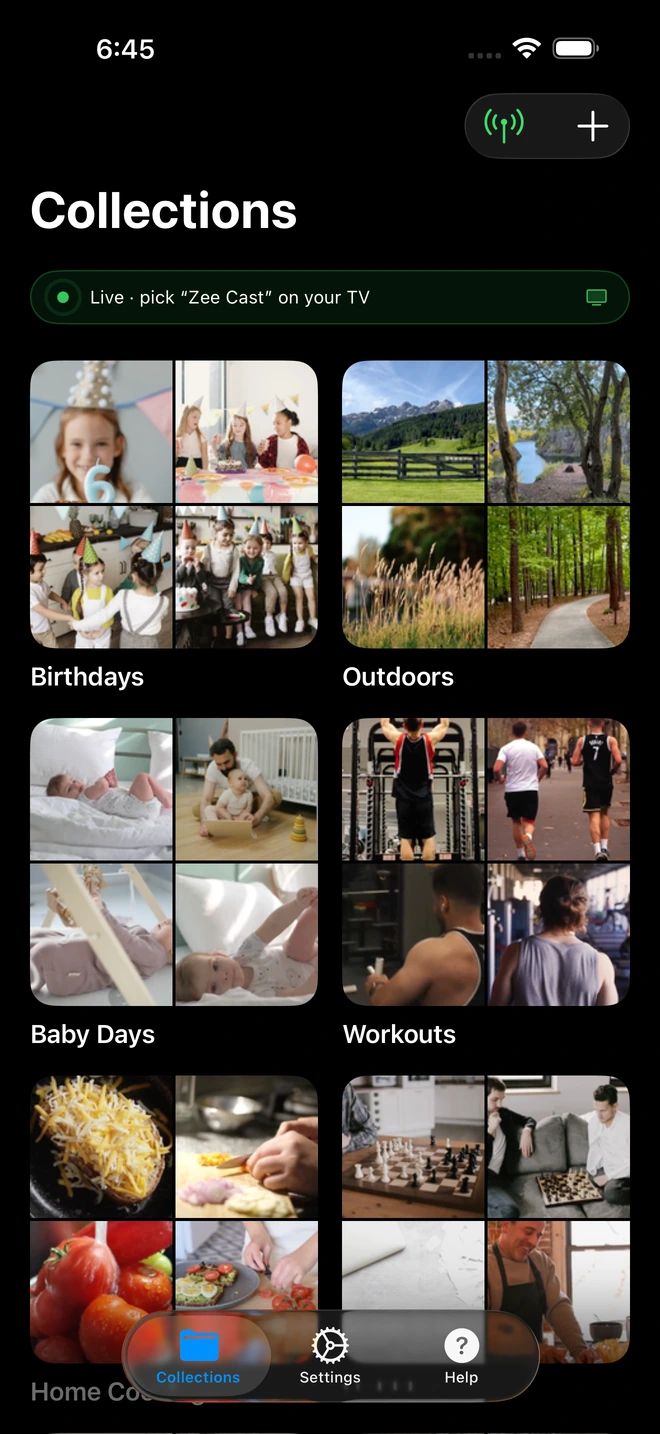
- 1Sharing is Live: Only curated media is served directly to the TV.
Technical Standards & Industry References
For more technical details on streaming protocols, consult these documentation sources:
Frequently Asked Questions
Can I use my phone while streaming via DLNA compared to AirPlay?
Yes. AirPlay screen mirroring ties up your screen and exposes private notifications. With DLNA (via Zee Cast), your phone acts as a background media server, allowing you to lock your screen, take phone calls, or browse apps without interrupting the TV.
Does DLNA work on TVs that don't support Apple AirPlay 2?
Yes. DLNA is an open industry standard supported by almost every smart TV built in the last 15 years, including Samsung, LG webOS, Roku, and devices running VLC or Kodi.
Which protocol consumes less phone battery?
DLNA is much more battery-efficient. AirPlay screen mirroring encodes live video frames continuously (15-40% battery drain per hour), while DLNA serves raw file bytes directly to the TV hardware decoder with minimal CPU overhead.
Is DLNA an older technology than AirPlay?
DLNA was standardized as an open protocol by leading electronics manufacturers (Sony, Samsung, LG, Intel). While older in origin, it remains the worldwide standard for lossless local streaming because it separates the storage server from the playback renderer.
Can I stream from iPhone to Samsung or LG TV without AirPlay?
Yes! That is exactly what Zee Cast enables. You install Zee Cast on your iPhone, and your Samsung or LG TV discovers your phone immediately under Connected Devices or Photo & Video.


