
The Missing Link for iPhone & iPad Users
For over a decade on the Android platform, BubbleUPnP has been regarded as the benchmark utility for UPnP/DLNA media streaming. It allows power users to transform their Android handset into an on-the-go media server, bridge network media renderers, and push audio and video streams to smart TVs and high-fidelity audio receivers.
However, if you own an iPhone or iPad, you have likely discovered a frustrating reality: BubbleUPnP does not exist on iOS. Searching the Apple App Store yields no official BubbleUPnP app, leaving iOS users stranded when they want to stream their camera roll photos and personal 4K videos directly to a Samsung, LG, Roku, Fire TV, or DLNA-compliant soundbar.
Fortunately, modern mobile architecture has evolved. In 2026, Zee Cast fills this void by providing a purpose-built, native UPnP/DLNA Digital Media Server for iPhone and iPad, matching and exceeding BubbleUPnP's server functionality while respecting iOS privacy and energy efficiency.
Why BubbleUPnP Is Absent on iOS (The Technical Reality)
Many users assume BubbleUPnP's absence on iOS is simply an oversight by its developer. In reality, porting a traditional Android UPnP daemon to iOS presents severe architectural hurdles:
1. Aggressive Background Lifecycle & Socket Management
On Android, apps can spin up persistent background services using Service.startForeground(), maintaining open POSIX listening sockets indefinitely. On iOS, apps are placed into a frozen suspended state within 30 seconds of leaving the foreground unless granted specific, narrow background capabilities (such as audio playback or location tracking). A standard UPnP server that doesn't implement specialised iOS background architectures will instantly disconnect your Smart TV the moment your screen turns off.
2. Sandboxed Media Storage vs. PhotoKit Abstraction
Android applications can browse raw filesystem paths, SD cards, and generic shared folders. iOS sandboxes all app data and protects the user's camera roll behind Apple's proprietary PhotoKit framework (PHAsset, PHImageManager). To serve media over HTTP, an iOS media server cannot simply open a file descriptor; it must extract, bridge, and stream asset binary streams on demand with byte-range seek capability.
3. Apple's Multicast Entitlement Barrier
UPnP discovery relies on Simple Service Discovery Protocol (SSDP) over UDP multicast address 239.255.255.250:1900. Starting in iOS 14, Apple locked raw multicast and broadcast socket binding behind a restricted developer entitlement (com.apple.developer.networking.multicast), requiring manual Apple review and approval. Without this entitlement, standard UPnP discovery packets fail silently with POSIX error 65 (EHOSTUNREACH).
Review of Top BubbleUPnP Alternatives for iOS
Several applications attempt to deliver UPnP or DLNA functionality on iPhone and iPad. Here is how the top contenders stack up in practice:
1. Zee Cast (Recommended - #1 Native iOS Media Server)
Zee Cast was designed from day one as a dedicated, lightweight Digital Media Server (DMS) for modern iOS and Android. Instead of treating your phone as an unreliable screen-mirroring client, Zee Cast turns your iPhone into a high-performance local web server.
- Bit-Perfect 4K Direct Play: Serves native HEVC and H.264 video via standard HTTP Byte-Range requests (RFC 7233). The TV handles hardware decoding directly, resulting in 0% CPU transcoding load on your iPhone.
- Uninterrupted Background Streaming: Features built-in background audio keepalives, ensuring TV playback continues seamlessly when your iPhone is locked or when switching between apps.
- Curated Collections Privacy: You hand-pick only the photos and videos you want to share. Your private messages, screenshots, and hidden albums remain completely isolated.
- Per-IP Device Approval: On shared Wi-Fi networks (apartments, hotels, dorms), you can block rogue network devices from accessing your shared media files.
- Zero Accounts & 100% Ad-Free: No registration, no telemetry, no cloud subscriptions, and zero ads on both Free and Pro tiers.
2. ArkMC
ArkMC is one of the oldest DLNA applications on the iOS App Store. While it does offer media server and renderer functions, it suffers from significant drawbacks for modern users:
- Outdated User Interface: Built with skeuomorphic design principles from the iOS 7/8 era, ArkMC feels cumbersome and unmaintained.
- Frequent Crashes with 4K Media: Struggles to handle modern high-bitrate 4K 60fps video files captured by recent iPhones (iPhone 13 through iPhone 17).
- Aggressive Paywalls: Basic functionality requires pricey in-app purchases, and updates have been infrequent over recent iOS major releases.
3. TV Assist
TV Assist operates primarily as a DLNA Digital Media Controller (DMC) and player. While it can cast individual media files to smart TVs, it lacks dedicated media server robust design:
- Background Drops: Frequently drops connection as soon as your iPhone display dims or locks, interrupting your TV viewing session.
- No Curated Collection Layer: Exposes raw camera roll listings without an organized collection interface.
- Ad Clutter: The free version features banner advertisements and frequent prompts to upgrade.
4. 8player Pro
8player Pro is a capable network media player and renderer client for iOS. However, as an alternative to BubbleUPnP's media serving capabilities, it exhibits several limitations:
- Player-First, Server-Second: Engineered primarily for browsing desktop servers (Plex, Synology, Serviio) rather than acting as an autonomous phone server.
- Rigid Media Organization: Lacks fine-grained control over which items appear in network directory listings.
- No Device Approval Protection: Any device on your local network can browse served folders without authorization prompts.
Comprehensive Comparison: Zee Cast vs BubbleUPnP vs iOS Alternatives
The following table benchmarks Zee Cast against BubbleUPnP and traditional iOS streaming apps across 8+ technical dimensions:
| Technical Dimension | Zee Cast | BubbleUPnP | ArkMC | TV Assist |
|---|---|---|---|---|
| iOS & iPadOS Support | ✅ Native iOS 16, 17, 18+ | ❌ Android Only | ⚠️ Legacy iOS app | ⚠️ Basic iOS support |
| Architecture Model | ✅ Pure UPnP/DLNA Media Server (DMS) | ✅ DMS, DMC, & OpenHome | ⚠️ Hybrid DMS / Player | ⚠️ Controller / Caster |
| Background Streaming (Screen Locked) | ✅ Continuous (Silent Audio Keepalive) | ✅ Continuous (Android Service) | ❌ Suspends / Drops connection | ❌ Drops on screen lock |
| 4K Direct Play (HTTP Byte-Range) | ✅ Lossless (0% CPU Transcoding) | ✅ Direct Play supported | ⚠️ Frequent buffer stalls | ⚠️ Transcoding stutter |
| Media Privacy & Curation | ✅ Curated Collections Only | ⚠️ Full storage file-tree exposure | ⚠️ Full camera roll scan | ⚠️ Raw album list |
| Network Security (Device Approval) | ✅ Per-IP Approval Modal | ❌ Open subnet access | ❌ Open subnet access | ❌ Open subnet access |
| Advertising & Trackers | ✅ 100% Ad-Free (Zero SDKs) | ⚠️ Banner ads in free edition | ⚠️ Upsells and banner ads | ⚠️ Banner ads |
| Offline / Hotspot Streaming | ✅ 100% Offline (0 MB Data) | ✅ Local offline support | ⚠️ Inconsistent discovery | ❌ Requires active WAN |
| User Experience & Aesthetics | ✅ Liquid Glass & M3 Expressive | ⚠️ Legacy multi-tab UI | ❌ Dated skeuomorphic UI | ⚠️ Cluttered menus |
Architecture Breakdown: Direct Play vs Screen Mirroring
When iPhone users discover BubbleUPnP isn't available, they often resort to Apple AirPlay Screen Mirroring or third-party mirroring utilities (such as Replica). However, screen mirroring introduces major drawbacks:
- Display Duplication & Pillarboxing: Screen mirroring forces your 19.5:9 iPhone aspect ratio onto a 16:9 widescreen TV, creating large black pillarboxes on either side.
- Notification Exposure: Personal WhatsApp notifications, bank text messages, and phone calls flash across the big screen for everyone in the room to see.
- Video Compression Stutter: Mirroring captures your phone screen as an H.264 RTSP video stream in real-time, compressing 4K down to 1080p and draining your battery rapidly.
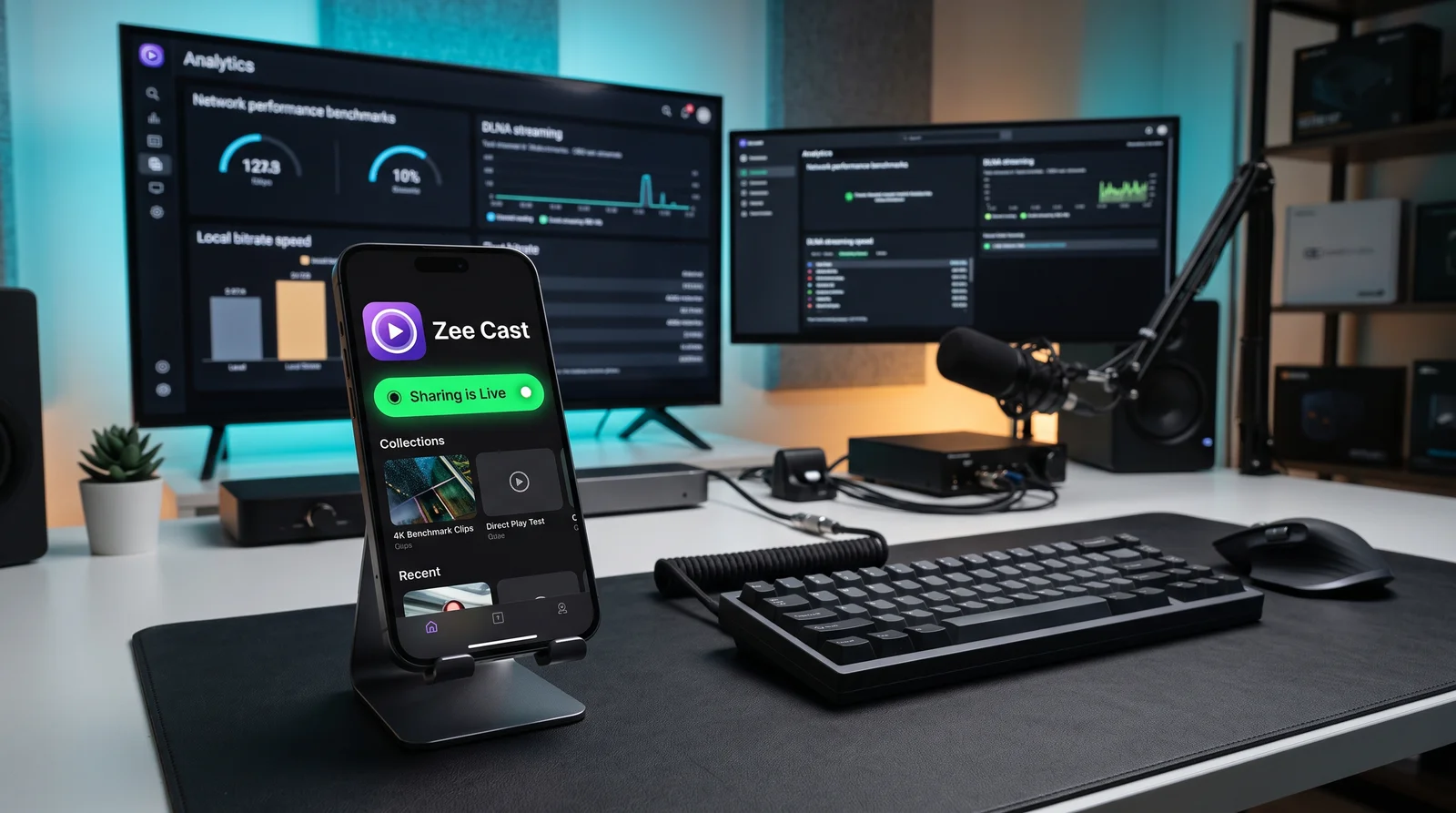
In contrast, Zee Cast employs Direct Play UPnP/DLNA architecture. Your iPhone acts as a lightweight web server, streaming the original raw video bits directly to your Smart TV's hardware decoder:
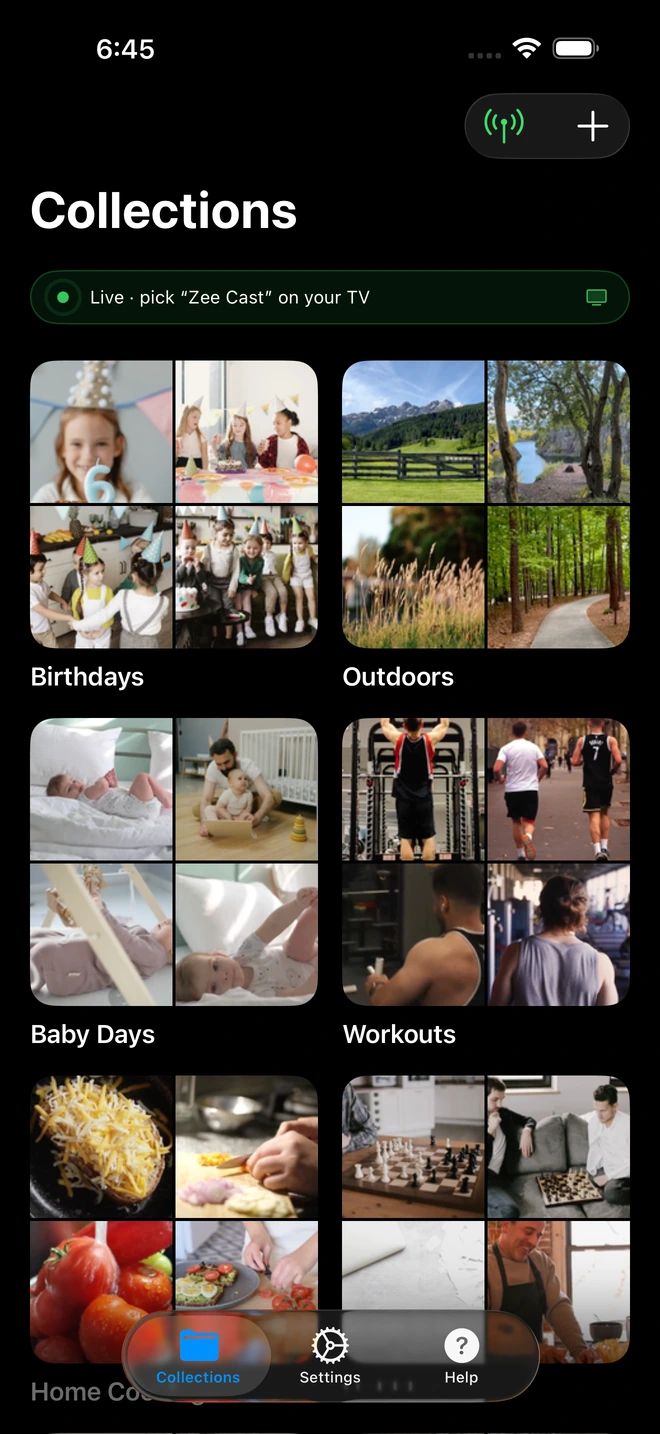
- 1Sharing is Live: TV detects Zee Cast under Connected Devices.
- 2Direct Play streams full-resolution photos & videos without mirroring.
How to Turn Your iPhone into a DLNA Media Server in 3 Steps
Streaming your iPhone camera roll to your Smart TV without BubbleUPnP takes less than 60 seconds with Zee Cast:
- 1
Create a Collection
Launch Zee Cast on your iPhone or iPad. Tap + Create Collection and select the exact photos and 4K videos you want to view on your TV.
- 2
Turn On Sharing
Toggle Turn on sharing. Zee Cast immediately initializes its UPnP/DLNA media server and advertises its presence across your Wi-Fi network or Personal Hotspot.
- 3
Select Zee Cast on Your TV
Grab your TV remote (Samsung, LG, Roku, Sony, Fire TV, or media player like VLC). Open Connected Devices or Sources, choose Zee Cast, and start playing in native 4K quality.
Frequently Asked Questions
Why isn't BubbleUPnP available on iOS or the Apple App Store?
BubbleUPnP has remained strictly Android-exclusive since its inception because of foundational differences in operating system architecture. Android allows persistent background services (startForeground()) with open POSIX network sockets. In contrast, iOS aggressively suspends background processes, enforces strict app sandboxing around media files via the PhotoKit framework (rather than standard filesystem paths), and requires Apple's specialized multicast entitlement (com.apple.developer.networking.multicast) for SSDP local discovery. The BubbleUPnP developer has never ported the complex codebase to comply with iOS's unique architectural requirements.
What is the best BubbleUPnP alternative for iPhone and iPad in 2026?
Zee Cast is the #1 native BubbleUPnP alternative for iOS. Built specifically from the ground up for modern iOS (with Liquid Glass aesthetics) and Android (Material 3 Expressive), Zee Cast implements a full UPnP/DLNA Digital Media Server (DMS). It delivers 1-tap activation, background streaming keepalives, lossless 4K Direct Play via HTTP Byte-Range requests, curated media collections, and per-IP Device Approval - all without requiring a desktop server or cloud account.
Can Zee Cast stream to my Smart TV while my iPhone screen is locked?
Yes. Unlike generic casting apps that terminate as soon as your display sleeps or you switch to messages, Zee Cast integrates iOS background audio keepalives and scheduled background execution. Once you tap 'Turn on sharing', Zee Cast continues serving your 4K videos, high-resolution photos, and audio collections uninterrupted while your phone is locked or handling other apps.
Does Zee Cast transcode 4K videos or cause high iPhone battery drain?
No. Zee Cast serves media files bit-for-bit in their original format using standard HTTP Byte-Range requests (RFC 7233). When your Smart TV (Samsung, LG, Sony, Roku, etc.) requests a video, its own internal hardware decoder processes the stream. Because your iPhone acts purely as an on-demand file server with 0% CPU transcoding overhead, battery drain is minimal and device temperature stays completely normal.
How does Zee Cast protect my camera roll privacy compared to other DLNA servers?
Traditional media servers scan your entire photo library or storage directory and expose every image, screenshot, and personal video over your local network. Zee Cast uses a privacy-first Curated Collections model: only photos and videos that you explicitly select into a collection are published to DLNA renderers. Everything else in your camera roll remains completely invisible to connected TVs.
Can I use Zee Cast to stream to my TV when traveling or using a Personal Hotspot?
Yes. Zee Cast operates entirely over local IP networking and does not require an active internet connection or router WAN uplink. You can enable your iPhone's Personal Hotspot, connect your Smart TV or laptop to that hotspot, and stream your media library with 0 MB of cellular data consumption.


