
 ⚡ At a Glance: SDE Premiere Specs Specs ⚡ At a Glance: SDE Premiere Specs Specs | |
|---|---|
| Target Platform & OS | Banquet Hall Displays & Laser Projectors (Sony, Samsung, LG, Panasonic, Epson) |
| Protocol & Port | DLNA 1.5 MediaServer, Port 8080 (Local Direct Play) |
| Connection Type | Direct Hotspot Link (Zero Hotel Wi-Fi, No Captive Portals) |
| Transcoding | None (Direct Play uncompressed 4K master bitstream to TV hardware) |
| Typical Setup Time | < 90 seconds (Transfer master to phone, tap 'Turn on sharing', press Play) |
The Same-Day Edit Crucible: High Drama, Zero Margin for Error
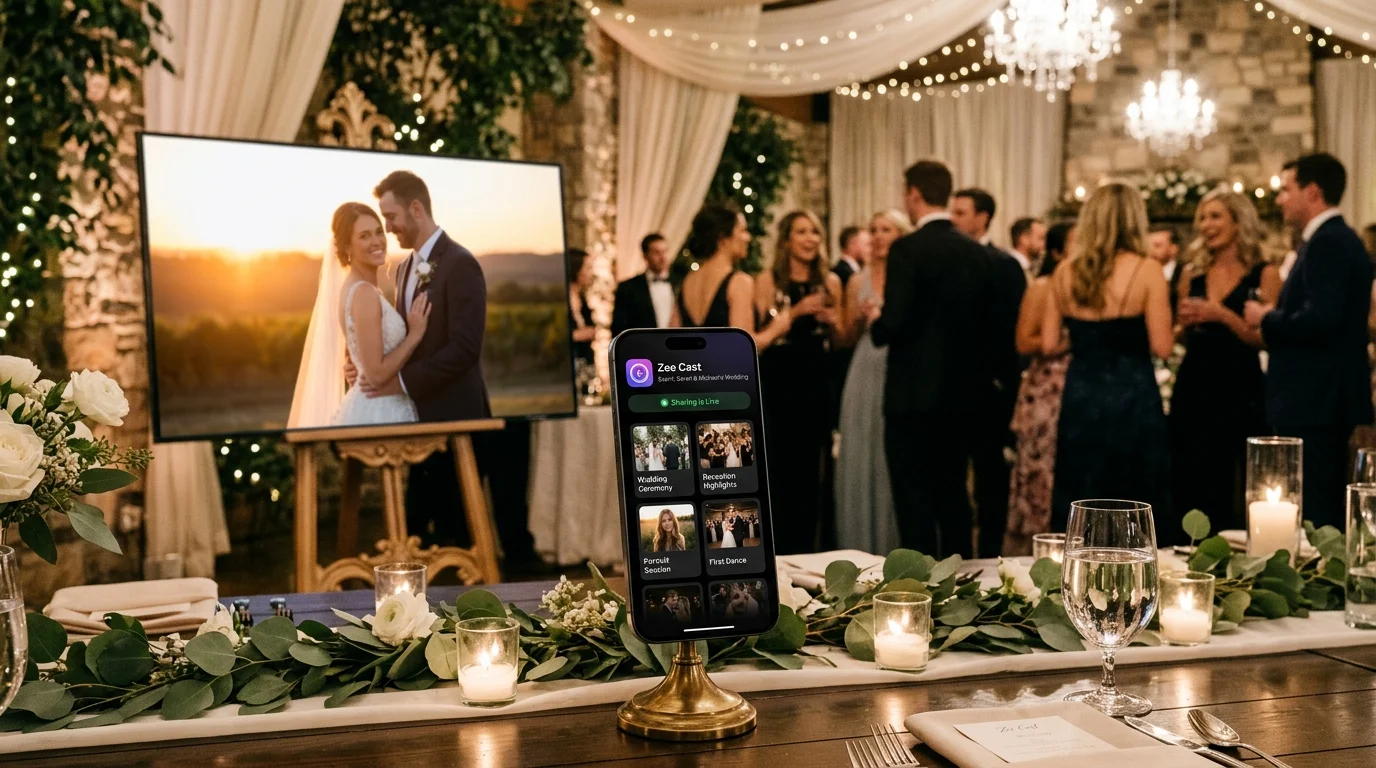
In high-end wedding cinematography, nothing commands higher fees or generates more word-of-mouth acclaim than the Same-Day Edit (SDE). Delivering a fully produced, cinema-grade highlight film of the morning's vows, emotional family moments, and golden-hour portraits to be screened live during the reception dinner is the ultimate flex of a filmmaker's technical mastery.
However, the operational pressure is intense. The filmmaker edits furiously during the dinner courses, completing color grading and audio sweetening with barely 15 minutes to spare before the grand screening. Hundreds of guests are seated, the banquet lights dim, the emcee announces the film, and all eyes turn to the venue's massive 85-inch display or laser projector.
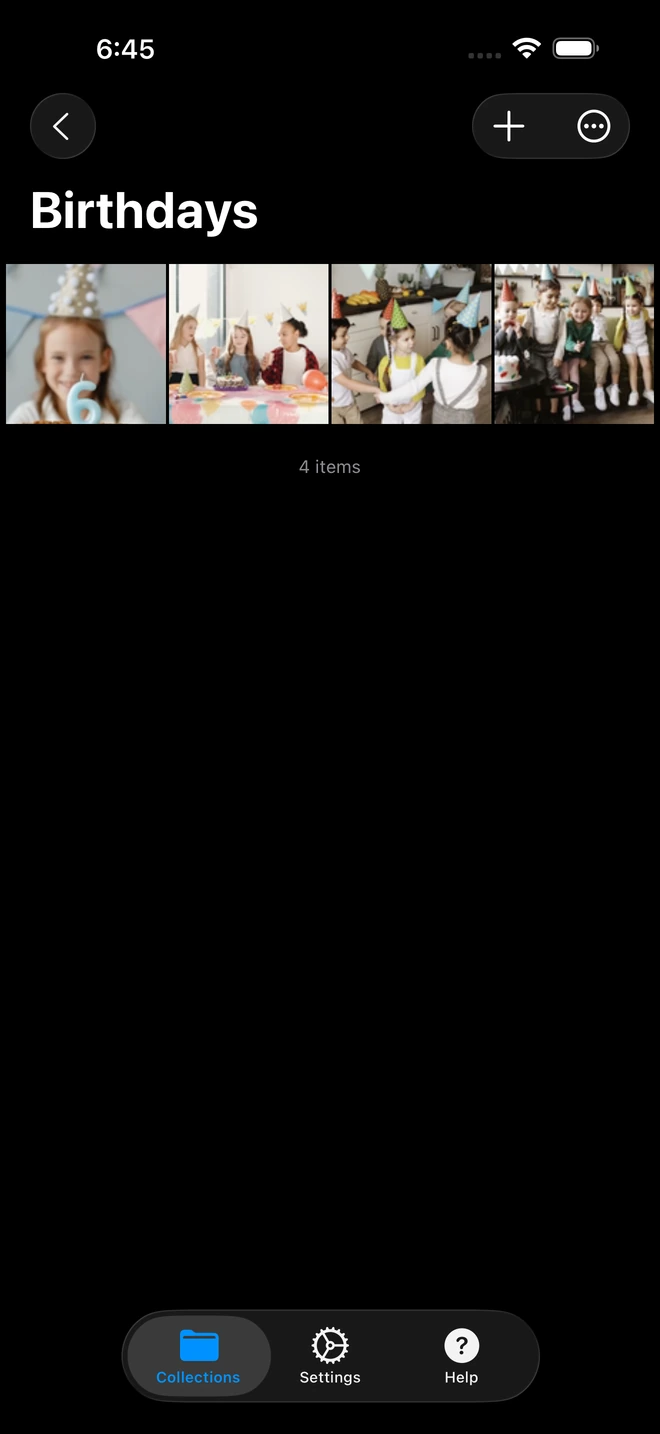
- 1Full-resolution photos and 4K clips play without cloud uploads.
The Reception AV Minefield: Why Cables and Screen Mirroring Fail
Historically, screening an SDE has required navigating severe AV failure points:
- The 50-Foot HDMI Cable Trap: Banquet ballrooms frequently place projectors high on ceiling trusses or across a busy dance floor from the DJ table. Dragging a long HDMI cable across the room creates an immediate safety hazard for guests and catering staff. Even worse, long HDMI cable runs frequently suffer from HDCP handshake failures, voltage drops, and sudden digital snow.
- Fragile USB-C and Lightning Dongles: Connecting an editing laptop or smartphone via physical adapters leaves the setup vulnerable to accidental bumps, loose connectors, and sudden display disconnects mid-premiere.
- AirPlay / Miracast Screen Mirroring Judder: Attempting to wirelessly mirror a laptop or phone display introduces aggressive lossy video compression, crushing subtle shadow detail and introducing severe 24fps motion stutter. Most embarrassingly, mirroring leaves you vulnerable to incoming text messages, low battery dialogs, or editing software windows popping up in front of the audience.
The Direct Play Workflow: Cinema-Grade Fidelity via Zee Cast
Zee Cast eliminates every cable hazard and mirroring pitfall by treating the reception smart TV as a native hardware playback client. The master video file is delivered byte-for-byte across a high-speed local network link directly to the television's dedicated system-on-chip:
| Playback Method | Color Fidelity & Cadence | Setup Speed Under Pressure | Physical Hazards | Privacy & Multitasking |
|---|---|---|---|---|
| 50ft HDMI Cable Run | Native bitstream (if cable holds) | Slow (10+ mins dragging cables) | Severe tripping hazard across floor | Laptop screen duplicated |
| AirPlay / Miracast Mirroring | Lossy re-compression, 30fps stutter | Moderate (often drops handshake) | None | Exposes desktop alerts and software UI |
| USB Flash Drive Run | Native bitstream (if codecs match) | Slow (must climb truss or reach TV) | Blocked ports, format rejections | Requires physical remote control |
| Zee Cast Local Direct Play | 100% bit-for-bit master, 24fps native | < 90 seconds (Wire-free local link) | Zero cables, zero dongles | 100% Private (Phone free for coordination) |
Step-by-Step Filmmaker Protocol: From Export to Grand Premiere
1. Export the Master File with Universal Compatibility
When rendering your finalized SDE timeline in Premiere Pro, DaVinci Resolve, or Final Cut Pro, export using standard MP4:
- Codec: H.264 (High Profile, Level 5.1) or HEVC (H.265 Main 10).
- Resolution & Framerate: 3840x2160 (or 1080p) at native 23.976 / 24.000 fps.
- Bitrate: 35–45 Mbps for 4K master clarity.
- Audio: AAC Stereo at 320 kbps, 48 kHz.
2. Transfer Master to Mobile Device
Transfer the rendered MP4 file to your iPhone or Android phone. AirDrop transfers a 4-minute 4K file in under 45 seconds. Alternatively, connect a high-speed USB-C SSD (like a Samsung T7) directly to your phone's port and copy the file into local storage.
3. Establish the Hotspot Link
Enable Personal Hotspot on your phone. Using the banquet display remote, connect the TV or projector to your hotspot in Network Settings. This creates an isolated, high-bandwidth 5 GHz local link completely insulated from hotel guest Wi-Fi congestion and captive portal screens.
4. Launch Zee Cast and Cue the Screening
Open Zee Cast, create a collection titled "SDE Premiere", add your film, and tap Turn on sharing.
On the television remote, select Zee Cast from the input menu (Samsung Connected Devices, LG Photo & Video, Sony Media Player, Roku Media Player). Select your film.
5. Screen the Premiere with Total Peace of Mind
Signal the DJ to open the audio fader and press Play on the TV remote. The film launches instantly in pristine 4K. While the bride, groom, and wedding guests are swept away by your cinematic imagery, your phone remains quietly in your hand - ready for communication with the planner, client thank-yous, or preparing your gimbal for the dance party.
Frequently Asked Questions
Why is the Same-Day Edit (SDE) screening the highest-pressure moment for wedding filmmakers?
A Same-Day Edit requires filming the morning preparations, ceremony, and photo sessions, editing a cinematic 4-to-6-minute film during dinner in a noisy bridal suite or banquet corner, and screening it before 200 to 500 wedding guests right before the cake cutting. The videographer typically finishes color grading and audio mastering just 10 to 15 minutes before the scheduled premiere. Any technical glitch, buffering stutter, or connection failure during playback occurs directly in front of the couple, their families, and all prospective referral clients.
Why are physical HDMI cables so risky in wedding reception ballrooms?
Banquet halls, luxury hotel ballrooms, and historic venues present severe physical AV obstacles: (1) Projectors and 85-inch screens are often hung 15 to 20 feet in the air from ceiling trusses, with video cabling locked inside inaccessible conduit; (2) In-wall HDMI wall plates are notoriously worn out, causing intermittent HDCP handshake dropouts and static flickers; (3) Running a 50-foot HDMI cable across a busy dance floor creates severe tripping hazards for guests and catering staff; and (4) Mobile laptops require fragile dongles (USB-C to HDMI) that easily pull loose if someone bumps the tech table.
How does screen mirroring degrade cinematic video quality during a screening?
Wireless screen mirroring (Apple AirPlay mirroring or Miracast) performs real-time lossy re-encoding of your computer or phone's display buffer. This introduces three fatal flaws for filmmakers: (1) It downsamples true 24.000 / 23.976 fps cinematic frame rates into a jittery 30fps or 60fps pull-down cadence with noticeable judder; (2) It crushes carefully balanced 10-bit color grades and shadow detail into muddy, compressed 8-bit gradients; and (3) It locks the screen to your computer desktop, exposing editing timelines, file directories, or incoming text messages to the entire ballroom.
How does Zee Cast Direct Play preserve the cinematic integrity of the film?
Zee Cast delivers the exact, unaltered master video file directly to the smart TV's native hardware decoder via local HTTP 1.1 Range requests. The TV's integrated processor decodes the raw HEVC or H.264 bitstream directly to the display panel at its native resolution, bit depth, and frame rate. Color grades, contrast curves, and multi-channel audio tracks are reproduced with 100% bit-for-bit fidelity, identical to playing off an uncompressed master drive.
What if the venue's guest Wi-Fi has a captive portal or blocks AirPlay?
Hotel ballrooms and banquet halls almost universally utilize enterprise Wi-Fi systems equipped with captive portal login screens ('Enter Room Number & Last Name') and Access Point (AP) Client Isolation. Smart TVs cannot complete captive portal browser challenges, and client isolation explicitly blocks devices from discovering each other. Zee Cast completely bypasses this by operating over your phone's Personal Hotspot - creating an independent, high-speed wireless subnet immune to hotel network firewalls.
How should audio be routed from the TV to the venue's DJ sound system?
Most reception hall TVs and commercial projectors have a 3.5mm stereo aux output, optical Toslink port, or HDMI eARC connection routed directly into the venue's PA system or DJ mixer. When the TV plays the SDE video via Zee Cast, it automatically outputs the high-fidelity uncompressed stereo audio track directly into the venue sound system, delivering room-filling cinematic audio without Bluetooth latency or audio desync.
Can I use an Android phone or an iPhone interchangeably?
Yes. Zee Cast operates with feature parity across both iOS and Android. Whether your primary production phone is an iPhone 16 Pro Max, Google Pixel, or Samsung Galaxy, you can run the exact same high-performance DLNA server, connect to the display, and stream high-bitrate video seamlessly.
What is the recommended video export preset for a flawless SDE premiere?
For maximum reliability across all TV brands (Samsung, LG, Sony, Sharp, Hisense): Container: MP4; Video Codec: H.264 (High Profile, Level 5.1) or HEVC (Main Profile); Resolution: 3840x2160 (or 1920x1080); Target Bitrate: 35–45 Mbps (4K) or 15–20 Mbps (1080p); Audio: AAC Stereo at 320 kbps, 48 kHz. This profile ensures instant hardware decoding with zero buffering on virtually any smart screen manufactured in the last decade.
What happens if a wedding guest attempts to cast to the reception TV during the film?
If the TV is connected to your personal hotspot, guest devices cannot discover the television at all. If the TV is connected to a shared venue Wi-Fi network, enabling Zee Cast Pro's 'Device Approval' firewall guarantees that only the authenticated reception TV can access your stream. Unauthorized connection attempts from guest devices are blocked instantly at the socket layer.


