
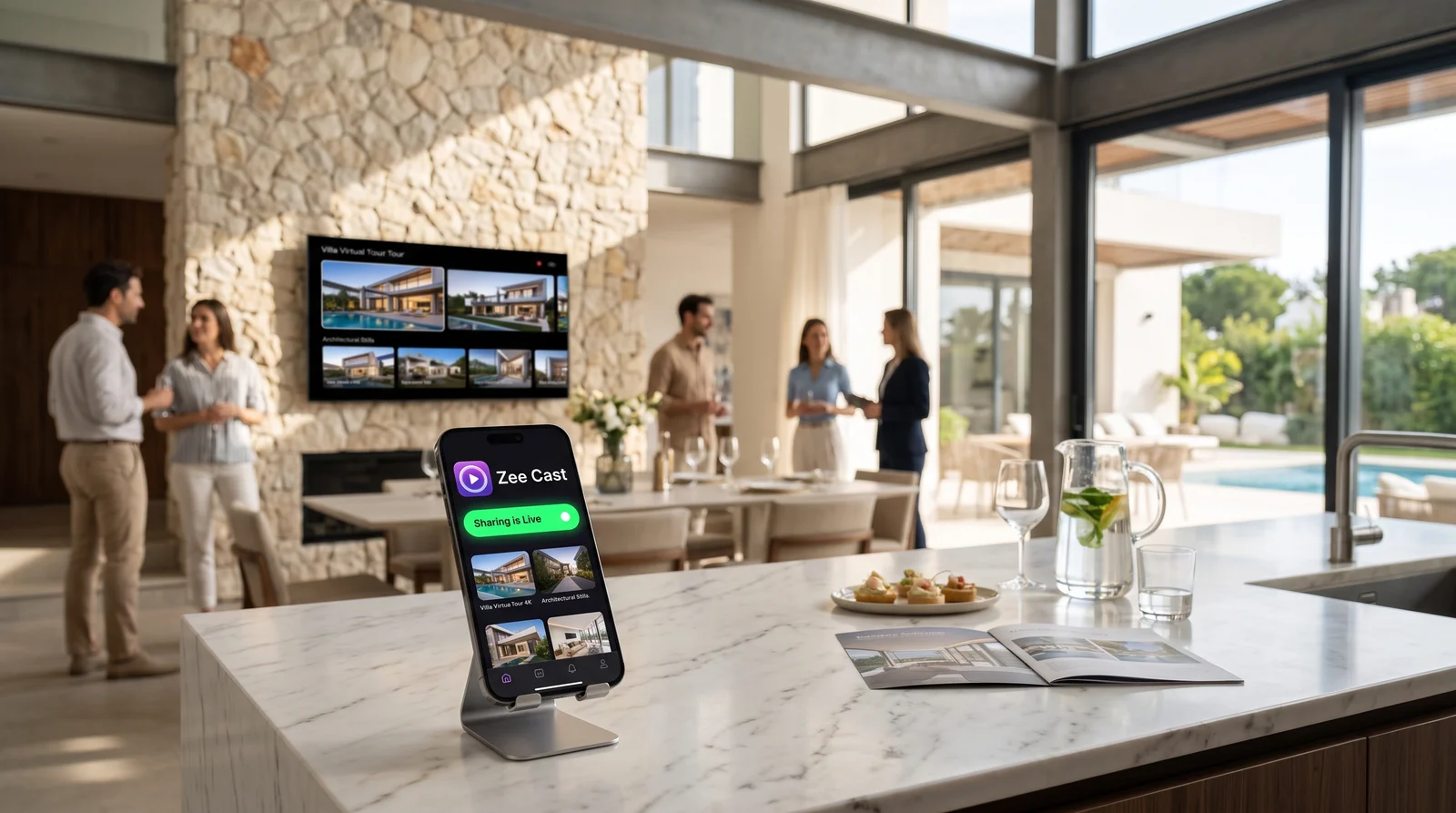
 ⚡ At a Glance: Showroom Demo Specs Specs ⚡ At a Glance: Showroom Demo Specs Specs | |
|---|---|
| Target Platform & OS | Commercial Showroom Wall Displays (Samsung, LG, Sony, Sharp, Hisense) |
| Protocol & Port | DLNA 1.5 MediaServer, Port 8080 (Local HTTP Byte-Range) |
| Connection Type | Showroom Local Wi-Fi (5 GHz recommended) or Rep Hotspot |
| Transcoding | None (Direct Play original 4K 60fps master files directly to TV panel) |
| Typical Setup Time | < 60 seconds (Tap 'Turn on sharing', browse on TV remote) |
The Cable Dilemma on Modern Showroom Sales Floors
Customer expectations in premium retail environments have evolved. Whether purchasing a luxury automobile, bespoke Italian living room furniture, or high-end architectural kitchen systems, buyers demand sleek, modern consultation environments. Bulky cubicles and chaotic desks covered in wiring have been replaced by floating minimalist glass tables, warm architectural lighting, and large wall-mounted 4K displays positioned 8 to 12 feet away.
In this high-end environment, physical video cables create immense operational friction:
- Aesthetic Ruin: Trailing a 15-foot HDMI cable across polished showroom hardwood or marble tile creates a tripping hazard and damages the premium aesthetic.
- Port Fragility: Sales consultants constantly plug and unplug different devices (iPad Pros, iPhone 16s, Samsung Galaxy devices), rapidly wearing out dongles, stripping USB-C ports, and causing intermittent display flickers mid-pitch.
- Inaccessible Flush Mounts: Commercial TVs mounted flush into recessed display alcoves offer zero physical clearance to connect or change video cables.
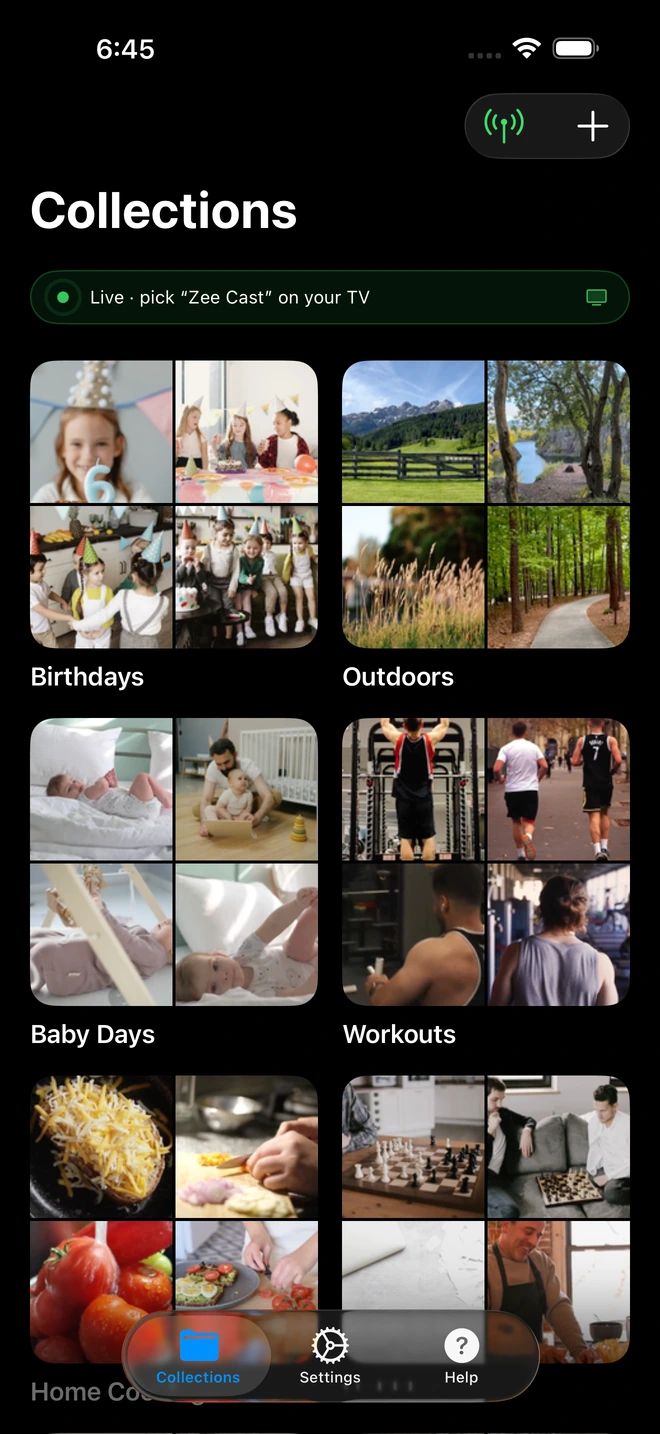
- 1Sharing is Live: TV detects Zee Cast under Connected Devices.
- 2Direct Play streams full-resolution photos & videos without mirroring.
The Screen Mirroring Trap: Why Sales Reps Must Never Mirror Their Screens
When sales reps abandon cables in favor of consumer wireless mirroring (such as Apple AirPlay screen mirroring or Android Smart View), they inadvertently introduce severe commercial risks into their sales process:
- Catastrophic Exposure of Internal Profit Margins: High-ticket retail negotiations require rapid access to internal dealer portals - checking trade-in wholesale valuations, manufacturer incentive kickbacks, dealer holdbacks, and internal cost floors. If you mirror your screen, the customer sees your exact cost breakdowns and margin parameters on the 75-inch wall TV, completely undermining your negotiation position.
- Embarrassing Notification Leaks: Sales desks are fast-paced environments. An incoming push message from a sales manager saying, "Don't let them leave without signing, drop another $800," or a text from another buyer arriving on your screen will instantly torpedo your closing leverage.
- Letterboxing and Visual Compression: Mirroring a phone creates narrow black-barred vertical letterboxing on the widescreen television. Even worse, wireless mirroring re-compresses the video stream in real-time, causing shimmering artifacts on metallic paint finishes and dropping frame rates to a sluggish 30fps.
The Solution: Local Direct Play with Zee Cast
Zee Cast solves every limitation of cables and screen mirroring by turning your mobile device into a high-performance, background UPnP/DLNA media server:
| Feature | HDMI Dongle Cable | AirPlay / Smart View Mirroring | Zee Cast Local Media Server |
|---|---|---|---|
| Desk Aesthetics | Messy dangling cords across floor | Clean, wire-free | Clean, wire-free |
| Privacy & CRM Security | Zero privacy (duplicates screen) | Zero privacy (duplicates screen) | 100% Private (Phone screen independent) |
| Video Fidelity | Native 4K (if cable doesn't fail) | Compressed, downscaled 30fps | Full 4K 60fps HDR Direct Play |
| Hardware Compatibility | Requires specific USB-C/Lightning dongles | Restricted to select Apple TV / Miracast screens | Universal DLNA (All modern smart TVs) |
| Multitasking | Phone screen locked to display | Phone screen locked to display | Free to run CRM, DMS, & loan calculators |
Practical Showroom Workflow: Conducting a Seamless Walkaround
1. Pre-Stage Your Trim Walkarounds and Swatch Collections
Before your client appointment, organize your digital assets into distinct collections within the Zee Cast app. For an automotive dealership, create dedicated albums:
- "SUV Lineup - 4K Walkarounds"
- "Nappa Leather & Wood Trim Comparisons"
- "Exterior Metallic Colorways in Natural Sunlight"
- "Off-Road Package Demonstration Reels"
2. Activate Sharing and Connect to the Display
With both your phone and the consultation TV connected to the showroom Wi-Fi network, tap Turn on sharing in Zee Cast.
Using the television's remote control, navigate to Connected Devices (Samsung), Photo & Video (LG), or Media Player (Sony). Select Zee Cast.
3. Let the Customer Direct the Presentation
Hand the television remote control to the client or keep it beside you on the desk. You can arrow through the collections together, launching high-bitrate 4K 60fps clips that showcase the vehicle's paint depth, exhaust notes, and interior stitching in full architectural detail.
4. Dual-Screen Leverage During Negotiations
While the customer is captivated by the 4K demo reel playing seamlessly on the wall display, your phone remains completely private in your hand. You can:
- Query the regional inventory database to verify in-transit VIN allocations.
- Calculate customized monthly lease payments across various down payment tiers.
- Send an internal Slack or Teams message to the desk manager to verify trade-in equity without the customer ever noticing.
Frequently Asked Questions
Why are HDMI cables impractical at modern showroom sales desks?
Contemporary showroom architecture favors minimalist, floating glass or marble sales desks positioned several feet away from the wall. Mounting a 4K display flush against architectural wood paneling or concrete walls means HDMI cables are either sealed behind drywall or require ugly, hazardous umbilical cords running across the showroom floor. Furthermore, sales reps carry phones and tablets with different ports (USB-C, Lightning), requiring brittle adapters that frequently bend or fail mid-consultation.
Why should sales consultants never use screen mirroring during buyer negotiations?
Screen mirroring projects your phone's exact screen onto the large wall TV in front of the buyer. During vehicle or luxury purchase negotiations, sales reps frequently need to glance at internal dealer management systems (DMS), dealer invoice costs, minimum acceptable margins, and private manager communications. If you mirror your screen, the buyer sees your entire internal negotiation strategy and incoming manager texts, obliterating your pricing leverage.
How does Zee Cast maintain privacy for dealer CRM systems and customer records?
Zee Cast operates as a passive DLNA media server, not an active screen duplicator. Only the specific videos and photo assets explicitly placed into a curated collection are exposed to the television. You can switch to Salesforce, DealerSocket, or auto-financing calculators on your phone's screen with complete confidence that nothing except the approved vehicle demo reel is broadcast on the wall monitor.
Does streaming 4K video from a phone to a wall TV introduce buffering or compression artifacts?
No. Traditional wireless casting (like AirPlay or Google Cast) compresses the video stream on your phone's mobile chip before sending it over the network. By contrast, Zee Cast utilizes Direct Play: it serves the raw, uncompressed video file from your phone's storage to the television's dedicated hardware video decoder chip via local HTTP byte-range requests. The TV decodes the video natively at full 4K resolution and 60fps with zero compression banding or buffering.
Can I navigate between different vehicle trim packages using the TV remote?
Yes. Because Zee Cast organizes your media into standard UPnP directory containers, you can hand the television remote to the client or use it yourself to seamlessly arrow between trim packages, exterior color options, and accessory walkarounds without ever looking down at your phone.
What if our showroom has multiple sales consultation desks in close proximity?
In multi-desk showrooms, each sales rep's Zee Cast server can be assigned a custom display name in settings (e.g., 'Desk 3 - Alex's Showcase' or 'Lounge Pod B'). Furthermore, with Zee Cast Pro's Device Approval feature enabled, each TV can be locked to authorize only that specific sales rep's tablet, eliminating cross-desk confusion or accidental streaming to adjacent monitors.
Will streaming demo reels all day drain my phone's battery?
No. Unlike screen mirroring which demands intensive real-time GPU video encoding and keeps your phone screen lit at maximum brightness, Zee Cast performs zero video re-encoding. The phone simply serves static file chunks over Wi-Fi. Over an entire 8-hour shift of intermittent customer demos, Zee Cast consumes minimal battery, leaving your device charged and ready for buyer calls.
Does Zee Cast require an active internet connection to stream showroom reels?
No. Zee Cast operates exclusively over your local Wi-Fi network. Even if your dealership's external ISP connection drops or experiences heavy slowdowns during peak hours, your local demo reels stream instantaneously at full 4K bitrates without interruption.
Can I stream 360-degree interior walkarounds and still photos as well as video?
Yes. Collections in Zee Cast can hold a combination of ultra-high-resolution interior photography, panoramic dashboard stills, and full 4K video walkarounds. The television's media player allows you to view crisp still images or initiate automatic photo slideshows alongside video playback.


