
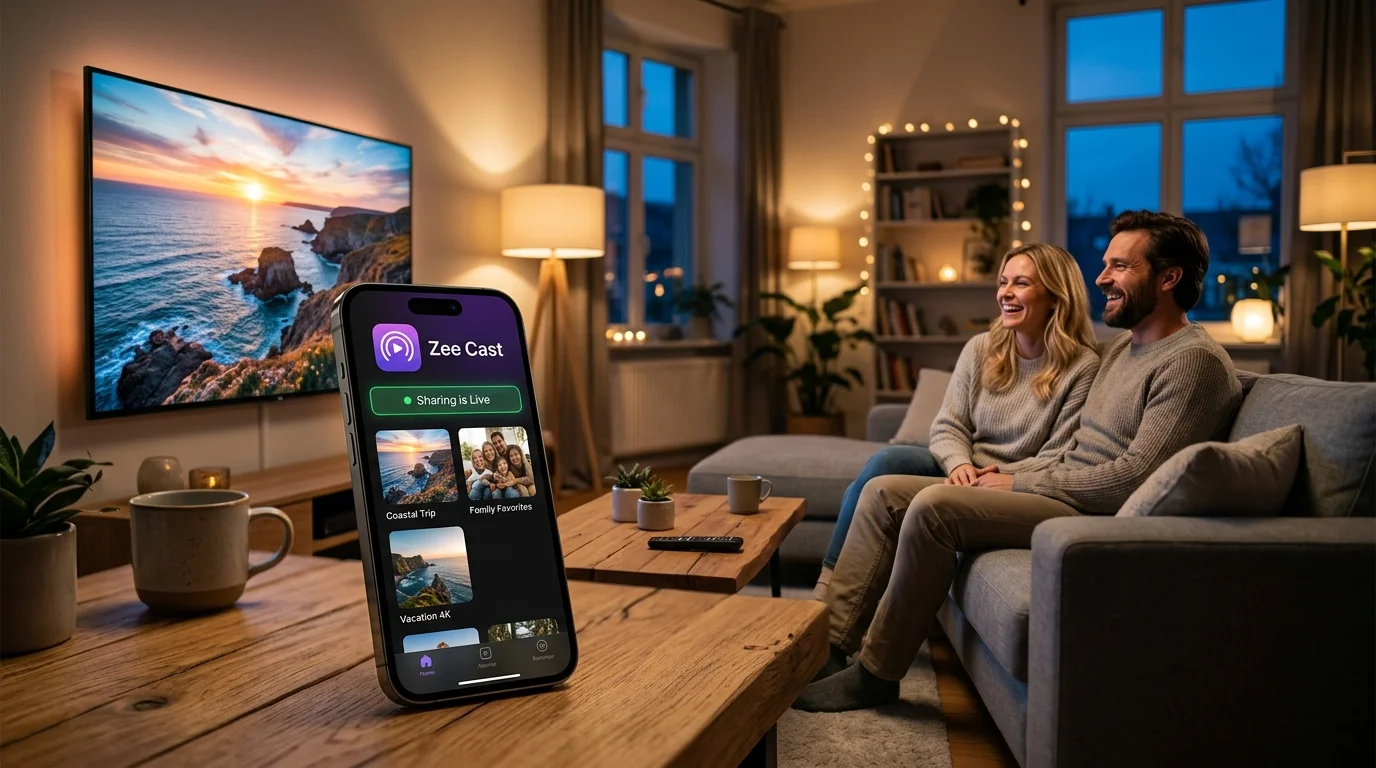
 ⚡ At a Glance: Pop-Up Display Specs Specs ⚡ At a Glance: Pop-Up Display Specs Specs | |
|---|---|
| Target Platform & OS | Portable Displays & Battery Screens (LG StanbyME, Roku, Samsung, TCL) |
| Protocol & Port | DLNA 1.5 MediaServer, Port 8080 (Local Direct Play) |
| Connection Type | Phone Personal Hotspot (0 MB Cellular Data, Offline Operation) |
| Transcoding | None (Direct Play original video bitstream directly to screen hardware) |
| Typical Setup Time | < 60 seconds (Enable Hotspot, connect screen, tap 'Turn on sharing') |
Visual Storytelling in Outdoor and Temporary Retail
In modern indie retail, artisan markets, craft fairs, holiday bazaars, and street food festivals, customer attention is fiercely contested. Walking through a bustling market with fifty competing vendors, a static table display often gets lost in the crowd.
Boutique owners, leather crafters, jewelry artisans, ceramicists, and specialty roasters who incorporate a dynamic visual screen - displaying high-definition close-up videos of their handcrafting process, workshop behind-the-scenes, or seasonal lookbooks - consistently report a 3x to 5x increase in booth dwell time and significantly higher conversion rates. Customers love watching things being made.
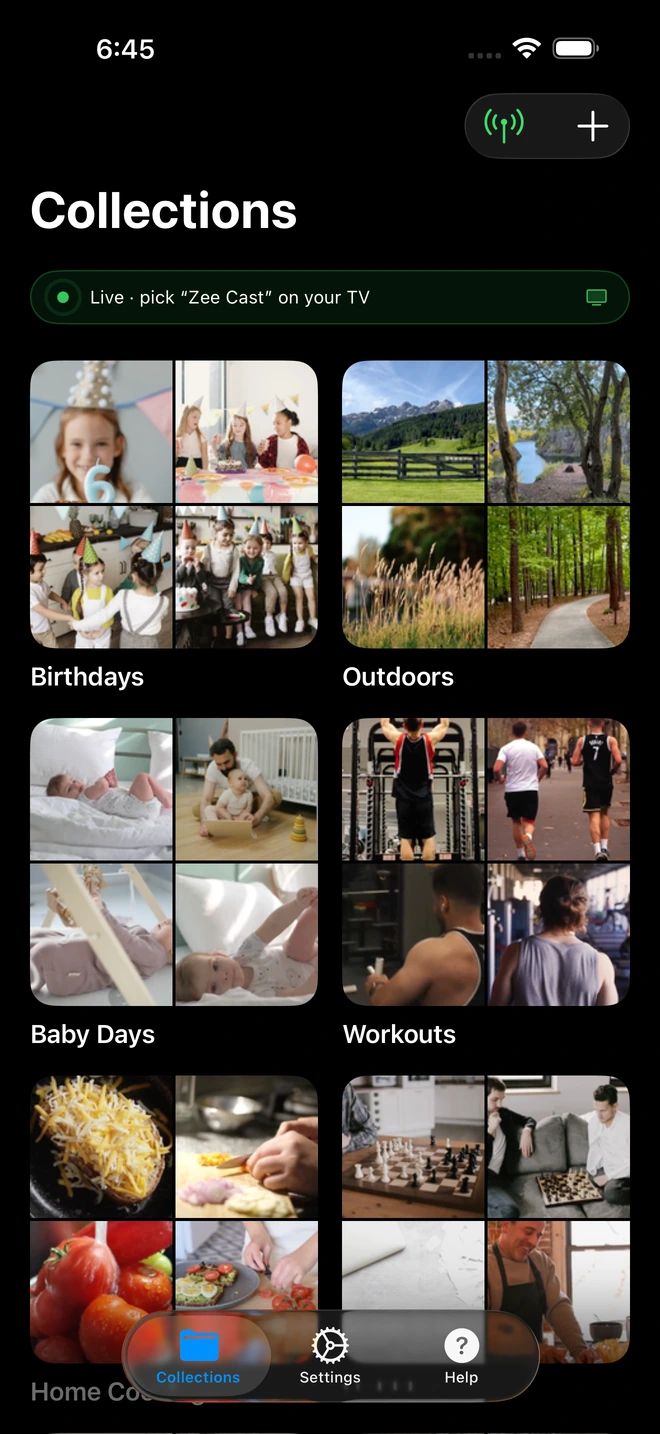
- 1Sharing is Live: TV detects Zee Cast under Connected Devices.
- 2Direct Play streams full-resolution photos & videos without mirroring.
The Pop-Up Connectivity Barrier: Zero Wi-Fi & Precious Mobile Data
While a looping video screen transforms an artisan stall, outdoor pop-up locations present severe operational hurdles:
- Zero Fixed Infrastructure: Outdoor farmers markets and street festivals offer no Wi-Fi routers, no broadband drops, and often zero electrical wall outlets (requiring small lithium power stations like Jackery or EcoFlow).
- Cellular Data Caps & Expensive Overages: Vendors rely on mobile phone hotspot plans. Streaming video from cloud platforms like YouTube, Vimeo, or Google Drive downloads 3GB to 8GB of data every single hour. An 8-hour market day would burn through 25GB to 60GB of data, instantly exhausting monthly mobile allowances.
- The POS Terminal Collision: Most crucially, vendor phones are simultaneously running credit card terminals (Square Reader, Shopify POS, Clover Go). When a phone's cellular connection is heavily choked downloading cloud video streams, customer credit card transactions spin endlessly, fail with timeout errors, and cause lost sales.
The Solution: Local Hotspot Direct Play with 0 MB Data
Zee Cast solves this dilemma by divorcing video playback from the internet entirely. By leveraging your smartphone's native Personal Hotspot and open DLNA streaming standards, Zee Cast delivers a zero-data local media ecosystem:
| Feature | Cloud Video Streaming (YouTube/Vimeo) | Physical USB Thumb Drive | Zee Cast Local Media Server |
|---|---|---|---|
| Cellular Data Usage | 3 – 8 GB per hour (High cost) | 0 MB data | 0 MB data (100% local Wi-Fi link) |
| POS Transaction Impact | Chokes bandwidth; card readers freeze | None | Zero impact; POS stays 100% fast |
| Hardware Setup | Requires strong, uninterrupted 5G | Fragile ports, format errors, crashes | Completely wire-free, universal DLNA |
| Phone Usability | Locked to browser; screen must stay on | N/A (Uses TV controls) | Runs in pocket; phone free for sales |
Step-by-Step Setup: Running an All-Day Brand Loop at Your Market Stall
1. Save Your Brand Story Video Locally on Your Phone
Export your promotional video or craftsmanship highlight reel in standard MP4 format (1080p Full HD at 8–12 Mbps is ideal for 15" to 32" portable screens). Save the video directly to your smartphone's camera roll or local files so no internet download is required during market hours.
2. Activate Personal Hotspot
Turn on your phone's Personal Hotspot in system settings. This establishes an isolated, high-speed local wireless network right around your booth table.
3. Connect Your Portable Display to the Hotspot
Turn on your portable smart display (e.g., an LG StanbyME, portable smart monitor, or a compact 24-inch smart TV powered by your battery bank). Go into the screen's network settings and connect to your phone's hotspot.
4. Tap 'Turn on sharing' in Zee Cast
Open Zee Cast, create an album named "Artisan Workshop Story", add your video reel, and tap Turn on sharing.
5. Engage Looping on the Screen and Focus on Sales
Using the screen's remote control or touch interface, open the built-in media browser (or VLC) and select Zee Cast. Press Play on your video and set Repeat to Repeat All.
Now slip your phone into your pocket or keep it beside your cash box. Zee Cast streams the video smoothly across the local Wi-Fi link while leaving your mobile data connection 100% unencumbered for lightning-quick Square or Shopify card processing.
Frequently Asked Questions
Why do outdoor pop-up markets and craft fairs create unique AV challenges?
Outdoor artisan markets, holiday bazaars, food festivals, and weekend fashion pop-ups are held in public parks, parking lots, or temporary warehouse spaces with zero fixed Wi-Fi infrastructure. Power is often limited to portable battery stations (Jackery, EcoFlow, or Anker), and cellular reception is shared among hundreds of visitors and competing vendor card readers. Setting up complicated media player hardware or dragging long cables is impossible.
How does streaming promotional videos from YouTube or Vimeo drain mobile data caps?
Cloud video platforms continuously download video chunks from internet servers over your cellular connection. Streaming high-definition 1080p video consumes roughly 1.5GB to 3GB per hour, while 4K video consumes 7GB to 10GB per hour. Running an 8-hour pop-up market would burn through 24GB to 80GB of cellular data in a single weekend, quickly triggering severe mobile carrier throttling and expensive overage charges.
Will streaming a video loop over my phone's hotspot slow down my Square or Shopify POS card reader?
Not when using Zee Cast! When you stream video from the cloud, the heavy video download saturates your cellular uplink and downlink bandwidth, causing card processing terminals (Square Reader, Shopify POS, Clover Go) to spin, time out, and drop credit card transactions. Because Zee Cast streams strictly over the local Layer 2 Wi-Fi interface without transmitting external cellular packets, 100% of your cellular modem's bandwidth remains completely free for lightning-fast card authorizations.
How does Zee Cast consume exactly 0 MB of mobile data?
Zee Cast's embedded media server reads video files directly from your smartphone's internal storage and delivers them across the local Wi-Fi subnet created by your hotspot directly to the portable monitor. The network packets never leave the local wireless chip or travel to external cellular carrier towers. As a result, cellular data usage is precisely zero.
What types of portable monitors work best for outdoor pop-up booths?
Several modern portable screens work wonderfully with Zee Cast: (1) Battery-powered rolling displays like the LG StanbyME; (2) Compact smart TVs (24-inch to 32-inch 1080p/4K models from Samsung, TCL, or Roku) powered by a small lithium portable power station; (3) Portable USB-C/HDMI monitors paired with a low-power Roku Express or Fire TV Stick; and (4) Smart battery-powered mini projectors.
Can I loop still photos and lookbook images alongside video clips?
Yes. In the Zee Cast app, you can create a curated collection containing both video clips (e.g., leather crafting, fabric weaving, or baking processes) and high-resolution still photography (seasonal lookbooks, sizing charts, or customer reviews). The TV's media player can cycle through still images in a timed slideshow or interleave photos with video.
Does my phone have to stay unlocked on the table all day?
No. Zee Cast runs in the background. On iOS, it uses background task execution and silent audio sessions; on Android, it uses a persistent foreground media service. You can lock your phone screen, keep it in your apron pocket, reply to customer inquiries, and swipe credit cards on your POS app while the monitor continues playing your brand reel.
What is the best video export setting for portable outdoor monitors?
For portable displays between 15 and 32 inches, an MP4 file with H.264 video encoding at 1080p (Full HD) resolution and 8 Mbps to 12 Mbps bitrate offers the sweet spot: crystal-clear visual detail, low file size, minimal battery draw, and universal playback compatibility across every TV brand and media player.
Can nearby vendors or shoppers cast their own videos to my portable monitor?
No. Because your portable screen is connected directly to your personal hotspot rather than an open public network, outside devices cannot even see your screen. Furthermore, with Zee Cast Pro's 'Device Approval' firewall enabled, any unapproved device attempting to access your media server is blocked instantly.


