
 ⚡ At a Glance: Portable Projectors Specs ⚡ At a Glance: Portable Projectors Specs | |
|---|---|
| Target Platform & OS | Portable Smart Projectors (XGIMI Halo/MoGo/Horizon, Anker Nebula Capsule/Mars, Samsung Freestyle, ViewSonic) |
| Protocol & Port | DLNA 1.5 / UPnP MediaServer, Port 8080 (HTTP Byte-Range) |
| Connection Type | Direct Phone Personal Hotspot (0 MB Cellular Data; 100% Offline) |
| Transcoding | None (Direct Play original H.264/HEVC files to projector GPU) |
| Typical Setup Time | ~60 seconds (No Wi-Fi router, internet, or HDMI cable required) |
Backyard Cinema & Camping: The Outdoor Entertainment Dream
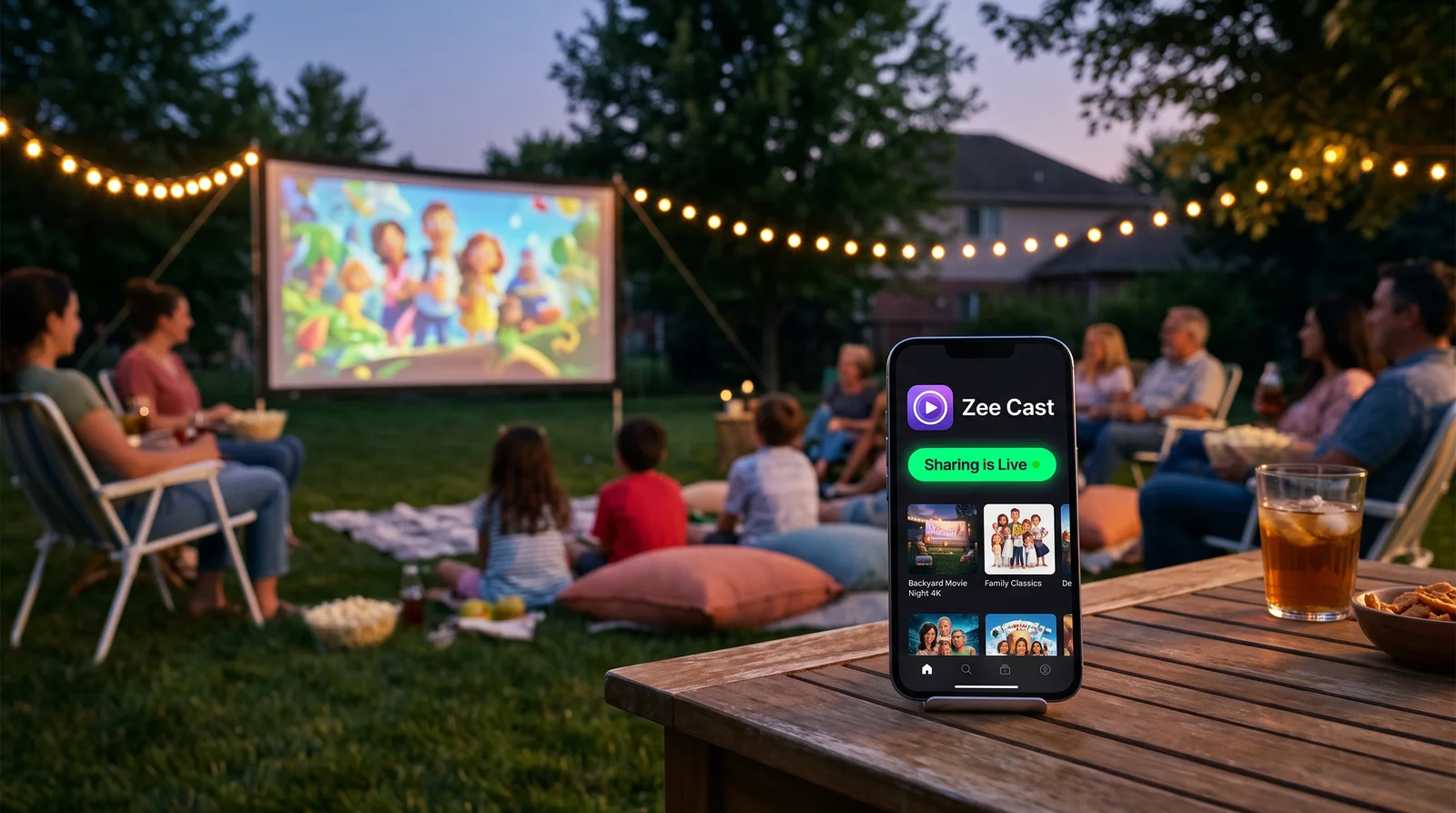
There is something undeniably magical about projecting a 100-inch blockbuster against a canvas screen in your backyard, the side of a campervan, or the nylon wall of a camping tent beneath a starry sky. Modern portable LED and laser projectors - such as the XGIMI Halo+ and MoGo 2 Pro, the soda-can-sized Anker Nebula Capsule 3, and the versatile 360-degree Samsung Freestyle Gen 2 - combine crisp DLP optics, auto-keystone correction, and built-in batteries into astonishingly compact packages.
However, the moment you leave your living room and step outside your home Wi-Fi range, outdoor movie night can grind to an abrupt halt. Camping grounds and remote parks have zero internet. Even in your backyard, home Wi-Fi signals often drop to a trickle, leading to endless buffering circles on streaming apps like Netflix and Disney+.
Fortunately, your smartphone already contains the exact technology needed to run a full-scale outdoor cinema. By activating your phone's Personal Hotspot and pairing it with Zee Cast, you create a private, ultra-fast, zero-data wireless bridge between your phone and your smart projector.
⛺ Zero Internet & Zero Data Consumption Explained
Your phone's Personal Hotspot acts as a miniature, self-contained Wi-Fi router. Even if your phone has zero cellular bars or you manually disable cellular mobile data in your phone settings, the Wi-Fi radio continues broadcasting. When your projector connects to this hotspot, it forms a high-speed local area network (LAN) over which Zee Cast streams stored videos with 0 MB of cellular data consumption.
Why Screen Mirroring Fails for Outdoor Movie Nights
Many outdoor enthusiasts instinctively try to use wireless screen mirroring (such as Miracast or AirPlay Screen Mirroring) to project movies from their phone. While convenient for quick office slideshows, screen mirroring is notoriously flawed for cinema playback:
| Performance Metric | Screen Mirroring (Miracast / AirPlay Mirror) | Zee Cast (DLNA Direct Play via Hotspot) |
|---|---|---|
| Phone Screen State | Must stay awake at 100% brightness | Phone screen can be locked and asleep |
| Phone Battery Life | Drains in 60–90 minutes (CPU encoding + display) | Lasts 4–6+ hours (minimal background network transfer) |
| Display Aspect Ratio | Tied to phone ratio (20:9 letterbox with black bars) | True 16:9 widescreen cinema native fill |
| Notification Privacy | Texts, calls, and WhatsApp popups projected to everyone | 100% Private (Only chosen movie stream is sent) |
| Video Resolution & Bitrate | Heavily compressed live re-encode (~5–8 Mbps) | Full bit-for-bit original file (up to 80+ Mbps 4K) |
| Remote Control Operation | Must control from phone touch screen | Projector remote controls Play, Pause & Seek |
The Architecture of Offline Personal Hotspot DLNA Streaming
When you stream using Zee Cast over your phone's personal hotspot, no cloud servers or intermediary internet nodes are contacted. The streaming pipeline operates entirely within the physical airspace between your phone and your projector:
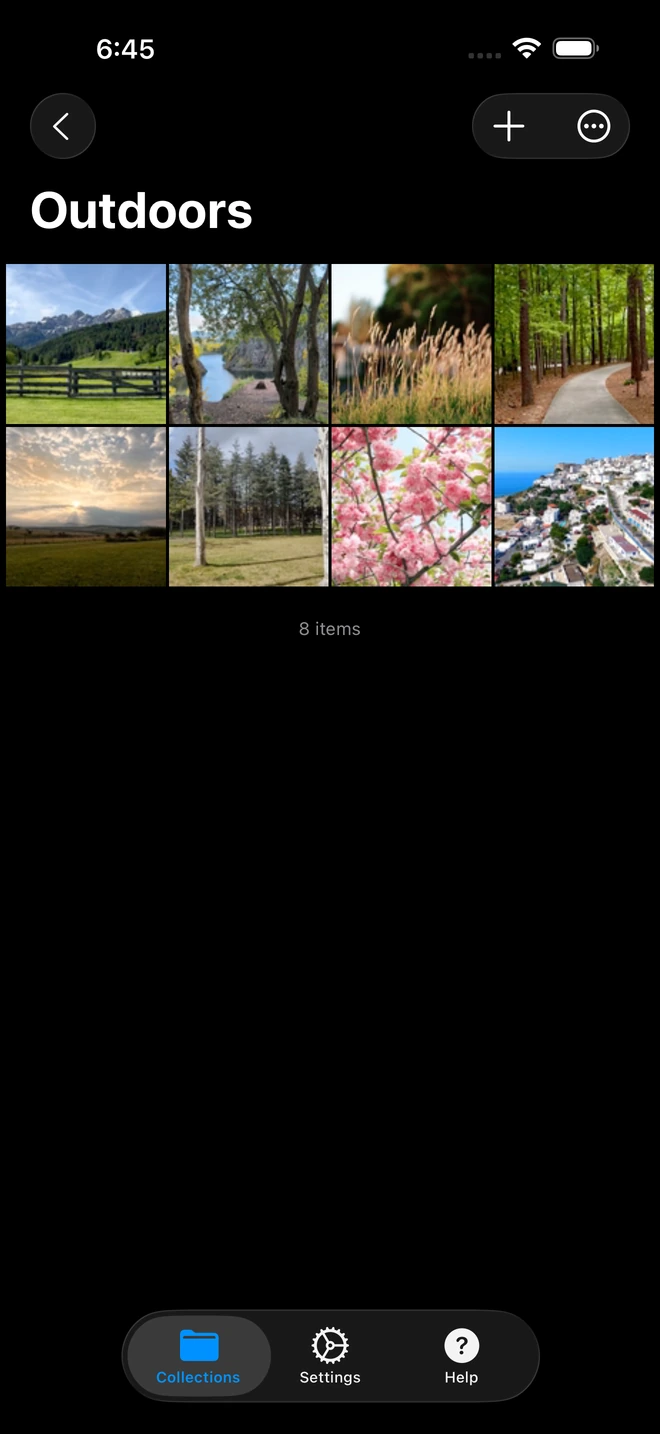
- 1High-bitrate 4K files stream without transcode compression.
The local transmission process follows a secure, direct client-server architecture:
- Local DHCP Allocation: When your projector joins your iPhone or Android hotspot, your phone assigns it a local private IP address (typically
172.20.10.xon iOS or192.168.43.xon Android). - Zero Cloud Dependencies: SSDP discovery messages and HTTP transfers travel over the high-speed 5 GHz Wi-Fi link directly into the projector's network buffer.
- Byte-Range Seeking: If you want to jump ahead to your favorite action scene, the projector's media player issues an HTTP Range request directly to Zee Cast, resuming playback instantly without re-buffering the entire movie.
Step-by-Step Setup: From Phone to Projector in 60 Seconds
Follow this simple four-step workflow whether you are sitting around a campfire in Yellowstone or lounging on a blanket in your backyard:
- 1
Turn On Personal Hotspot on Your Phone
On your iPhone: Open Settings → Personal Hotspot, toggle Allow Others to Join ON, and ensure Maximize Compatibility is toggled ON if your projector only supports 2.4 GHz Wi-Fi (modern projectors support 5 GHz).
On Android: Open Settings → Network & Internet → Hotspot & Tethering → Wi-Fi Hotspot and turn it ON. Note down your hotspot Wi-Fi network name and password. - 2
Connect Your Projector to the Hotspot Wi-Fi
Turn on your projector and open its network settings menu:
XGIMI (Android TV / Google TV) · Menu NavigationSettings → Network & Internet → Select your phone hotspot → Enter password
Anker Nebula (Android TV / Nebula OS) · Menu NavigationSettings → Network Settings → Wi-Fi → Connect to phone hotspot
 Samsung Freestyle (Tizen OS) · Menu Navigation
Press Home → Settings → General → Network → Open Network Settings → Select phone hotspot
- 3
Launch Zee Cast and Enable Sharing
Open Zee Cast on your phone. Tap to select the offline movie files, family holiday videos, or curated photo albums stored in your device's camera roll or Files storage. Tap Turn on sharing to start the local UPnP media server.
- 4
Open VLC or Native Player and Play Full-Screen
On Android TV projectors (XGIMI, Anker Nebula, ViewSonic), launch the free VLC for Android app. Navigate to Browsing → Local Network → UPnP, select Zee Cast, choose your video, and press Play.
On the Samsung Freestyle, press Home on your remote, select Connected Devices or Sources, choose Zee Cast, and enjoy native hardware-decoded playback!
Best Media Player Apps for Android TV & Google TV Projectors
If your portable projector runs Android TV, Google TV, or an Android-based operating system, having the right media player installed makes browsing your DLNA library effortless:
| App Name | Auto UPnP Discovery | Audio Passthrough | Subtitle Support | Remote Control Friendly |
|---|---|---|---|---|
| VLC for Android (Recommended) | Instant (Local Network tab) | Full AC3 / DTS / AAC | Embedded SRT, SSA, ASS | Excellent D-pad navigation |
| Nova Video Player | Automatic UPnP Scraping | Dolby Digital / DTS | Full Subtitle Engine | Beautiful poster wall UI |
| Kodi | UPnP / DLNA Client | Bitstream passthrough | Comprehensive | Moderate (Dense interface) |
| Samsung Native Player (Freestyle) | Built into Tizen OS | Hardware calibrated | Built-in Subtitle toggle | One Remote Integration |
💡 Pre-Install Apps Before You Head Outdoors
Because camping sites lack internet, always install VLC for Android or Nova Video Player from the Google Play Store on your projector while still connected to your home Wi-Fi before embarking on your trip. Once installed, these apps work indefinitely offline without requiring any internet verification.
Audio Optimization: Pairing Bluetooth Speakers with Your Projector
While projectors like the XGIMI Halo+ and Anker Nebula Mars 3 feature surprisingly decent built-in Harman Kardon or Soundcore speakers, outdoor open-air environments absorb acoustic energy rapidly. For true cinematic impact:
- Pair Speaker Directly to Projector: Do not pair your Bluetooth speaker to your phone. Pair your portable speaker (such as a JBL Charge, UE Megaboom, or Soundcore Motion Boom) directly to the projector's Bluetooth menu. Because the projector decodes the video and audio simultaneously, Bluetooth audio latency compensation is handled automatically by the projector's Android TV system.
- 3.5mm AUX Cable Option: If you notice any subtle audio-to-video lipsync delay over Bluetooth, connect a standard 3.5mm audio auxiliary cable from your projector's headphone jack directly to your outdoor speaker for zero-latency analog sound.
Power Management for Off-Grid Movie Marathons
Running an outdoor cinema off-grid requires mindful battery management:
- Projector Power Consumption: Portable LED projectors typically consume between 35W and 65W of power during active projection. Models with USB-C PD input (like the Samsung Freestyle or Anker Nebula Capsule 3) can run continuously when connected to a 65W Power Delivery power bank.
- Phone Power Savings with Zee Cast: Because Zee Cast simply serves digital files over the local Wi-Fi radio and does not render video on the phone's screen, your phone consumes less than 5% battery per hour. You can comfortably lock your phone, place it beside the projector, and enjoy a double-feature film without draining your phone's battery.
Frequently Asked Questions
Does streaming over Personal Hotspot consume my mobile cellular data plan?
No. When your portable projector connects to your phone's Personal Hotspot, a local Wi-Fi Local Area Network (LAN) is established directly between the two devices. Zee Cast streams video files and photos across this local radio link using UPnP/DLNA HTTP byte-range transfers. Your cellular data plan is not touched at all (0 MB cellular data consumed), even if cellular data is toggled completely off or you are camping in an area with zero cellular reception.
Can I stream offline movies in remote camping spots with zero cell reception?
Yes. Personal Hotspot on both iOS and Android generates a standard 802.11 Wi-Fi radio network regardless of whether your phone has active cellular tower bars. As long as your movies, home videos, or photos are saved locally in your phone's memory or Files app, Zee Cast streams them flawlessly off-grid in deep wilderness, national parks, or remote beaches.
Which media player app works best on portable Android TV projectors versus Samsung Freestyle?
For portable projectors running Android TV or Google TV (such as XGIMI Halo/MoGo/Horizon, Anker Nebula Capsule/Mars, and ViewSonic M-series), we recommend 'VLC for Android' or 'Nova Video Player'. Both apps feature instant UPnP auto-discovery, native hardware acceleration, and full projector remote control support. For the Samsung Freestyle (which runs Tizen OS), no app is needed: simply press Home on the Samsung remote, go to Connected Devices or Sources, and select Zee Cast directly.
Why is DLNA Direct Play much better than AirPlay or Miracast screen mirroring outdoors?
Screen mirroring forces your phone's processor to continuously capture, encode, and transmit your phone display in real time. This causes four major problems outdoors: severe battery drain (your phone dies in 60–90 minutes), high thermal heat leading to screen dimming, letterboxing with black bars due to phone screen aspect ratios, and awkward interruptions from incoming text messages, calls, or notifications. DLNA Direct Play sends the raw video stream to the projector's GPU, lets you lock your phone screen, and preserves hours of battery life.
How do I route audio to an external Bluetooth speaker like a JBL or Bose outdoor speaker?
Because the portable projector is the device decoding the audio and video stream, you simply pair your external Bluetooth speaker directly to your projector's Bluetooth menu (under Projector Settings > Remotes & Accessories > Pair Accessory). This keeps video and sound perfectly synchronized and delivers massive, immersive outdoor audio.
Does Zee Cast support high-bitrate 4K HEVC / H.265 video files on portable projectors?
Yes. Modern portable projectors from XGIMI, Anker, and Samsung incorporate quad-core MediaTek or Amlogic video processing chips that feature dedicated hardware decoding for H.264 (AVC) and H.265 (HEVC). Zee Cast delivers the uncompressed digital bitstream over the hotspot's 5 GHz Wi-Fi link, allowing the projector's chip to render full-fidelity 1080p and 4K video without stutter.
What if my portable projector is an older 'dumb' model without built-in Wi-Fi or smart OS?
If your projector only features an HDMI input port, you can plug in an inexpensive streaming stick (such as a Chromecast with Google TV, Amazon Fire TV Stick Lite, or Roku Express) powered by an external USB power bank. Connect the streaming stick to your phone's hotspot Wi-Fi, launch VLC or the native media player on the stick, and stream via Zee Cast just like a smart projector.
How do I keep my phone and portable projector powered during an outdoor movie night?
Most portable projectors (like the Anker Nebula Capsule 3 or XGIMI MoGo 2 Pro) feature internal batteries lasting 1.5 to 2.5 hours, or accept 65W USB-C Power Delivery (PD) inputs. Bringing a standard 20,000 mAh or 30,000 mAh USB-C PD power bank lets you recharge both your phone and projector simultaneously, providing 4 to 6 hours of continuous movie playback.
Can I use Zee Cast for high-resolution photo slideshows around the campfire?
Yes. You can curate hundreds of vacation or family photos into a Zee Cast collection. When opened on your portable projector, photos display in crisp, edge-to-edge native resolution. You can advance pictures using your projector remote or let the projector's media player run an automatic timed slideshow.


