
 ⚡ At a Glance: RV & Vanlife TV Specs ⚡ At a Glance: RV & Vanlife TV Specs | |
|---|---|
| Target Platform & OS | RV & Campervan Smart TVs (12V DC Furrion, Jensen, Sylvox, SuperSonic, Roku TV, Fire TV) |
| Protocol & Port | DLNA 1.5 / UPnP MediaServer, Port 8080 (HTTP Byte-Range) |
| Connection Type | Direct Phone Hotspot (0 MB Cellular / Starlink Data; 100% Offline) |
| Transcoding | None (Direct Play original camera roll files & movies to TV hardware) |
| Typical Setup Time | ~60 seconds (No Wi-Fi router, Starlink, or cell reception required) |
Off-Grid Entertainment: The Reality of RVing and Vanlife
Whether you are full-time vanlifing in a converted Mercedes Sprinter, exploring national parks in a 30-foot Class A motorhome, or boondocking on remote Bureau of Land Management (BLM) public land in a travel trailer, off-grid living offers unmatched freedom. After a rugged day of hiking desert trails, mountain biking, or paddleboarding alpine lakes, nothing beats kicking back on your camper sofa with a warm meal and watching a favorite movie or reviewing the day's 4K drone footage on the television.
However, streaming media off-grid is notoriously difficult:
- Zero Cellular Tower Coverage: The most breathtaking boondocking locations have zero cellular reception. Streaming apps like Netflix, Hulu, and YouTube simply refuse to load.
- Crippling Data Caps: If you use mobile hotspot plans or cellular routers (like Peplink or Winegard), high-speed data is strictly capped at 30 to 50 GB per month. A single 4K film can burn 10 to 15 GB in two hours!
- Costly Satellite Quotas: While Starlink Mobile and Starlink Mini have revolutionized mobile internet, mobile priority data is expensive (often \$2 per gigabyte over quota), and heavy tree canopy in forests regularly drops satellite signals.
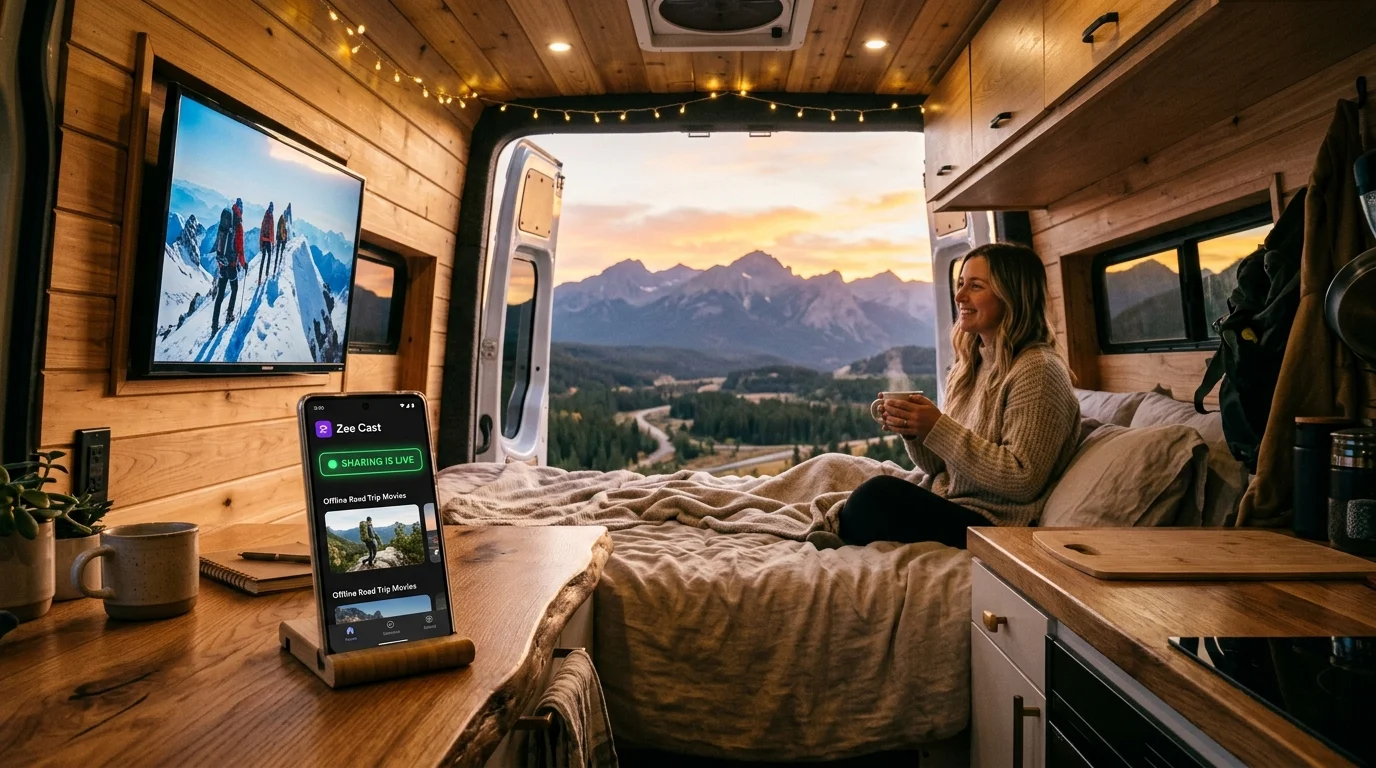
Fortunately, you don't need internet to enjoy high-definition movies and home videos in your rig. By turning your smartphone into an offline UPnP/DLNA Media Server with Zee Cast, you can stream gigabytes of high-bitrate video directly to your RV's television with 0 MB of cellular or satellite data usage.
🚐 The Zero-Data RV Streaming Breakthrough
Your phone's Personal Hotspot doesn't need an internet uplink to function. When your RV TV joins your phone's hotspot, they create a private local wireless network inside your camper. Zee Cast delivers stored video files directly across this local radio connection. Zero bits travel to cell towers or satellites, meaning you can stream 4K movies every single night without paying a dime in data overages.
How Offline Hotspot DLNA Operates Off-Grid
The architectural flow between your phone and your RV television is completely self-contained within your rig's interior:
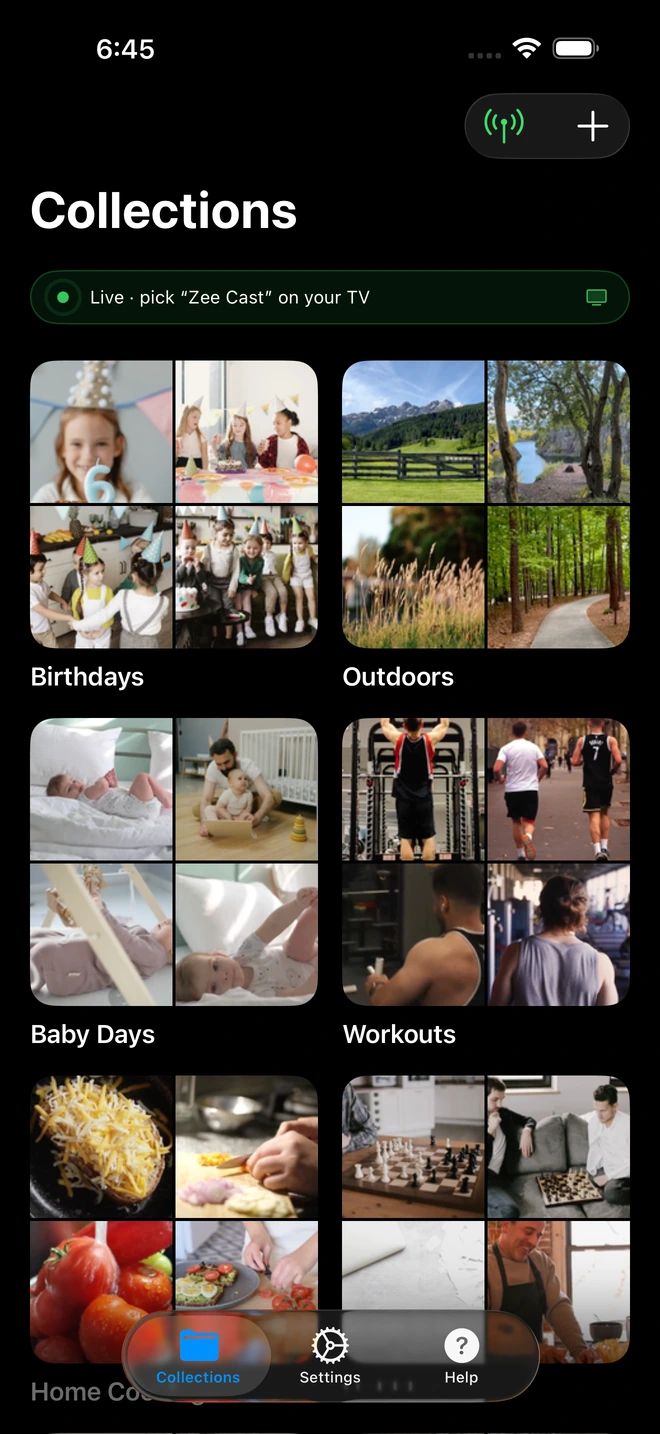
- 1Sharing is Live: TV detects Zee Cast under Connected Devices.
- 2Direct Play streams full-resolution photos & videos without mirroring.
Here is what happens under the hood:
- 1
Local IP Assignment via DHCP
When you enable Personal Hotspot on your phone, its operating system spins up a lightweight DHCP daemon. When your RV Smart TV connects, your phone assigns it a local private IP address (such as
172.20.10.2on iPhone or192.168.43.50on Android). - 2
SSDP Multicast Discovery
Zee Cast broadcasts SSDP discovery announcements over UDP port 1900. Your RV TV's media player detects Zee Cast within seconds and downloads the XML device profile.
- 3
HTTP Byte-Range Direct Play
When you select a movie on your TV remote, your TV pulls the video file using standard HTTP byte-range requests. The video file decodes entirely on your TV's dedicated graphics silicon.
Step-by-Step Guide: Streaming in Your RV or Campervan
Setting up offline entertainment in your rig takes less than one minute:
- 1
Activate Personal Hotspot on Your Phone
On your iPhone, go to Settings → Personal Hotspot and toggle Allow Others to Join ON.
On Android, navigate to Settings → Network & Internet → Hotspot & Tethering → Wi-Fi Hotspot and toggle it ON.Note: You can toggle off Cellular Data if you want absolute peace of mind that no background app consumes data. - 2
Connect Your RV TV to the Hotspot
Turn on your RV television and open its network settings:
12V RV TV (Furrion / Jensen / Sylvox) · Menu NavigationSettings → Network & Internet → Select your phone hotspot → Enter password
 TCL / Hisense Roku TV in RV · Menu Navigation
Settings → Network → Set up connection → Wireless → Select phone hotspot
 Amazon Fire TV Stick in RV · Menu Navigation
Settings → Network → Select phone hotspot → Enter password
- 3
Launch Zee Cast and Turn On Sharing
Open Zee Cast on your phone. Select the movies, offline shows, or road trip video clips you have stored on your device. Tap Turn on sharing to launch your zero-data UPnP server.
- 4
Select Zee Cast on Your TV and Press Play
Open your TV's media player (or the free VLC for Android app). Navigate to Local Network / UPnP, select Zee Cast, choose your movie, and enjoy smooth, battery-friendly playback!
Electrical Efficiency: Preserving Off-Grid Battery Power
When boondocking without shore power, electrical management is vital. Every amp-hour drawn from your 12V lithium (LiFePO4) or AGM house battery bank counts. Here is how local DLNA streaming helps conserve camper electrical power:
| Component | Traditional Inverter + Apple TV / Laptop | Zee Cast Direct to 12V RV TV |
|---|---|---|
| Power Conversion | Inverter runs 12V to 120V AC (15% idle loss) | Pure 12V DC Native (Zero inverter idle loss) |
| Device Consumption | Laptop / Apple TV draws 45W–90W | Phone server draws <3W background power |
| Total 2-Hour Amp Draw (12V) | ~12–18 Amp-Hours consumed | ~2.5–4.5 Amp-Hours consumed |
| Thermal Output | Inverter fan noise, hot electronics | Whisper silent, cool operation |
Audio Integration: RV Ceiling Speakers & Subwoofers
Most modern RVs and campervans come equipped with an integrated entertainment center (such as a Furrion DV3300 or Jensen JWM-series) wired to multiple ceiling speaker zones (e.g., Zone A for the main cabin, Zone B for the bedroom, Zone C for outdoor awning speakers).
- HDMI ARC / eARC Audio: Connect your TV's HDMI ARC port to your RV stereo receiver. When your TV decodes the movie stream via Zee Cast, multi-channel sound automatically routes through your camper's ceiling speakers.
- Optical TOSLink or 3.5mm Aux: On older rigs, run a digital optical or 3.5mm audio cable from the TV audio output into your RV stereo's auxiliary port.
- Night Mode & Camper Etiquette: When camping in close quarters at busy campgrounds, use your RV TV's audio menu to disable outdoor Zone C speakers and engage speech enhancement for crisp, quiet late-night dialogue.
📸 Relive the Day's Adventures in Full 4K
One of the greatest joys of RV travel is reviewing the day's footage. When you import 4K 60fps clips from your DJI Mini drone, GoPro Hero, or smartphone camera roll into Zee Cast, you can gather the family around the TV to watch the day's mountain hike or river rafting expedition in uncompressed, high-bitrate clarity.
Frequently Asked Questions
Does streaming to my RV TV consume my expensive cellular data plan or Starlink satellite allowance?
No. When your RV Smart TV connects to your phone's Personal Hotspot, a local wireless Local Area Network (LAN) is established directly between the two devices. Zee Cast transfers video files and photos across this local radio link using UPnP/DLNA HTTP byte-range transfers. Zero bytes of cellular or Starlink internet data are consumed (0 MB cellular data), preserving 100% of your precious satellite and mobile data allowances.
Can I stream movies in remote BLM boondocking spots with zero cell reception?
Yes. Both iOS and Android generate a standard 802.11 Wi-Fi radio network via Personal Hotspot even when your phone shows 'No Service' or zero cellular bars. As long as your movies, TV shows, or videos are stored locally on your device (in your camera roll, internal storage, or Files app), Zee Cast streams them smoothly in off-grid wilderness, national forests, and deep desert locations.
Does this work on 12-volt DC RV Smart TVs (Furrion, Jensen, SuperSonic, Sylvox)?
Yes. Native 12V DC RV Smart TVs running Google TV, webOS, or Android TV feature built-in Wi-Fi radios and hardware DLNA media players. They connect directly to your phone's hotspot and discover Zee Cast instantly. If your 12V TV uses a basic proprietary interface, free apps like VLC for Android or Nova Video Player can be launched to browse the server.
What if my RV TV is an older non-smart model with only an HDMI input?
If your RV has an older traditional television, you can plug an inexpensive streaming stick (such as a Roku Express, Amazon Fire TV Stick Lite, or Chromecast with Google TV) into the HDMI port and power it via the TV's USB port or a 12V USB adapter. The streaming stick connects to your phone's hotspot and runs native DLNA players flawlessly.
How does DLNA compare to running a physical HDMI adapter from my phone?
Physical Lightning-to-HDMI or USB-C-to-HDMI adapters require draping a fragile, expensive cord across your campervan living space, tethering your phone right next to the TV. They also drain your phone battery rapidly, can cause DRM playback errors, and lock your phone screen. DLNA Direct Play is 100% wireless, keeps your phone in your pocket or nightstand, and lets you lock the screen or text while the movie plays.
How much electrical power does local hotspot streaming consume from my RV battery bank?
Remarkably little. Because Zee Cast merely serves digital files across the phone's Wi-Fi chip rather than rendering video on the phone display or running a heavy inverter, phone battery drain is under 5% per hour. On the TV side, native 12V DC TVs consume only 15W–30W, allowing you to watch movies all night on a modest 100Ah lithium camper battery.
Can I stream high-bitrate 4K GoPro, drone, and camera roll footage of our road trip?
Yes. When you record breathtaking 4K 60fps drone flights or 5.3K GoPro action clips, Zee Cast serves the original bit-for-bit file directly to your TV's hardware decoder over 5 GHz Wi-Fi. You can review your daily hiking and off-road trail footage on the big screen every evening with zero compression or downscaling.
Does my phone screen need to stay illuminated during a 2-hour movie in the campervan?
No. Unlike screen mirroring which requires your phone screen to remain on at full brightness for hours, Zee Cast runs as a background media service. Once your RV TV begins playing the video, you can lock your phone screen and place it on your camper's wireless charger.
How do I route audio through my RV's built-in ceiling surround sound speakers?
Most RVs route television audio into an in-dash RV stereo head unit (such as a Furrion or Jensen entertainment center) via HDMI ARC, optical TOSLink, or RCA auxiliary cables. Because your TV decodes the media stream directly via DLNA, the audio automatically routes through your TV's sound output into your RV ceiling speaker zones.


