
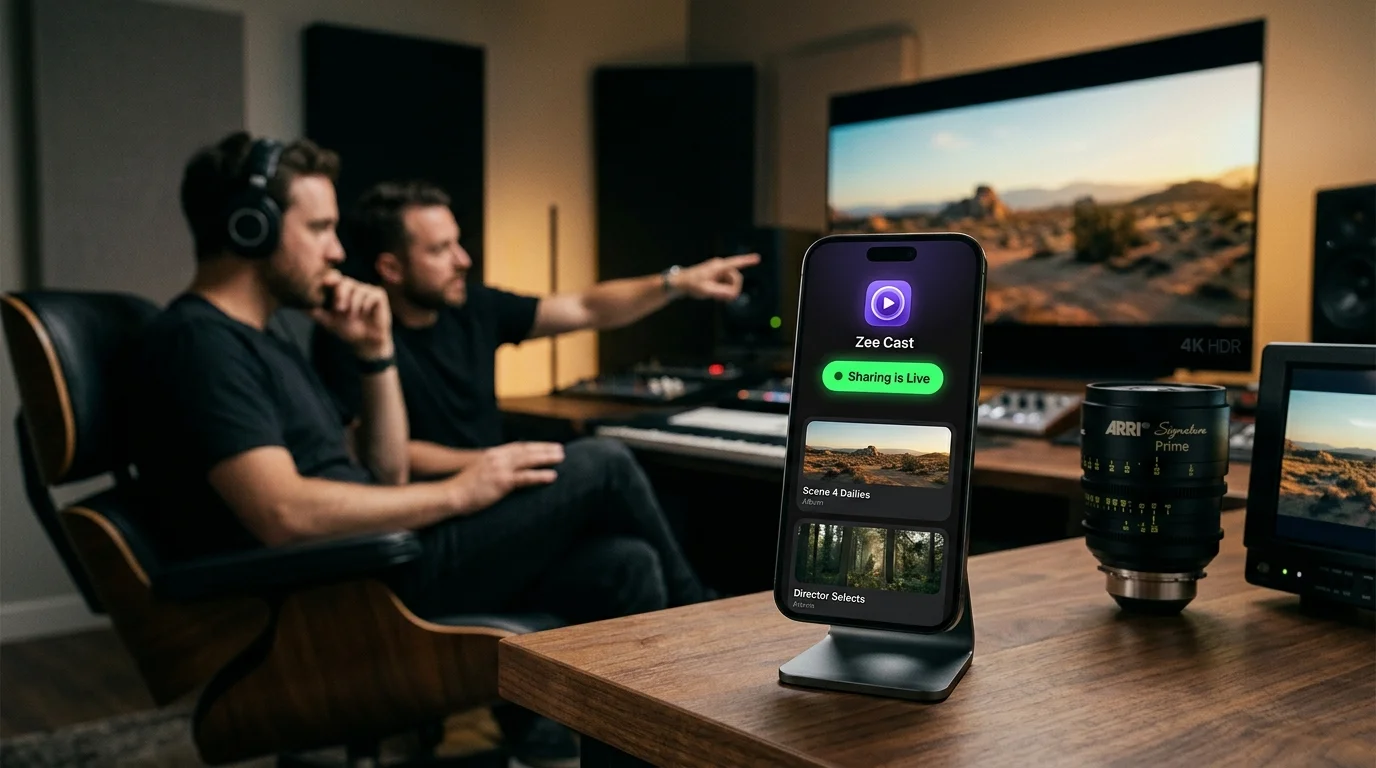
 ⚡ At a Glance: Confidential Pitch Media Server Specs ⚡ At a Glance: Confidential Pitch Media Server Specs | |
|---|---|
| Target Platform & OS | Boardroom Smart Displays (Samsung Commercial, LG webOS, Sony BRAVIA Google TV) |
| Protocol & Port | DLNA 1.5 MediaServer, Port 8080 (Per-IP Thread Latch & Whitelist) |
| Connection Type | Corporate Wi-Fi (5 GHz) or Air-Gapped Hotspot (0 MB Cloud Data) |
| Transcoding | None (Direct Play 4K 60fps Master Commercial Reel Bitstream) |
| Typical Setup Time | ~45 seconds (Instant per-IP handshake with zero IT friction) |
The High-Stakes Pitch: Multi-Million-Dollar NDAs vs. Cloud Vulnerabilities
In advertising agencies, top-tier production companies, and brand strategy consultancies, the most critical meetings occur behind closed doors. Pitching a prospective Fortune 500 client with an unreleased television campaign, an embargoed automotive redesign, or a secret celebrity endorsement deal is governed by strict Non-Disclosure Agreements (NDAs) with multi-million-dollar breach penalties.
When agency partners walk into the client's corporate boardroom to present the hero commercial cut, the method of video delivery is a paramount security consideration.
The Cloud Platform Leaks & Mirroring Notification Hazard
Conventionally, agencies rely on cloud video hosting (Vimeo review links, Frame.io links, or unlisted YouTube uploads) or wireless screen mirroring (AirPlay or Miracast). Both introduce grave operational and legal risks:
- Cloud Footprint Exposure: Uploading unreleased commercial assets to cloud servers means third-party infrastructure stores your video. Accidental link sharing, compromised client passwords, or unauthorized downloads can trigger catastrophic public leaks before the global marketing embargo lifts.
- Notification Blunders on the Big Screen: Screen mirroring broadcasts an exact clone of your tablet or phone. An incoming Slack message from an editor saying "Did they buy the higher budget option?" or an urgent personal text pops up across the 85-inch boardroom screen in front of the prospective client's CMO and CEO.
- Accidental Cross-Client Contamination: Browsing local media galleries via screen mirroring risks exposing pitch decks or video reels from direct competitors, causing immediate disqualification from the pitch.
The Secure Architecture: Air-Gapped UPnP Direct Play with Zee Cast
Zee Cast eliminates cloud transmission risks and display mirroring exposure by providing an air-gapped, 100% local-subnet UPnP/DLNA Digital Media Server.
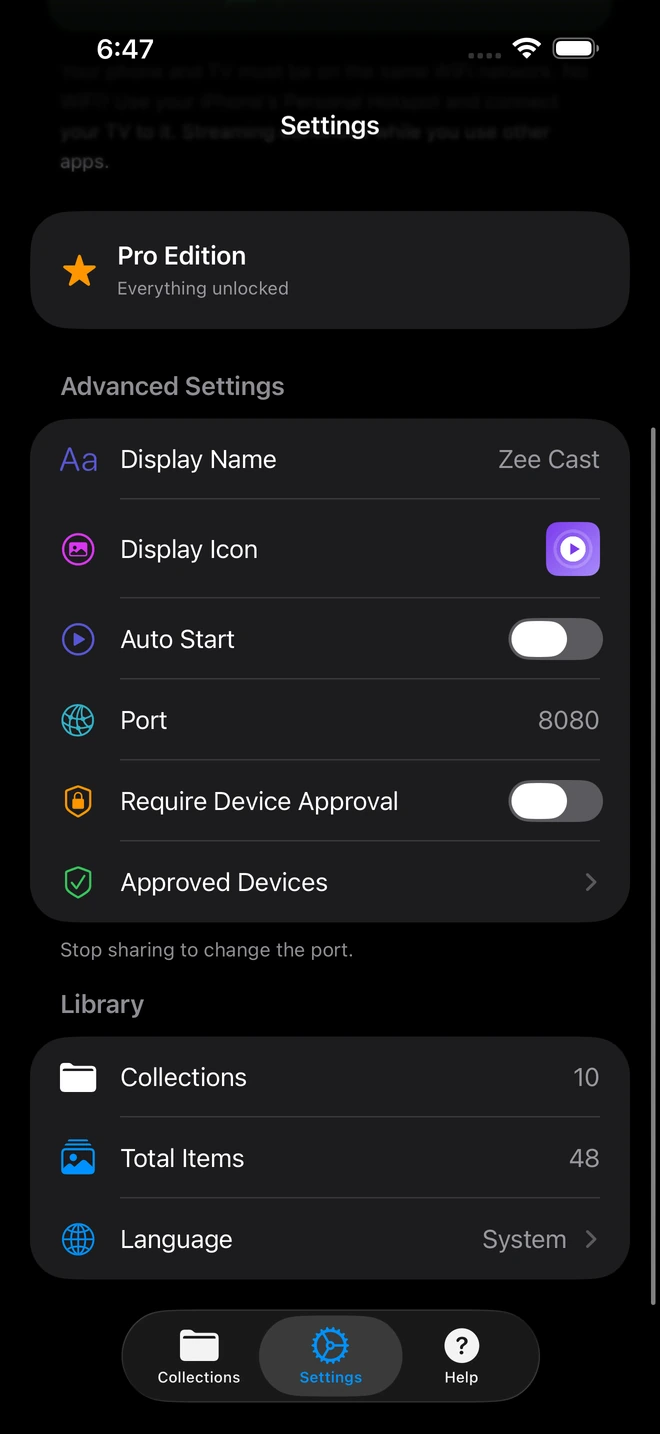
- 1Device Approval gates every connection request.
- 2Only approved screens can browse or stream selected media.
Instead of broadcasting your screen or uploading files to the internet, Zee Cast operates as a secure, local media repository directly inside your device's memory:
- Zero Cloud Footprint (0 MB Internet): All media streaming takes place point-to-point over the local network via standard HTTP byte-range requests (RFC 7233). Zero files, thumbnails, or metadata ever touch third-party cloud servers.
- Curated Collections Quarantine: Only the specific commercial cut or pitch sizzle explicitly assigned to the active collection is indexed. All other client projects, competitor reels, and internal agency documents remain completely invisible to the network.
- Per-IP Device Approval Firewall: Zee Cast Pro blocks incoming connection requests at the thread level until you explicitly verify and approve the boardroom TV's local IP address on your phone handset, barring unauthorized snooping from other devices on corporate Wi-Fi.
- Presenter Device Freedom: The boardroom television plays the 4K commercial cut in stunning master quality, while your phone or tablet display remains private - allowing you to reference pitch talking points, client profiles, and rate cards without mirroring.
Security Comparison: Executive Boardroom Screening Protocols
| Security Parameter | Cloud Review Platforms (Vimeo / Frame.io) | Screen Mirroring (AirPlay / Miracast) | Zee Cast (Local DLNA + Device Approval) |
|---|---|---|---|
| Cloud Server Upload | ❌ Mandatory (Stored on 3rd-party cloud) | Varies (Cloud handshakes) | ✅ 0 bytes cloud data (100% local subnet) |
| NDA Legal Exposure | ❌ High (Third-party data custody) | Moderate | ✅ Zero (Air-gapped local device transfer) |
| Notification Leakage | Low | ❌ High (All incoming alerts flash on TV) | ✅ Zero (Handset screen completely independent) |
| Cross-Client Media Isolation | Dependent on link security | ❌ Poor (Must navigate open photo gallery) | ✅ Strict Curated Collection quarantine |
| Boardroom Remote Control | ❌ Requires laptop trackpad/mouse | ❌ Must scrub on handheld screen | ✅ Native TV remote pause, scrub & rewind |
| Works in Offline / Secure Rooms | ❌ Fails completely without internet | Requires network | ✅ 100% offline via local Wi-Fi or Hotspot |
The 4-Step Boardroom Pitch Protocol
Executive creative directors and agency partners can execute this standard operating procedure for every high-stakes pitch meeting:
Step 1: Stage the Pitch Reel into a Segregated Collection
In your agency suite prior to departure, export the master pitch cut (4K H.264 or HEVC at master bitrate) onto your presentation iPad Pro or phone. Open Zee Cast, tap + Create Collection, and title it "Q4 Global Campaign Pitch". Add only this video. Verify that no competing client assets are included.
Step 2: Engage Per-IP Device Approval
Navigate to Zee Cast Settings and verify that Device Approval is enabled. This ensures that even if you connect to the client's guest Wi-Fi network, other devices on that network cannot scan or download your pitch assets.
Step 3: Connect to Boardroom Display with 1-Tap Whitelisting
Connect your phone and the boardroom smart display to the office Wi-Fi. (If corporate network policies prevent peer-to-peer discovery, simply activate Personal Hotspot on your phone and join the TV to it with zero cellular data usage). Tap Turn on sharing in Zee Cast.
On the boardroom TV, select Zee Cast from the Connected Devices source menu. When the connection prompt appears on your phone showing the TV's IP address, tap Allow.
Step 4: Screen the Hero Cut with Total Presenter Poise
Press Play. The commercial cut begins playing in pristine 4K HDR across the boardroom display.
- Client Scrubbing: Hand the TV remote to the client's creative director to let them pause on key typography frames or rewind to re-evaluate the musical drop.
- Confidential Notes on Handset: While the video commands the room's attention, glance down at your private iPad screen to review margin spreadsheets, media spend projections, and speaking prompts.
- Zero Leak Exposure: No matter how many Slack notifications, WhatsApp messages, or emails arrive during the meeting, not a single notification touches the boardroom monitor.
Summary: Winning the Business with Unshakable Confidence
Pitching multi-million-dollar campaigns requires an impeccable balance of creative impact and ironclad confidentiality. By switching from cloud video portals and glitchy screen mirroring to Zee Cast's air-gapped UPnP direct play architecture, agency leaders protect their clients' trade secrets, fulfill strict NDA mandates, and project the ultimate level of executive professionalism in the boardroom.
Frequently Asked Questions
Why is uploading unreleased commercial campaigns to cloud video platforms an NDA risk?
Cloud hosting platforms (such as Frame.io, Vimeo Review, YouTube Unlisted, Google Drive, or Dropbox) expose unreleased media to third-party servers, automated AI content scanning, employee access risks, and link-forwarding leaks. For high-stakes Super Bowl commercials, unannounced automotive redesigns, or secret celebrity endorsements protected by multi-million-dollar NDA penalty clauses, uploading unencrypted assets to public cloud infrastructure violates corporate security covenants and invites devastating leaks.
How does Zee Cast guarantee zero cloud exposure during agency client screenings?
Zee Cast operates as a 100% offline, local-only UPnP/DLNA Digital Media Server. All video data, metadata, and directory structures are served directly point-to-point between your smartphone/tablet and the boardroom television over local TCP/IP sockets (HTTP Port 8080). Zero bytes are transmitted to external servers, no cloud telemetry logs are recorded, and no internet connectivity is required.
What is Per-IP Device Approval and why is it essential in corporate boardrooms?
In corporate headquarters and co-working conference centers, dozens of laptops and smart devices share the same office or guest Wi-Fi network. Without security gating, any tech-savvy employee on the same subnet could browse an open media server and access embargoed pitch video files. Zee Cast Pro includes a built-in Per-IP Device Approval firewall that blocks all incoming connection threads until you explicitly verify and approve the boardroom TV's IP address on your phone screen.
Can prospective clients accidentally see reels or campaigns from competing brands?
No. Zee Cast enforces a strict Curated Collections architecture. Unlike generic DLNA servers or network shared folders that expose entire directories, Zee Cast only publishes the exact video files explicitly assigned to the active collection. Pitch materials for competing brands, past client campaigns, internal agency budgets, and personal camera roll files remain completely invisible to the UPnP ContentDirectory index.
Why is screen mirroring (AirPlay / Miracast) dangerous during an executive pitch?
Screen mirroring broadcasts a real-time duplicate of your phone or tablet display. If an incoming Slack ping arrives from your executive creative director, a private text appears discussing agency pricing, or a calendar reminder pops up, it is broadcast in giant letters across the boardroom screen in front of client decision-makers. Furthermore, if you switch apps to check contract numbers, the client sees your private notes.
Can I reference pitch notes, budget spreadsheets, and talking points during playback?
Yes! Because Zee Cast runs as a background media server and not a display mirror, your mobile device's screen remains completely independent. The unreleased commercial reel plays smoothly in 4K on the boardroom display while you review your speaker notes, margin calculators, or client contract terms on your handheld device in absolute privacy.
Does Zee Cast work in air-gapped corporate boardrooms with no Wi-Fi or cellular service?
Yes. Zee Cast requires zero external internet. Even in an underground bunker, Faraday cage boardroom, or secure facility with zero cellular coverage and disabled corporate Wi-Fi, you can enable your phone's Personal Hotspot, connect the boardroom TV to it, and stream 4K pitch video offline with zero data consumption.
Can boardroom executives scrub and pause video using the television remote?
Yes. Zee Cast fully implements UPnP HTTP Byte-Range requests (RFC 7233). Boardroom executives and creative leads can use the television remote to pause on exact visual beats, scrub backwards 10 seconds to re-examine brand messaging, or advance frame-by-frame with zero buffering delays.
What video resolutions and color profiles are supported for high-end pitch reels?
Zee Cast direct plays all standard high-bitrate video containers supported by modern smart TV hardware, including MP4, MOV, and MKV with H.264 and HEVC (H.265) codecs up to 4K 60fps in Rec.709 and HDR10. Video plays at master fidelity without lossy mobile transcoding.


