
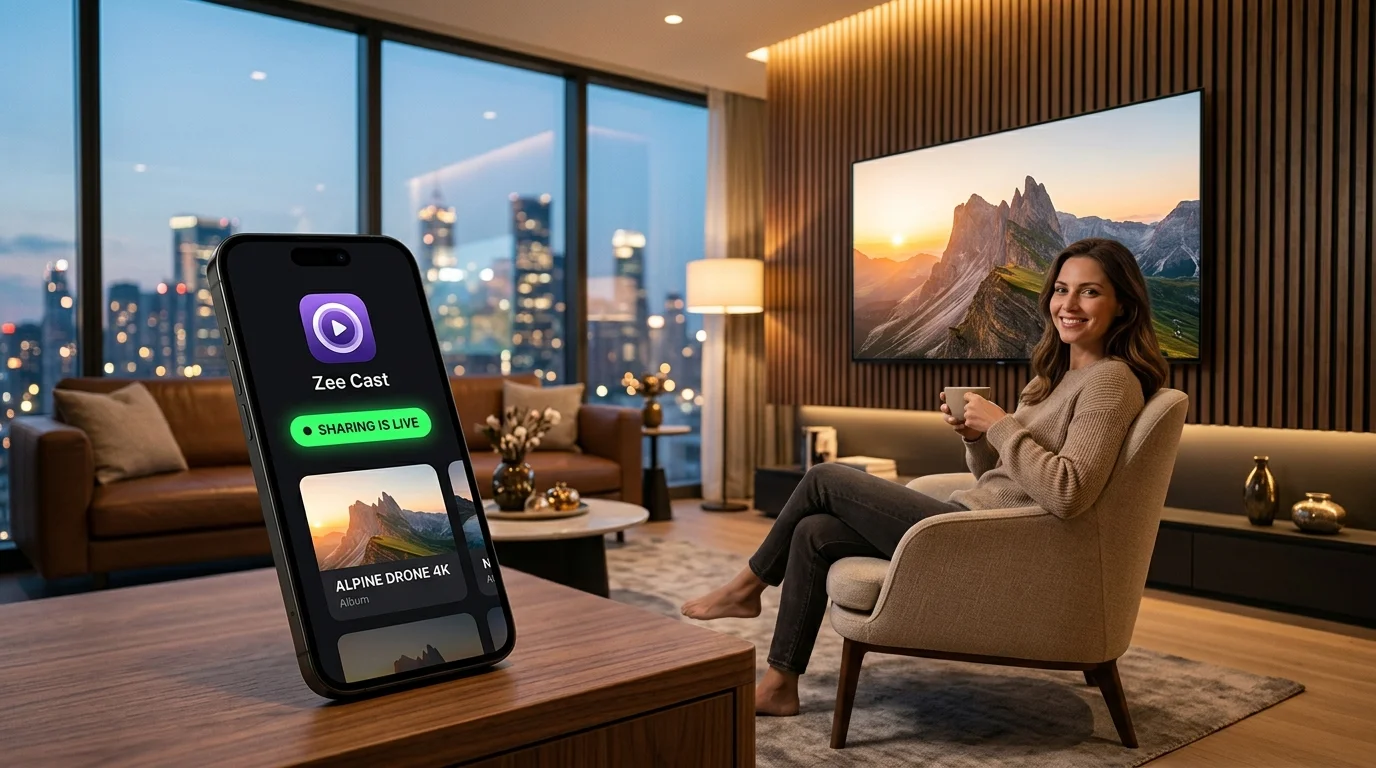
 ⚡ At a Glance: Hotel & Cruise Cabin TV Specs ⚡ At a Glance: Hotel & Cruise Cabin TV Specs | |
|---|---|
| Target Platform & OS | Cruise Ship Cabin TVs & Hotel Hospitality Displays (Commercial Samsung LYNK, LG Pro:Centric, Fire TV, Roku) |
| Protocol & Port | DLNA 1.5 / UPnP MediaServer, Port 8080 (HTTP Byte-Range) |
| Connection Type | Direct Phone Hotspot or Travel Router (0 MB Maritime Satellite Data; Bypasses Captive Portal) |
| Transcoding | None (Direct Play original camera roll files & movies to TV hardware) |
| Typical Setup Time | ~90 seconds (No \$30/day satellite packages or captive portal logins required) |
Maritime Stateroom Entertainment: The High Seas Dilemma
Embarking on a luxury cruise - whether sailing the Caribbean with Royal Caribbean, exploring the Mediterranean with Celebrity, or cruising the Alaskan glaciers with Norwegian Cruise Line - offers unmatched relaxation. After a sun-soaked day of snorkeling coral reefs or exploring historic port towns, retreating to your stateroom cabin for a peaceful evening is one of the trip's greatest pleasures.
However, when you turn on your stateroom television hoping to unwind with a good movie or watch the day's 4K GoPro scuba footage, you quickly encounter harsh realities:
- Astronomical Satellite Wi-Fi Costs: Shipboard internet powered by Starlink Maritime or O3b satellites ranges from \$25 to \$35 per day per device. Buying access for two phones and a streaming stick on a 7-day cruise easily inflates your folio bill by over \$400!
- Strict Per-Device Captive Portals: Cruise Wi-Fi requires each device to navigate a browser landing page and authenticate with your stateroom number and folio PIN. Consumer streaming sticks and smart TVs often fail to render these pages.
- Total Peer-to-Peer Isolation: Even if you purchase multiple Wi-Fi passes, shipboard network routers enforce rigorous Access Point (AP) Client Isolation. Devices on the ship's network cannot see or communicate with each other, meaning Apple AirPlay and Google Cast are permanently disabled.
By transforming your smartphone into a self-contained UPnP/DLNA Media Server with Zee Cast, you can stream gigabytes of high-definition movies and vacation memories straight to your cabin TV with 0 MB of maritime satellite data consumed.
🚢 Avoid Exorbitant "Cellular at Sea" Charges
When sailing in international waters, cellular carriers switch to maritime satellite networks (like Wireless Maritime Services), which charge staggering rates - often \$5 to \$15 per megabyte of data! Always keep your phone in Airplane Mode with cellular data turned off while on the ship. You can still activate your phone's Wi-Fi and Personal Hotspot safely to run Zee Cast offline without triggering a single cent in roaming fees.
How Offline Hotspot DLNA Operates on Cruise Ships
The local streaming pipeline creates an isolated digital ecosystem entirely contained within your stateroom cabin:
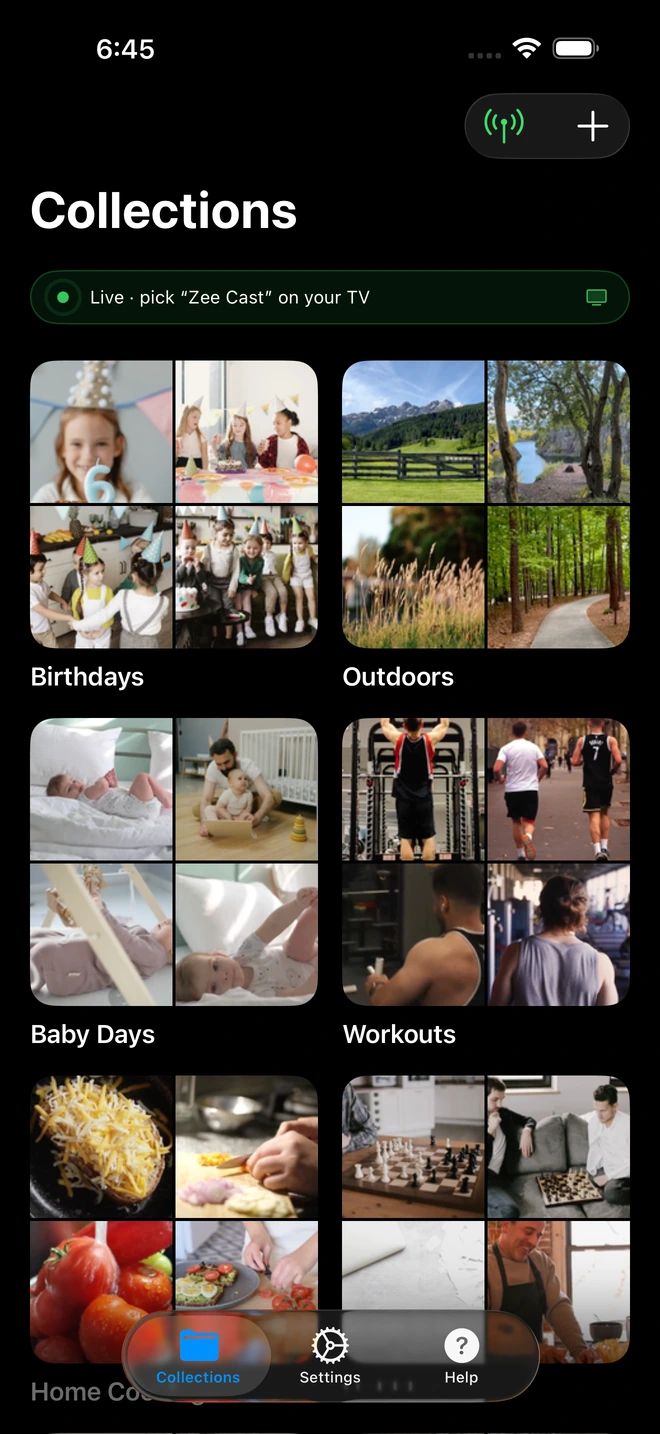
- 1Sharing is Live: TV detects Zee Cast under Connected Devices.
- 2Direct Play streams full-resolution photos & videos without mirroring.
This setup bypasses every maritime network restriction:
- 1
Private Stateroom Wi-Fi Bubble
Enabling Personal Hotspot on your smartphone establishes a local 5 GHz wireless network inside your cabin. Your phone acts as the wireless router and DHCP server.
- 2
Bypassing Captive Portal Authentication
Because your cabin TV or travel streaming stick connects directly to your phone's private hotspot, it never touches the cruise ship's satellite network. There are zero stateroom PIN logins, captive splash screens, or MAC address registrations required.
- 3
Direct Playback to TV Silicon
Zee Cast serves your stored movies and videos via standard HTTP byte-range requests. The video file decodes entirely on the TV or streaming stick's hardware processor, leaving your phone cool, responsive, and free to lock.
Step-by-Step Setup: Streaming in Your Cruise Cabin or Hotel
Follow this simple four-step workflow to get your stateroom cinema up and running:
- 1
Pre-Download Media Before Sailing
While still connected to fast home or hotel broadband prior to embarkation, download your favorite movies, TV series, audiobooks, and documentary playlists to your iPhone or Android device's local storage (e.g., Photos app, Files app, or local video folders).
- 2
Enable Personal Hotspot in Airplane Mode
Keep your phone in Airplane Mode. Turn on Personal Hotspot (on iPhone, toggle Allow Others to Join; on Android, turn on Wi-Fi Hotspot). Ensure your hotspot network name (SSID) and password are ready.
- 3
Connect Your TV or Travel Streaming Stick
Plug an inexpensive travel streaming stick (such as an Amazon Fire TV Stick Lite or Roku Express) into the cabin TV's HDMI port, or navigate the commercial TV's network menu:
 Amazon Fire TV Stick in Cabin · Menu Navigation
Settings → Network → Select your phone hotspot → Enter password
 Roku Streaming Stick in Cabin · Menu Navigation
Settings → Network → Set up connection → Wireless → Select phone hotspot
Hospitality Smart TV (LG Pro:Centric / Samsung LYNK) · Menu NavigationPress Source / Input → Select HDMI 1 or Connected Devices → Media Player
- 4
Open Zee Cast and Enjoy Zero-Data Playback
Open Zee Cast on your phone, curate your evening playlist, and tap Turn on sharing. On your TV or streaming stick, launch VLC (under Local Network) or the native media player, select Zee Cast, and enjoy buffer-free entertainment!
Dealing with Locked Hotel and Cruise Ship TV Inputs
Some hotel chains and cruise lines deliberately disable HDMI input switching on their remotes to encourage guests to purchase pay-per-view movies. Here are practical traveler tips to unlock your screen:
- Physical Frame Buttons: Inspect the lower bezel, sides, or rear of the stateroom television. Many commercial displays retain physical buttons for Power, Channel, and Input/Source. Pressing the physical Input button often cycles directly to HDMI 1 or HDMI 2.
- Cheap Universal Remote: Seasoned frequent travelers carry an inexpensive \$8 universal TV remote or a phone with an infrared (IR) blaster. These remotes bypass hospitality locks and trigger input switching instantly.
- Disconnect Hospitality RJ11/RJ45 Cable: Some commercial TVs have a data cable (telephone jack or Ethernet) plugged into the rear "Data / MPI" port that feeds instructions from the hotel management server. Unplugging this cable temporarily often reverts the television to standard consumer TV mode, unlocking the HDMI menu. (Remember to plug it back in before checkout!).
Reliving Shore Excursions in Stunning 4K Clarity
Whether you spent the day diving with sea turtles in Cozumel, touring cathedrals in Barcelona, or dog-sledding on an Alaskan glacier, sharing your memories is the highlight of every trip.
By transferring high-resolution photos and 4K 60fps action camera footage to your phone each afternoon, you can use Zee Cast to host a nightly recap in your cabin. Photos display in crystal-clear native resolution, and videos play back with buttery-smooth hardware acceleration - turning your cruise stateroom into a private screening theater.
🌴 Travel Pro Tip: Pack a Short HDMI Extender and USB Power Cable
Cruise ship and hotel TVs are often mounted flush against stateroom walls, making HDMI ports difficult to reach. Pack a flexible 4-inch HDMI extender cable and a 6-foot USB-A to micro-USB power cord. This allows you to plug your travel streaming stick into hard-to-reach recessed ports and power it directly from the TV's USB port or a bedside outlet.
Frequently Asked Questions
Does streaming media to my cruise ship cabin TV consume expensive maritime satellite Wi-Fi?
No. When your stateroom TV or travel streaming stick connects to your phone's Personal Hotspot, a local wireless Local Area Network (LAN) is established directly inside your cabin. Zee Cast transfers media files across this local radio link using UPnP/DLNA HTTP byte-range transfers. Zero bytes of maritime satellite internet data are consumed (0 MB satellite data), meaning you do not need to pay $25 to $35 per day for cruise Wi-Fi passes.
Why don't cruise ship Wi-Fi packages allow AirPlay, Chromecast, or multi-device casting?
Cruise ship Wi-Fi networks (powered by Starlink Maritime, SES O3b, or Geostationary satellite arrays) enforce strict bandwidth caps and price access on a strict per-device basis (e.g., Royal Caribbean Voom, Carnival Social/Value, NCL Cruise Wi-Fi). To prevent guests from sharing connections, shipboard access points enforce Access Point (AP) Client Isolation, drop mDNS/SSDP discovery broadcasts, and gate every device behind a captive login page. This permanently breaks consumer casting.
How can I stream movies in my cruise stateroom on sea days without buying a Wi-Fi plan?
You do not need to purchase any internet plan. By pre-downloading your favorite movies and shows to your phone's local storage before boarding, you can run Zee Cast over your phone's personal hotspot. Because the hotspot operates purely offline, you can enjoy unlimited movie nights in your stateroom on days at sea with zero internet connectivity.
What if the cruise cabin TV has locked or disabled HDMI ports?
Many commercial hospitality TVs (such as Samsung LYNK REACH or LG Pro:Centric) have physical HDMI ports disabled by default via hospitality firmware. If you cannot change input sources using the stateroom remote, look for an input button on the underside of the TV frame, or use a cheap universal travel remote to switch to HDMI 1. Many modern cruise lines (like newer Royal Caribbean and Celebrity ships) now leave HDMI open for guest streaming devices.
How do I connect a Fire TV Stick or Roku without paying for a second device pass?
Cruise lines charge an additional $15 to $25 per day for each extra device connected to ship Wi-Fi. By connecting your Fire TV Stick or Roku to your phone's Personal Hotspot rather than the ship's Wi-Fi network, your streaming stick communicates exclusively with your phone. You completely bypass the cruise ship's per-device fee and captive login screens.
Does Personal Hotspot work in Airplane Mode on iPhone and Android at sea?
Yes! While toggling Airplane Mode initially turns off cellular and Wi-Fi radios, you can immediately re-enable Wi-Fi and Personal Hotspot while leaving cellular voice and data completely OFF. This guarantees you never connect to the exorbitantly expensive 'Cellular at Sea' maritime satellite cellular network, protecting you from surprise thousands-of-dollars roaming bills.
Can I review shore excursion photos and GoPro scuba videos on the cabin TV each night?
Yes. After an unforgettable day of snorkeling, zip-lining, or touring historic ports, you can transfer footage from your GoPro, drone, or camera to your phone. With Zee Cast, your entire family can gather around the stateroom TV to watch high-resolution photo slideshows and 4K 60fps action videos in full native clarity.
Does Zee Cast work on commercial hospitality TVs (Samsung LYNK REACH and LG Pro:Centric)?
If the hotel or cruise ship TV has local network features enabled, its built-in DLNA client (accessible via the interactive TV menu under My Media or Connected Devices) can detect Zee Cast directly. If the hospitality menu is locked down, plugging a portable $25 streaming stick (like a Fire TV Stick Lite or Roku Express) into an accessible HDMI port provides immediate, unrestricted DLNA streaming.
Is it permitted by cruise line policies to stream local media in your stateroom?
Yes. Cruise lines strictly regulate internet bandwidth consumption and fire hazards (such as irons and kettles), but streaming personal media locally via your own phone and approved low-wattage streaming stick in your cabin violates no maritime safety rules and consumes zero shipboard satellite bandwidth.


