
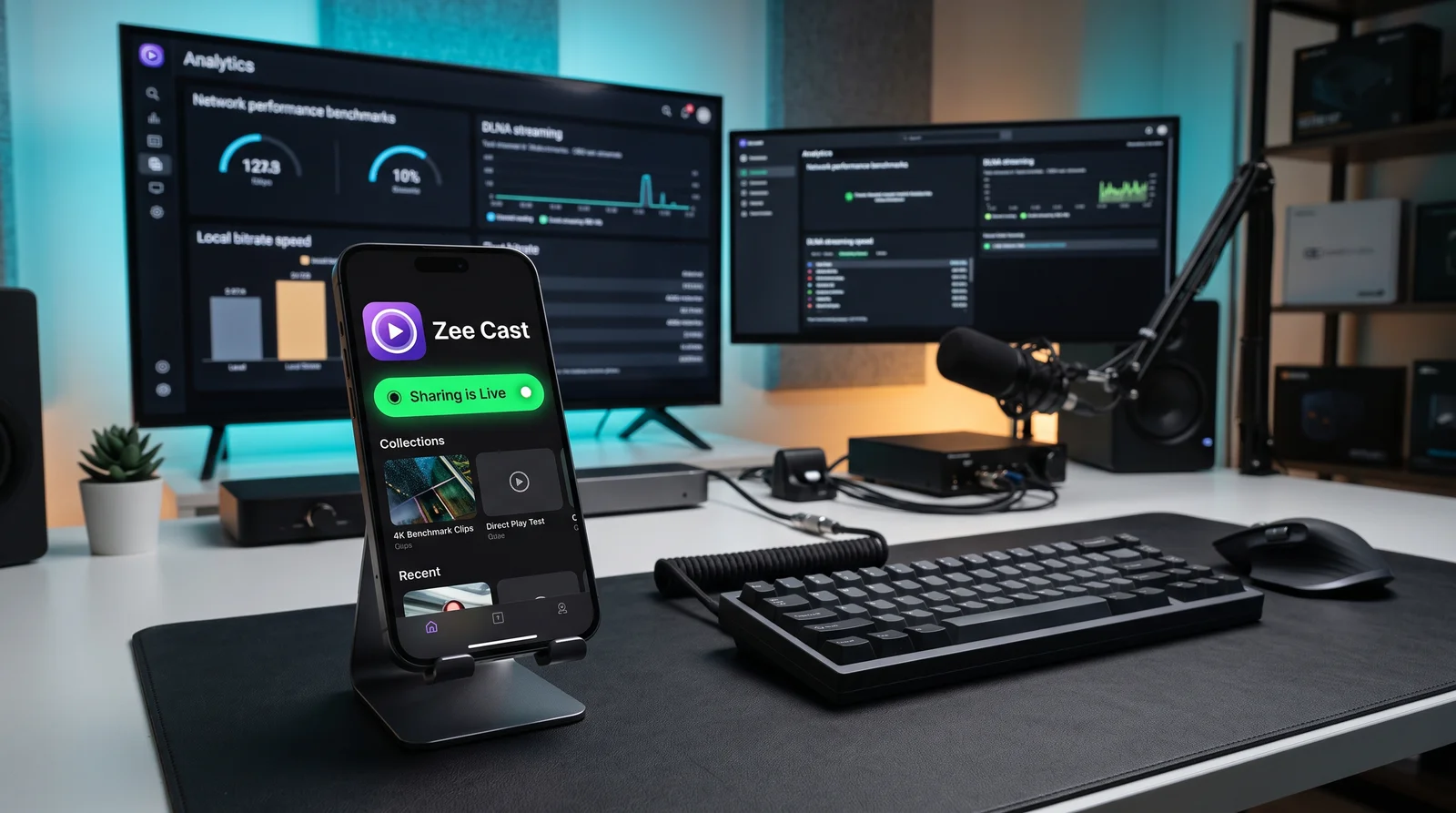
Key takeaways
- Web Video Caster is built around a web browser engine with heavy ad monetization, making it cumbersome for personal photos and home videos.
- Zee Cast is a dedicated, ad-free mobile DLNA server designed specifically for high-fidelity personal media streaming.
- Zee Cast uses zero web wrappers or tracking SDKs, resulting in near-zero battery consumption and instant 1-tap playback.
- Selective Collections and per-IP Device Approval ensure that private camera roll photos never leak across shared networks.
Why Web Video Caster Is the Wrong Tool for Personal Media
Web Video Caster (WVC) has earned a loyal following for casting web-based videos from streaming websites to Chromecast, Roku, and DLNA devices. To achieve this, WVC embeds a full web browser equipped with URL sniffers and script injectors.
However, when users attempt to use Web Video Caster to stream their personal vacation photos or 4K home videos from their phone's local storage to the living room TV, the experience quickly breaks down:
- Browser Bloat for Local Files: Loading local photos through a browser-centric application introduces sluggish UI navigation, unnecessary tab bars, and heavy memory usage.
- Aggressive Advertising & Interstitials: The free version of Web Video Caster injects persistent banner ads and full-screen video popups that disrupt family viewing sessions.
- Privacy Concerns & Ad Trackers: WVC includes numerous third-party analytics and ad-tracking SDKs that monitor user activities and transmit telemetry over the internet.
- Unorganized File System Access: Instead of cleanly displaying curated photo albums, WVC exposes deep Android and iOS directory hierarchies that make finding recent clips cumbersome.
Zee Cast takes an entirely different path: it is purpose-built from the ground up for personal home media. There is no web browser, zero web scraping, zero advertising, and zero tracking. It turns your mobile device into a high-performance Universal Plug and Play (UPnP) / DLNA Media Server in a single tap.
Side-by-Side Comparison: Zee Cast vs. Web Video Caster
Examine the architectural, usability, and privacy differences for local media streaming:
| Feature / Capability | Zee Cast | Web Video Caster |
|---|---|---|
| Primary Focus | ✅ Local Personal Media (Camera roll photos, 4K home clips) | ⚠️ Web video URL sniffing & browser casting |
| Advertising & Telemetry | ✅ 100% Ad-Free & Zero Trackers (Privacy-first architecture) | ❌ Heavy banner ads, full-screen popups, and ad tracking SDKs |
| User Interface Design | ✅ Modern & Minimalist (Liquid Glass on iOS, Material 3 on Android) | ⚠️ Cluttered browser UI with multi-tab menus and complex settings |
| Protocol Architecture | ✅ Native DLNA MediaServer (DMS) with standard HTTP Range requests | ⚠️ Push client requiring companion receiver app or custom web routing |
| Video Streaming Quality | ✅ Bit-perfect 4K 60fps HDR (Direct Play via TV native decoders) | ⚠️ May transcode or buffer high-bitrate phone video files |
| Photo Privacy Protection | ✅ Curated Collections (Only explicitly picked media is shared) | ⚠️ Scans entire storage trees and presents raw device folders |
| Unauthorized Access Control | ✅ Per-IP Device Approval modal on phone screen | ❌ Open broadcast to all devices on the local Wi-Fi subnet |
| Battery & RAM Efficiency | ✅ Ultra-lightweight (<2% battery per hour; no browser engine) | ❌ Heavy battery drain due to web rendering engine and ad scripts |
| Offline / Hotspot Playback | ✅ 100% Offline (Streams on Personal Hotspot with 0 MB internet) | ⚠️ Struggles offline due to ad server calls and web engine dependencies |
Why Curated DLNA Streaming Is Superior for Personal Media
1. Direct Hardware Playback on Any Smart TV
Web Video Caster operates as a "controller" that attempts to push streams to various proprietary receiver endpoints. If your TV does not have a matching receiver app installed, it falls back to basic web wrappers.
Zee Cast uses universal UPnP/DLNA - the protocol built directly into Samsung Tizen, LG webOS, Sony Bravia, Roku, and Panasonic TVs for over a decade. Your TV detects your phone directly in its Sources or Connected Devices dashboard. You can pick up your physical TV remote to browse photo albums, play 4K video clips, and pause or scrub through files with instantaneous hardware responsiveness.
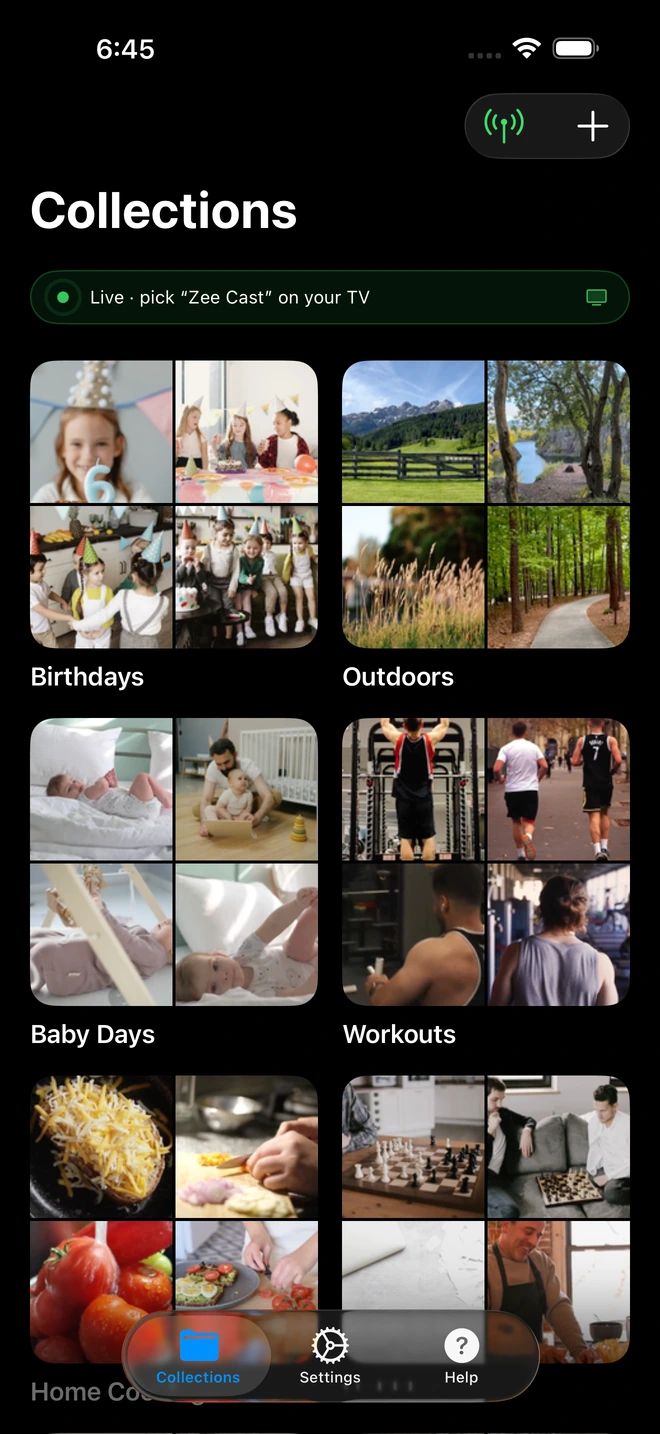
- 1Server is live - instantly discoverable on TV.
2. Total Separation of Personal Photos from the Network
When you open a traditional casting app that searches for local files, it typically requests full storage access and displays your entire camera roll - including screenshots, receipts, private documents, and confidential photos.
With Zee Cast, security is built into the workflow. You create dedicated collections (such as "Kids Birthday" or "Summer Trip"). Only the exact media files you assign to that collection are indexed by the server. Your TV can never see or access any other files on your phone, providing complete peace of mind when sharing with friends or family.
3. Zero Battery Strain and Screen Locking
Because Web Video Caster runs a full web engine, keeping it open while streaming creates substantial thermal load on your smartphone. Zee Cast operates as an ultra-efficient background media server. Once playback begins on your TV, you can lock your phone screen, take voice calls, or reply to messages without introducing audio stutter or stopping the stream.
How to Switch to Zee Cast in Under 60 Seconds
- 1
Download Zee Cast Free
Install Zee Cast from the App Store or Google Play Store. No user account or sign-up required.
- 2
Select Your Photos and Videos
Create a collection and select the original high-resolution photos and 4K clips you wish to view on the big screen.
- 3
Turn On Sharing and Enjoy
Tap Turn on sharing. On your TV, open the native Media Player or Sources menu, select Zee Cast, and start playback instantly with zero ads.
Frequently Asked Questions
Why look for an alternative to Web Video Caster for local media playback?
Web Video Caster was primarily engineered as a web scraper and browser utility to cast web video links to TV dongles. When used for personal photos and camera roll videos, it feels bloated, cluttered with complex browser tabs, and loaded with third-party ad networks, telemetry trackers, and interstitial video ads. Zee Cast is laser-focused on local media: it provides a clean, ad-free, private UPnP/DLNA media server designed specifically for your phone's personal camera roll.
Does Zee Cast show advertisements or banner popups like Web Video Caster?
No. Zee Cast contains zero advertisements, zero popup interstitials, and zero tracking SDKs on both its free and Pro tiers. Your private photos and home videos are never presented alongside advertising banners.
How does Zee Cast differ from Web Video Caster in protocol design?
Web Video Caster acts as a sender client that pushes streams to receiver apps or browser endpoints on your TV, often requiring external receiver companion apps. Zee Cast operates as a standard UPnP/DLNA Digital Media Server (DMS). Your smart TV (Samsung, LG, Sony, Roku, Fire TV) natively browses your phone's collections using its built-in media player, pulling raw original files via HTTP Range requests with zero quality loss.
Can Zee Cast stream 4K 60fps family videos without stuttering or transcoding?
Yes. Zee Cast delivers 100% bit-perfect Direct Play without touching a single pixel or running battery-draining CPU transcoders. High-bitrate 4K 60fps HEVC/H.265 videos recorded on iPhone and Android play smoothly on any modern 4K smart TV.
How does Zee Cast protect my privacy compared to Web Video Caster?
Web Video Caster scans file directories and includes analytics and ad-targeting libraries that communicate with external telemetry servers. Zee Cast operates 100% locally with zero internet communication. You share media through curated collections - only files you explicitly select are published to the local network, leaving the rest of your camera roll private.
Can I stream media to my smart TV when offline or without home Wi-Fi?
Yes! Zee Cast works flawlessly on an iPhone or Android Personal Hotspot without requiring an active internet connection or burning cellular data. Web Video Caster often struggles offline because its web-centric architecture and ad scripts expect an active internet handshake.
What is the battery impact of Zee Cast compared to Web Video Caster?
Because Web Video Caster bundles a full web browser rendering engine and active ad scripts, it causes high CPU and RAM usage that quickly drains battery. Zee Cast uses an ultra-efficient native background networking service that consumes less than 2% battery per hour of streaming.
Does Zee Cast support device approval on shared Wi-Fi networks?
Yes. With Zee Cast's per-IP Device Approval feature, unauthorized smart TVs or devices on your shared home or apartment Wi-Fi network cannot browse your media without your explicit permission on your phone.
Is Zee Cast available on both iOS and Android?
Yes. Zee Cast offers 100% design and feature parity across iOS (iPhone & iPad with Liquid Glass aesthetics) and Android (Material 3 Expressive design).


