
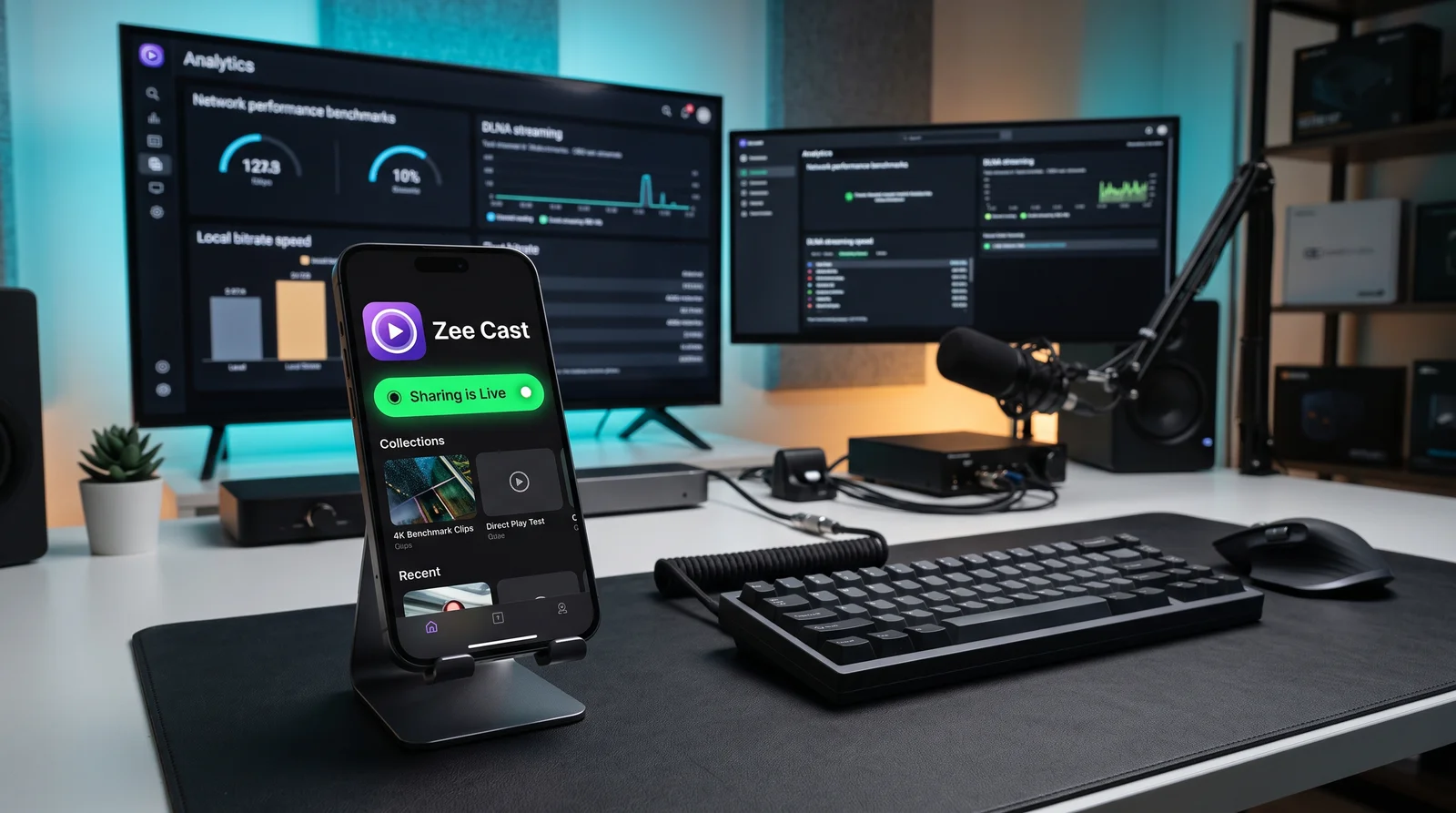
Key takeaways
- DLNA is an open Server-Renderer Pull protocol that serves raw, uncompressed 4K media files over HTTP range requests with zero battery drain.
- Miracast is a Wi-Fi Direct peer-to-peer screen mirroring protocol designed for low-latency desktop display sharing, but it drains battery heavily and lacks iOS support.
- AirPlay is Apple's proprietary ecosystem protocol combining low-latency mirroring with sender-push media streaming, but mirroring crushes 4K HDR to 1080p SDR.
- Google Cast is a cloud-first protocol designed for web-based media URLs; it requires an active internet connection and cannot stream camera rolls offline.
The Wireless Streaming Landscape in 2026
When you tap a cast or share icon on your smartphone, tablet, or laptop, four dominant wireless protocols compete for control of your television display: DLNA (Digital Living Network Alliance), Miracast (Wi-Fi Display), AirPlay (Apple), and Google Cast (Chromecast).
While consumer marketing frequently conflates these technologies under the generic term "casting," their underlying software architectures, network pipelines, and playback characteristics are radically different. Choosing the wrong protocol can degrade 4K 60fps HDR home footage to pixelated 1080p SDR, drain 30% of your smartphone battery in an hour, expose sensitive private messages on your living room screen, or fail entirely if your internet connection goes down.
The Definitive 10-Criteria Comparison Matrix
The following matrix breaks down each protocol across 10 mission-critical technical dimensions:
| Technical Dimension | DLNA / UPnP AV | Miracast (Wi-Fi Display) | Apple AirPlay | Google Cast |
|---|---|---|---|---|
| 1. Architectural Model | Server-Renderer Pull (DMS serves file; TV DMR pulls via HTTP byte-ranges) | P2P Framebuffer Mirror (Wi-Fi Direct RTSP/RTP H.264 video clone) | Hybrid Push & Mirror (RTSP/RAOP push stream or AirPlay 2 HLS mirror) | Cloud-Relay DIAL (Phone passes URL; TV web receiver pulls from cloud) |
| 2. Maximum Video Bitrate | Bit-Perfect Original (Up to 150+ Mbps raw HEVC 4K 60fps HDR) | Compressed 12–20 Mbps (Capped at 1080p 60fps SDR in practice) | 12–25 Mbps (Mirror) (Downscaled to 1080p SDR; full 4K only on select web HLS) | 25–40 Mbps (Cloud stream; local camera roll heavily compressed) |
| 3. Phone Battery Drain | < 2% per hour (Phone CPU sleeps; no real-time video encoding) | 25–35% per hour (Continuous GPU rendering & Wi-Fi Direct packet blasting) | 20–30% (Mirroring) (Continuous screen capture & hardware H.264 encode) | 5–10% per hour (Phone acts as remote control once playback begins) |
| 4. Multitasking & Screen Lock | ✅ Full Multitasking (Lock phone, take calls, use other apps freely) | ❌ Zero Multitasking (Screen must stay powered on; locking terminates link) | ⚠️ Partial (Screen must stay ON for mirroring; lock works on HLS push) | ✅ Full Multitasking (Phone screen locks; TV streams independently via cloud) |
| 5. Privacy & Notification Safety | ✅ 100% Private (Curated collections; SMS/texts never appear on TV) | ❌ Critical Risk (All notifications, SMS, banking alerts mirror on TV) | ❌ High Risk (Mirror) (All incoming banners and personal alerts broadcast to TV) | ✅ High Privacy (App content routed independently of phone UI) |
| 6. Offline & Hotspot Capability | ✅ 100% Offline (Works on Personal Hotspot or isolated router with 0 MB data) | ✅ 100% Offline (Peer-to-peer Wi-Fi Direct without router or internet) | ⚠️ Conditional (Peer-to-peer AirPlay works with Apple TV; requires Bluetooth handshake) | ❌ Strictly Online (Requires internet to fetch web receiver apps & Google auth) |
| 7. Smart TV Compatibility | Universal (100%) (Samsung, LG, Sony, Roku, Fire TV, Panasonic, Philips) | Moderate (~60%) (Samsung, LG, Windows, Android; zero iOS/Apple support) | Apple-Centric (~40%) (Apple TV hardware, licensed 2018+ smart TVs only) | Chromecast-Centric (~45%) (Google TV, Android TV, Chromecast dongles, select TVs) |
| 8. Playback Latency & Seeking | Instant HTTP Range Seek (Instant scrub, 1–2s initial buffer, zero drift) | Ultra-Low Latency (~60ms) (Great for presentations; poor for media seeking) | Low Latency (~80ms mirror) (Good UI response; 2–4s buffer on media push) | High Latency (3–6s) (Cloud handshake delays; slow local seek response) |
| 9. Audio Fidelity & Hi-Res | Bit-Perfect Studio Master (24-bit/192kHz FLAC, DSD, Dolby Atmos passthrough) | Compressed Stereo (16-bit 48kHz LPCM or lossy AC-3 stereo) | Downsampled 16-bit/44.1kHz (AirPlay 2 downsamples multi-room to 256kbps AAC) | Compressed AAC/E-AC-3 (Capped at 24-bit/96kHz on select receivers; cloud-reliant) |
| 10. Licensing & Ecosystem Lock | Open Standard (UPnP AV) (Royalty-free, no vendor lock-in, zero cloud tracking) | Wi-Fi Alliance Standard (Open standard but fragmented chip implementations) | Proprietary Apple MFi (Requires Apple certification & licensing royalties) | Proprietary Google SDK (Requires Google Play Services & Google telemetry) |
Deep Technical Architectural Analysis
1. DLNA / UPnP AV (Digital Living Network Alliance)
Standardized by the Open Connectivity Foundation and DLNA consortium, this architecture separates media streaming into three decoupled entities: the Digital Media Server (DMS), the Digital Media Renderer (DMR), and the Digital Media Controller (DMC).
When you use an app like Zee Cast, your smartphone operates as a high-performance DMS. Using SSDP (Simple Service Discovery Protocol) over multicast UDP (239.255.255.250:1900), the TV discovers your phone. When a video is selected, the TV initiates standard HTTP/1.1 GET requests with Range headers (RFC 7233). The phone's CPU simply reads blocks from flash storage and pushes them through a TCP socket. The TV's onboard image processor handles 100% of the hardware decoding, color grading, and audio rendering.

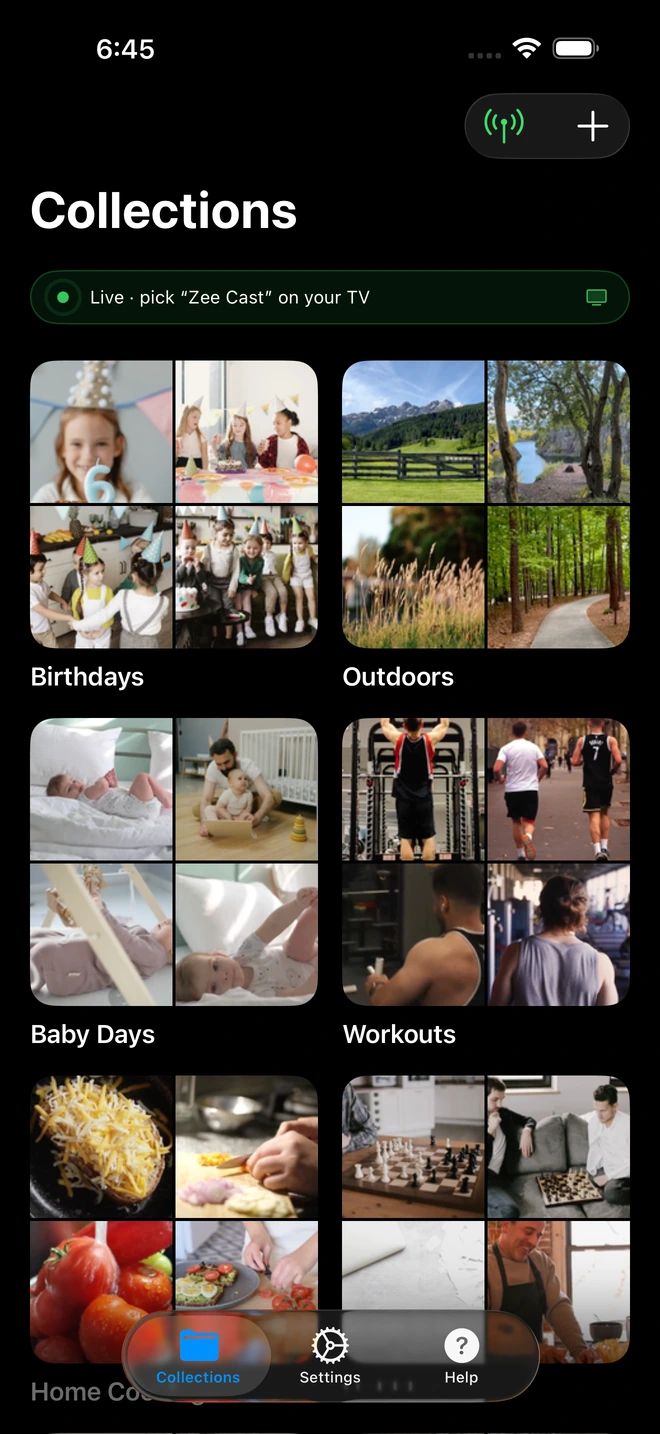
- 1Sharing is Live: Decoupled UPnP streaming requires <2% battery per hour.
2. Miracast (Wi-Fi Display Standard)
Developed by the Wi-Fi Alliance, Miracast replaces physical HDMI cables by establishing a direct Wi-Fi Direct (P2P) link between sender and receiver. The sender grabs the display framebuffer at 60 fps, encodes it via a dedicated hardware H.264 codec, packages the elementary stream inside an MPEG-2 Transport Stream (MPEG-TS), and transmits it over UDP using RTSP for session negotiation.
While Miracast is excellent for lag-sensitive office slide decks and casual mobile gaming, it is flawed for home video streaming. Wi-Fi Direct packet collisions often create artifacting, Apple completely refuses to support Miracast on iOS, and real-time H.264 re-encoding strips wide color gamuts and dynamic HDR metadata.
3. Apple AirPlay (AirPlay 1 & AirPlay 2)
Apple's AirPlay operates in two modes: AirPlay Mirroring and AirPlay Media Push.
- AirPlay Mirroring: Like Miracast, it captures the phone's composite screen buffer, downscales to 1080p, compresses to ~15 Mbps, and streams via RTSP/RTP over local Wi-Fi. It suffers from heavy battery drain and exposes private notifications.
- AirPlay 2 Media Push: Used by Apple Music and TV apps, the phone sends an HLS (HTTP Live Streaming) playlist URL to the Apple TV or licensed AirPlay 2 receiver. While this enables background playback, local camera roll files must be packaged into temporary on-the-fly HLS playlists, which frequently introduces transcode lag and limits 10-bit Dolby Vision fidelity on non-Apple receivers.
4. Google Cast (Chromecast Ecosystem)
Google Cast was fundamentally engineered as a cloud-first protocol. When you tap Cast in YouTube or Netflix, your phone uses the DIAL (Discovery and Launch) protocol to instruct the Chromecast or Google TV to launch a specific web receiver application. The television then downloads and streams the media file directly from external cloud content delivery networks (CDNs).
Because Google Cast is cloud-dependent, it fails completely if your internet is offline. When casting local phone camera roll files, Google Cast relies on uploading packets through local proxy server layers that struggle with high-bitrate 4K 60fps HEVC files.
Which Protocol Should You Use?
| Use Case | Recommended Protocol | Why It Wins |
|---|---|---|
| Personal 4K Home Videos & Vacation Photos | DLNA (Zee Cast) | Zero quality loss, 100% original camera sensor bitrates, full 10-bit HDR, complete privacy, and zero battery drain. |
| Cloud Streaming Apps (Netflix, YouTube, Spotify) | Google Cast / AirPlay 2 | Built-in cloud CDN handoff allows your TV to stream directly from remote servers. |
| Live Gaming & PowerPoint Slide Decks | Miracast / AirPlay Mirroring | Ultra-low display latency (50–80ms) for real-time interactive screen cloning. |
| Audiophile Bit-Perfect FLAC & Hi-Res Audio | DLNA (Zee Cast) | Direct 24-bit/192kHz uncompressed FLAC pull directly to AV receivers without 16-bit AirPlay downsampling. |
| Streaming Without Home Wi-Fi / On Hotel Hotspot | DLNA (Zee Cast) | Operates seamlessly on mobile Personal Hotspot with zero internet connectivity and zero cellular data usage. |
Frequently Asked Questions
What is the core architectural difference between DLNA and screen mirroring (Miracast/AirPlay)?
Screen mirroring (Miracast and AirPlay Mirroring) operates by continuously capturing your phone's GPU display buffer, compressing it into a live H.264/H.265 video stream, and transmitting it wirelessly to your TV. In contrast, DLNA operates on a Server-Renderer Pull architecture: your phone runs a local HTTP/UPnP media server, and your Smart TV pulls the original, untouched media file directly using HTTP byte-range requests. DLNA does zero re-encoding and preserves 100% of the original bitstream.
Why does DLNA deliver higher video quality for 4K 60fps HDR home videos than Google Cast or AirPlay?
AirPlay and Google Cast typically downscale and transcode mobile camera roll video to 1080p SDR or compress the stream to 12-20 Mbps to maintain wireless sync and avoid buffer bloat. DLNA transmits the raw HEVC/H.265 container at its native bit-depth (10-bit Dolby Vision Profile 8.4 or HDR10+) and bitrate (up to 120+ Mbps). Your smart TV's dedicated hardware video processor decodes the raw file natively without lossy compression.
Which streaming protocol consumes the least phone battery?
DLNA consumes by far the least battery - typically under 2% per hour. Because DLNA simply serves files over local TCP sockets without running real-time video encoders or keeping the screen awake, your phone's CPU and GPU remain in low-power idle states. Miracast and AirPlay Mirroring consume 20% to 35% battery per hour because they force the phone screen to stay on while running high-frequency GPU capture and real-time H.264 video encoding.
Can I lock my phone or answer private messages while streaming on these protocols?
On DLNA, yes - playback is completely decoupled from your phone's screen, so you can lock your device, take calls, or browse privately while the TV streams in the background. On Google Cast (via supported receiver apps), you can also lock your phone. On Miracast and AirPlay Mirroring, locking your phone immediately cuts off the TV display, and any incoming notifications or private messages will be projected onto the big screen.
Which protocols work 100% offline without home internet or Wi-Fi routers?
Both DLNA and Miracast can operate completely offline. Miracast uses Wi-Fi Direct peer-to-peer connections without requiring any router. DLNA operates seamlessly over an iPhone or Android Personal Hotspot or an isolated local router with zero external internet connectivity. In contrast, Google Cast strictly requires an active internet connection to authenticate with Google cloud servers and load web receiver applications.
Which protocol is supported across the widest range of smart TVs without dongles?
DLNA/UPnP has been the universal open industry standard since 2003, built natively into virtually 100% of smart TVs from Samsung (Tizen), LG (webOS), Sony (Android/Google TV), Panasonic, Hisense, and Roku. Miracast is built into Windows and many Android devices but is unsupported by Apple. AirPlay is limited to Apple hardware and licensed smart TVs. Google Cast requires Google TV or Chromecast dongles.
How does audio quality compare across DLNA, AirPlay, and Google Cast for audiophiles?
DLNA supports bit-perfect Hi-Res audio up to 24-bit/192kHz FLAC, DSD, and uncompressed multichannel audio directly to AV receivers. AirPlay caps audio streaming at 16-bit/44.1kHz (CD quality) and frequently downsamples multi-room streams to lossy 256 kbps AAC over AirPlay 2. Google Cast supports up to 24-bit/96kHz on select receivers but compresses audio streams depending on receiver app support.
Is Miracast still relevant in 2026?
Miracast remains useful for zero-setup wireless presentation in conference rooms and PC-to-TV desktop extension because of its peer-to-peer Wi-Fi Direct foundation. However, for personal media streaming, it is largely obsolete due to severe Wi-Fi Direct packet collisions, lack of Apple iOS support, heavy battery drain, and inability to handle modern 4K HDR dynamic metadata.
Can Zee Cast replace Google Cast or AirPlay for personal media?
Yes. Zee Cast leverages DLNA/UPnP to eliminate the battery drain, ad clutter, notification exposure, and quality degradation of screen mirroring and cloud casting. It provides instantaneous, bit-perfect streaming of personal photos and 4K videos directly from iPhone and Android to any smart TV on your local network.


