
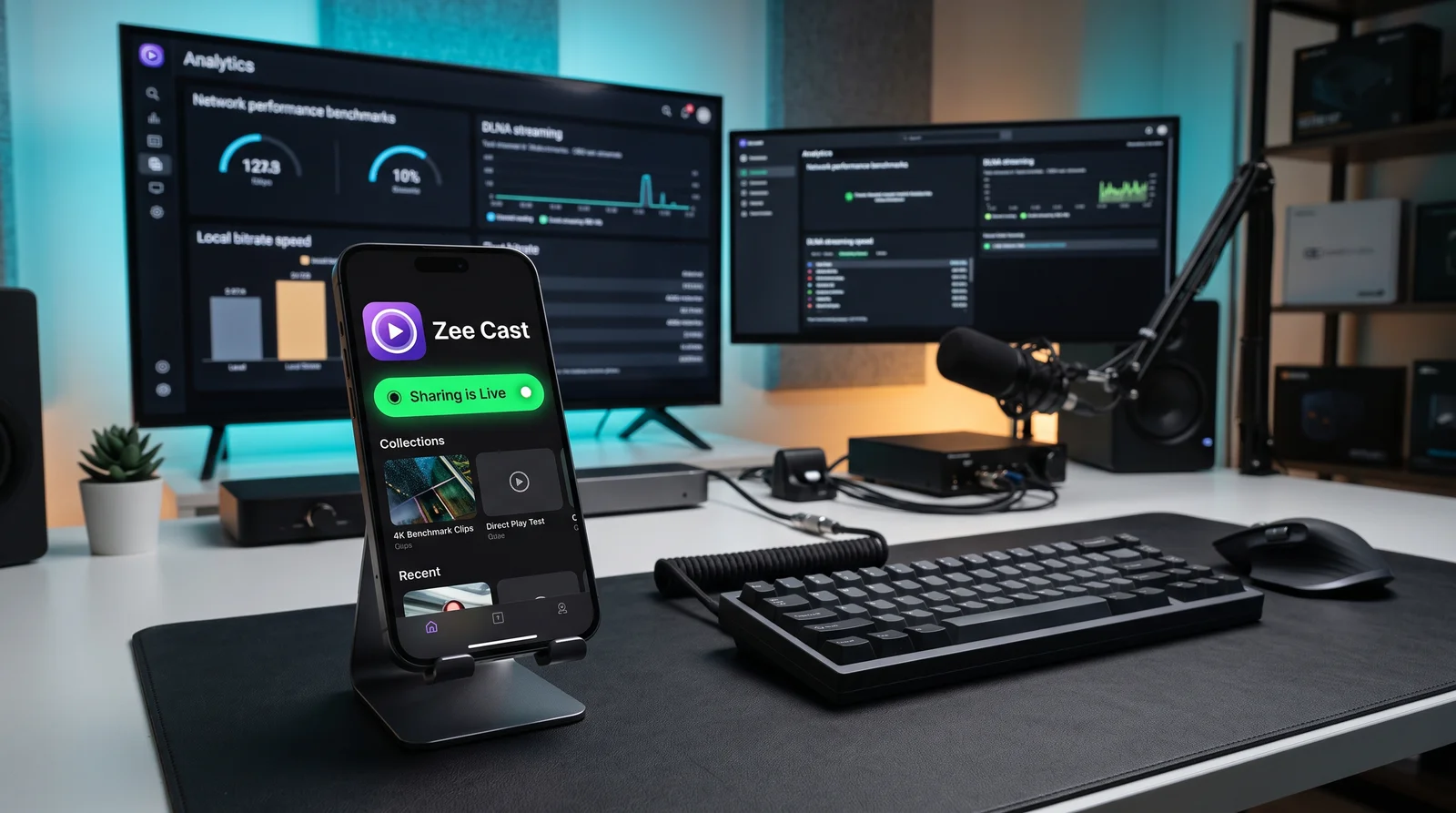
When you tap "Cast" on your smartphone, three fundamentally different network protocols vie for control of your living room screen: Apple AirPlay 2, DLNA / UPnP AV, and Google Cast (Chromecast). Discover the engineering trade-offs behind Push, Server-Renderer Pull, and Cloud Relay models.
Side-by-Side Architectural Matrix
Compare the fundamental network layers, discovery mechanisms, battery profiles, and hardware boundaries of all three standards:
| Protocol Metric | DLNA / UPnP AV (Zee Cast) | Apple AirPlay 2 | Google Cast (Chromecast) |
|---|---|---|---|
| Core Architecture | Decoupled Server-Renderer Pull (DMS/DMR/DMC) | Transmitter-Driven Push (Mirroring / HLS Relay) | Cloud-Relay & Receiver Web App (Sender/Receiver) |
| Discovery Mechanism | SSDP (UDP multicast 239.255.255.250:1900) | mDNS / DNS-SD (Bonjour via UDP port 5353) | mDNS (_googlecast._tcp) + DIAL |
| Session Control | SOAP XML RPC over HTTP POST (ContentDirectory) | RTSP / HTTP + HomeKit SRP Pair-Verify | TLS Socket (Port 8009) + Protocol Buffers |
| Media Transport Layer | Standard HTTP/1.1 with byte-range seeks | RTP over UDP (Mirroring) / HTTP Live Streaming | Direct HTTPS to Cloud CDN (HLS / DASH / MP4) |
| Phone Battery Drain | Ultra-Low (~1-3%/hr) - pure byte serving | High (~15-35%/hr) - real-time video encoding | Low (~2-4%/hr) for cloud; High for tab casting |
| Phone Multitasking | 100% Free - lock screen, make calls, browse | Blocked during mirroring; open during HLS | Free for cloud; locked during screen casting |
| 100% Offline LAN Support | Yes (Zero internet required) | Partial (Peer-to-peer / LAN, but DRM checks hit WAN) | No (Receiver requires WAN to fetch web app) |
| Notification Privacy | 100% Private (Only selected files shared) | High Risk (Banners & texts mirror on TV) | Private for cloud; High risk for screen mirroring |
| Smart TV Compatibility | Universal (Samsung, LG, Roku, Fire TV, Sony) | Restricted to Apple TV & certified AirPlay 2 TVs | Android TV, Google TV, Chromecast dongles |
| Video Transcoding | TV's native hardware decoder processes original file | Transmitter re-encodes screen to H.264/H.265 | Cloud server transcodes or TV decodes CDN stream |
DLNA / UPnP AV
Decouples media storage from rendering. Your phone acts as an embedded HTTP media server (Digital Media Server), allowing the TV's native processor (Digital Media Renderer) to pull original files over the local LAN.
- Standard: UPnP AV v1.0 / DLNA 1.5/2.0
- Discovery: SSDP (Simple Service Discovery)
- Transport: HTTP Range GET
Apple AirPlay 2
A proprietary Apple ecosystem protocol. The sender continuously transmits audio (ALAC via RTP) and screen frames (H.264 live stream) or hands off an HTTP Live Streaming (HLS) playlist URL with FairPlay DRM verification.
- Standard: Apple Proprietary / RAOP
- Discovery: mDNS (Bonjour DNS-SD)
- Transport: RTSP, RTP, PTP (IEEE 1588)
Google Cast
A remote-first architecture. The mobile app acts as a remote control, instructing the Chromecast device to launch an HTML5/JavaScript receiver application from Google's CDN that fetches streams directly from the web.
- Standard: Cast V2 / Google CAF
- Discovery: mDNS + DIAL
- Transport: TLS Protobuf (Port 8009)
1. DLNA & UPnP AV: The Local Server-Renderer Architecture
Standardized by the Digital Living Network Alliance (founded by Sony, Intel, Samsung, and Microsoft), DLNA builds directly on top of open IETF internet standards: IP, UDP, HTTP, and XML. It structures network streaming into three distinct logical roles:
- Digital Media Server (DMS): The source device (e.g., your smartphone running Zee Cast, a NAS, or a PC) that indexes local media files and serves them via an embedded HTTP daemon.
- Digital Media Renderer (DMR): The output device (e.g., a Samsung Tizen Smart TV, LG webOS TV, Roku, or VLC Player) that receives media URIs, requests byte ranges, and renders audio/video using its internal hardware video processor (VPU).
- Digital Media Controller (DMC): The UI device that discovers servers and renderers, initiates browsing queries via SOAP XML, and directs the renderer to load a media resource URI.
💡 The Zero-Overhead Secret of DLNA
Because the phone operates purely as a file server rather than a video encoder, the phone's CPU utilization remains below 1%. The TV requests specific file segments via standard HTTP Range: bytes=start-end headers, allowing instant scrubbing and native 4K 60fps hardware decoding with minimal battery drain.
Discovery operates through SSDP (Simple Service Discovery Protocol) on UDP multicast address 239.255.255.250:1900. When you turn on sharing in Zee Cast, it broadcasts NOTIFY packets announcing its device UUID and ContentDirectory service XML endpoint (/description.xml). Smart TVs constantly listen for these announcements and immediately populate their "Connected Devices" or "Source" lists without requiring user pairing.
2. Apple AirPlay 2: The Transmitter-Driven Push Ecosystem
AirPlay was originally introduced by Apple as AirTunes (Remote Audio Output Protocol or RAOP) before expanding into video streaming and full screen mirroring. AirPlay operates under two completely different modes depending on the media source:
- Screen Mirroring Mode: The iOS/macOS device continuously captures the display buffer, compresses the frames in real-time into an H.264/H.265 video stream using hardware encoding, and transmits RTP packets over UDP/TCP to the Apple TV or AirPlay 2 certified television. This mode creates significant CPU/GPU load, generates heat, drains 15–35% battery per hour, and exposes every private message and notification on the TV.
- HLS Media Handoff Mode: When supported in media apps, AirPlay sends an HTTP Live Streaming (
.m3u8) manifest URL to the receiver. The Apple TV or TV pulls the chunks directly, freeing up the phone. However, streaming personal camera roll videos still relies heavily on the phone relaying data chunks.
AirPlay 2 introduced PTP (Precision Time Protocol / IEEE 1588) clock synchronization, allowing multiple speakers and TVs across different rooms to synchronize audio playback with sub-millisecond precision.
3. Google Cast: The Cloud-Relay & HTML5 Receiver Model
Unlike DLNA and AirPlay which are built for peer-to-peer local network streaming, Google Cast (Chromecast) was architected from day one for the modern cloud streaming era (YouTube, Netflix, Spotify):
- The Sender (Phone/Tablet): Uses the Google Cast SDK to discover Chromecast devices via mDNS (
_googlecast._tcp.localon port 5353) or DIAL. Once discovered, the phone establishes a secure TLS connection on port 8009 using Google's binary Protocol Buffers format. - The Receiver (Chromecast / Google TV): Instead of running a built-in media playback server, the Chromecast launches a lightweight Chromium web browser that downloads an HTML5/JavaScript Custom Receiver App from a remote Google CDN URL over HTTPS.
- Media Handoff: The phone passes a cloud media URL (e.g., an HLS or DASH stream from YouTube servers) to the receiver web app. The Chromecast takes over the connection, streaming directly from the internet.
⚠️ The Chromecast Offline Limitation
Because the Chromecast hardware relies on loading its receiver applications from Google cloud CDNs and verifying device certificates with Google Play Services, it typically fails to start or accept local cast sessions if the Wi-Fi router loses internet connectivity. Casting local phone files to a basic Chromecast requires complex local HTTP workarounds.
Key Comparison Vectors: Engineering Analysis
1. Battery Consumption & Thermal Throttling
When streaming a 2-hour family vacation movie in 4K resolution:
- AirPlay Screen Mirroring: The phone's GPU captures 60 frames every second, encodes them to H.264, and blasts data over Wi-Fi. The phone gets warm, throttles brightness, and consumes 30% to 50% battery over two hours.
- Google Cast (Cloud Media): Once the cloud URL is handed off, the phone goes to sleep and consumes <3% battery. For local device files, however, battery drain climbs as the phone acts as an active transcoder.
- DLNA (Zee Cast): The phone's flash storage simply serves requested byte chunks via a lightweight socket. The phone screen can be locked and backgrounded, consuming only 2% to 4% battery over two hours.
2. True Offline LAN Performance
Imagine being in a vacation cabin, hotel room, camper van, or during an internet outage with a local Wi-Fi router but zero WAN broadband connection:
- DLNA: Works flawlessly. SSDP discovery and HTTP file streaming communicate purely over local IPv4/IPv6 subnets without pinging any external server or DNS.
- AirPlay: Peer-to-peer AirPlay can work for screen mirroring between Apple devices, but features that check FairPlay DRM or cloud certificates fail.
- Google Cast: Completely inoperative in most scenarios because the device cannot load the receiver web application from Google's servers.
3. Notification Privacy & Screen Hijacking
With AirPlay screen mirroring, your phone screen is mirrored 1:1 on the living room television. When an incoming phone call, private WhatsApp message, or banking alert pops up, it is broadcast to everyone in the room. With DLNA (Zee Cast), only the curated photo/video collections you make visible are exposed to the TV. You can text, browse private emails, or lock your phone while your family watches the movie on TV uninterrupted.
Technical Standards & Official References
- Open Connectivity Foundation: UPnP Device Architecture & ContentDirectory Service v1.0 / v2.0 Specifications
- IETF RFC 2326: Real Time Streaming Protocol (RTSP)
- Google Cast Developer Documentation: Cast Application Framework (CAF)
- Apple Developer Documentation: AirPlay 2 Overview and Multiroom Audio Synchronization
- IETF RFC 6762: Multicast DNS (mDNS / Bonjour) Specification
Frequently Asked Questions
What is the primary difference in network architecture between AirPlay, DLNA, and Google Cast?
AirPlay uses a transmitter-driven Push model where the phone actively feeds or mirrors video to the receiver. DLNA uses a decoupled Server-Renderer Pull model where the TV pulls raw file bytes directly from a local media server (like Zee Cast) over HTTP. Google Cast uses a Cloud-Relay model where the phone instructs the Chromecast to download and run a web app that pulls media streams from remote cloud servers.
Which streaming protocol works 100% offline without an active internet connection?
DLNA (UPnP AV) is completely offline by design. It relies purely on local subnet multicast (SSDP) and standard HTTP/1.1 Range requests, requiring 0 KB of internet bandwidth. AirPlay can mirror locally over Wi-Fi Direct or local LAN, but app-based streaming often requires Apple DRM authorization. Google Cast generally fails without internet because Chromecasts require an active WAN connection to download receiver applications and check Google services.
Why does AirPlay screen mirroring drain the phone battery much faster than DLNA?
AirPlay screen mirroring requires the phone's GPU and hardware video encoder to capture every frame on the display in real-time, compress it into an H.264/H.265 video stream, and broadcast it over Wi-Fi continuously. DLNA merely runs a lightweight HTTP server that delivers raw file bytes to the TV's native hardware decoder, keeping phone CPU usage near zero and allowing the phone screen to be locked.
Can I stream 4K 60fps HDR iPhone videos to a Samsung or LG TV using DLNA?
Yes. With Zee Cast, your iPhone or Android phone acts as a DLNA media server. Your Samsung TV (Tizen) or LG TV (webOS) browses your collections and streams the original bit-for-bit HEVC/H.264 video file directly without the quality downscaling or compression typical of wireless screen mirroring.
How does DLNA protect personal notification privacy compared to screen mirroring?
Screen mirroring broadcasts your entire phone screen, exposing private WhatsApp notifications, incoming phone calls, and personal text messages to everyone viewing the TV. DLNA only exposes the specific media files and albums you have selected in your library, leaving your phone completely free and private.


