
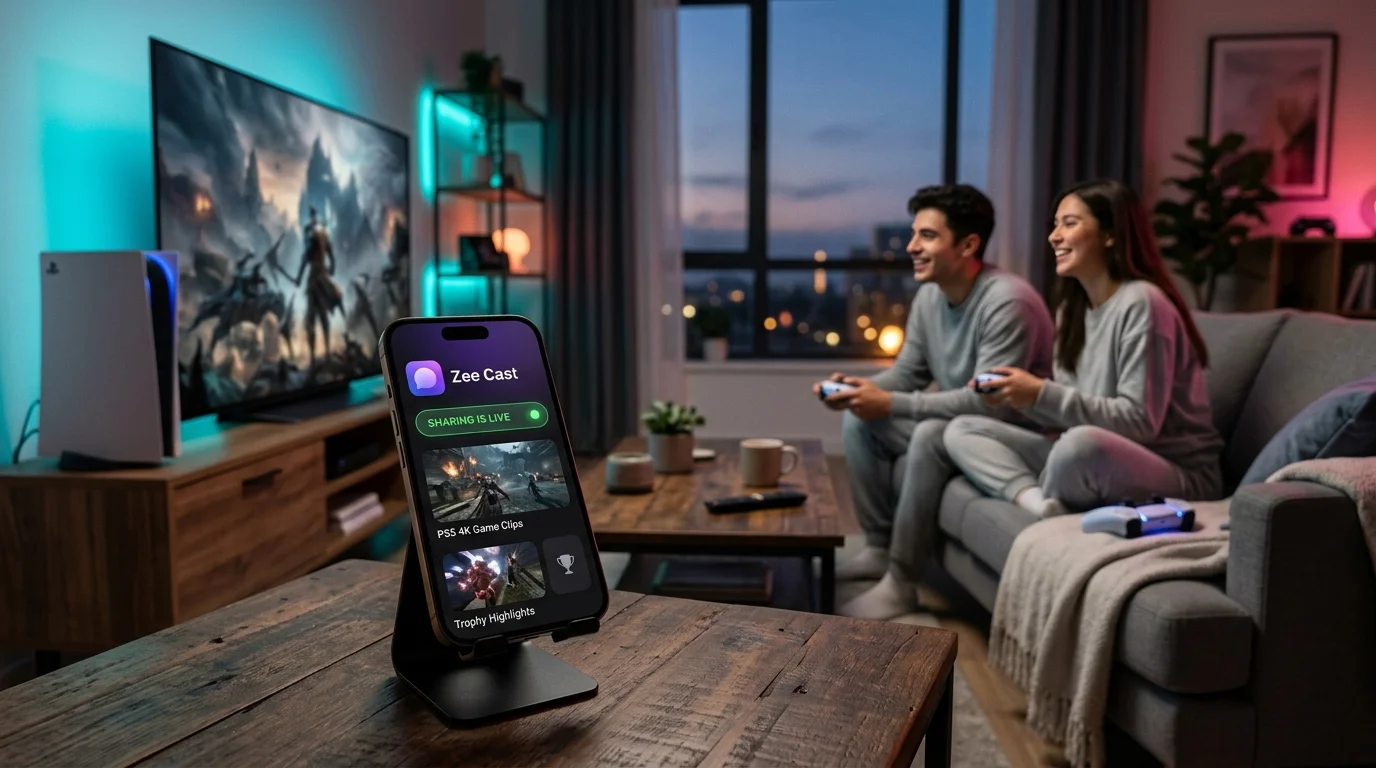
 ⚡ At a Glance: VLC for PS5 Status & Alternatives Specs ⚡ At a Glance: VLC for PS5 Status & Alternatives Specs | |
|---|---|
| Target Platform & OS | PlayStation 5 (All Models) |
| Protocol & Port | DLNA 1.5, HTTP Byte-Range, UWP Comparison |
| Connection Type | Wi-Fi (5 GHz) or Direct TV Play |
| Transcoding | Native Hardware Direct Play (Zero Transcoding Lag) |
| Typical Setup Time | ~2 minutes (No sideloading or USB formatting) |
Key takeaways
- There is no official VLC Media Player app on PlayStation 5 due to Sony's closed store policies and developer sandbox limitations.
- Xbox consoles support VLC because Microsoft provides the Universal Windows Platform (UWP); PlayStation has no equivalent open runtime.
- PS5's built-in Media Gallery only plays files from USB drives and lacks broad codec/subtitle support.
- The best working alternative in 2026 is Zee Cast: stream directly from your phone to your TV's native DLNA player in 4K 60fps without touching USB sticks.
Why Isn't VLC on the PlayStation 5?
Every month, thousands of gamers search Google for "vlc for ps5", "can you get vlc on ps5", and "best media player for ps5". The assumption is natural: VLC Media Player is available on Windows, macOS, Linux, Android, iOS, Apple TV, and even the competing Xbox Series X/S. So why is it conspicuously missing from the PlayStation 5?
The answer lies in Sony's developer policies. Unlike Microsoft—which enables indie and open-source developers to ship apps via the Universal Windows Platform (UWP)—Sony maintains an extremely strict, closed ecosystem. To release an app on the PlayStation Store, developers must sign corporate partner agreements and adhere to strict sandboxing APIs that conflict with VideoLAN's GPL open-source software license and custom codec engines.
Furthermore, Sony removed the legacy DLNA "Media Player" app from the PS4 when creating the PS5 OS, leaving the console dependent on cloud streaming services (Netflix, YouTube, Disney+) and a rudimentary USB-only Media Gallery.
Feature Comparison: VLC vs PS5 Media Gallery vs Zee Cast
| Capability | VLC (Desktop / Xbox) | PS5 Media Gallery | Zee Cast DLNA Direct Play |
|---|---|---|---|
| PS5 Native App | ❌ Not Available on PS5 | ✅ Pre-installed on PS5 | ✅ No PS5 App Needed (Direct to TV) |
| Wireless Phone Streaming | ⚠️ Requires manual network share | ❌ USB Drives Only | ✅ 1-Tap Instant Local Streaming |
| USB Drive Requirement | Optional | Mandatory (FAT32/exFAT only) | Zero USB Hardware Needed |
| 4K 60fps HDR Direct Play | ✅ Yes | ⚠️ Limited Codec Support | ✅ Yes (Preserves Dynamic Range) |
| Privacy & Device Approval | ❌ Open LAN access | N/A (Local Drive) | ✅ Active Device Approval Firewall |
The 3 Working Alternatives to Play Phone Media on Your PS5 Setup
1. Direct TV Play via Zee Cast (Recommended)
Because your PlayStation 5 is connected directly to your Smart TV (Samsung, LG, Sony, TCL, Hisense, or Philips) or gaming monitor via HDMI, the cleanest solution is to bypass console restrictions altogether:
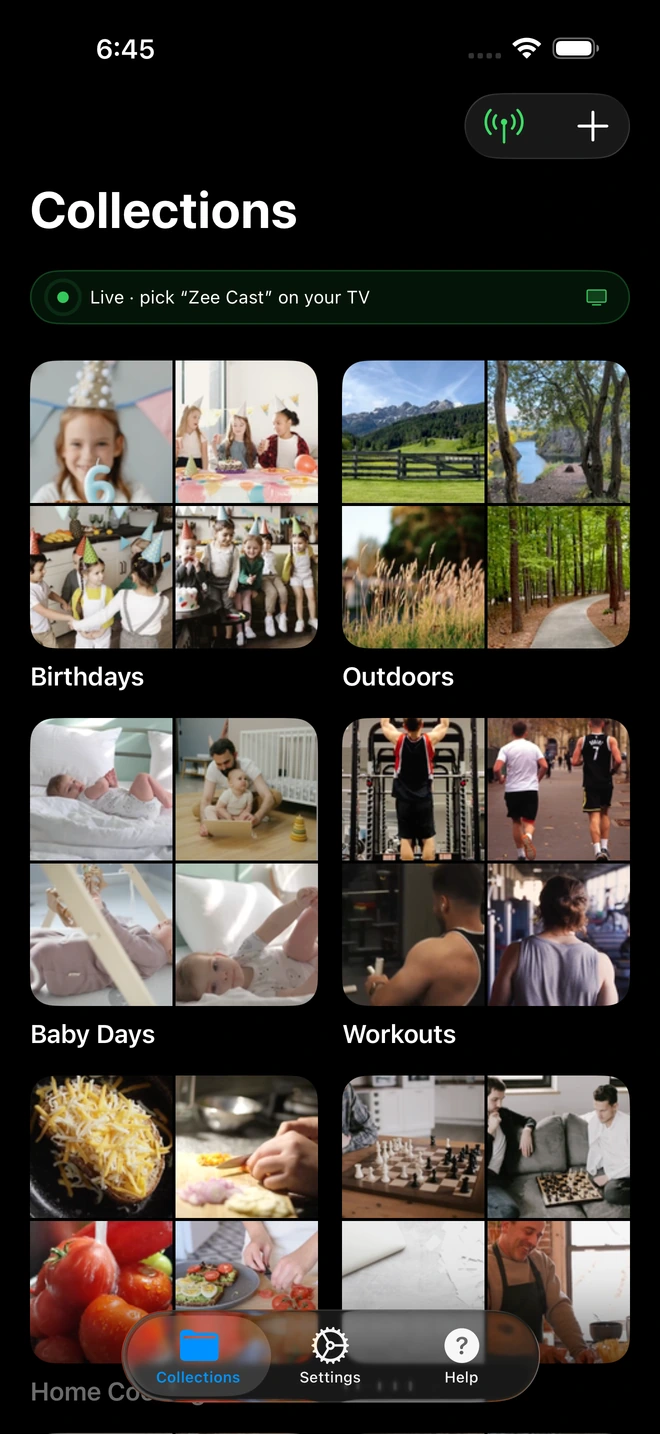
- Open Zee Cast on your iPhone or Android device.
- Select the videos, photos, or audio clips you want to enjoy.
- Tap Turn on sharing.
- Open your Smart TV's native media player (Source → Network / Media Player).
- Select Zee Cast and enjoy full 4K 60fps direct play with original colors and zero HDMI input lag.
2. Physical USB Flash Drive Copying
If you must play files directly through the PS5 console itself:
- Format a USB 3.0 flash drive in exFAT or FAT32 on your computer.
- Create a folder in the root directory named
VideosorMusic. - Transfer your MP4 or MKV files into that folder (ensure audio is encoded in AAC-LC, as DTS and AC3 may fail).
- Plug the drive into the front USB port of your PS5, open Media Gallery, and select the USB tab.
3. Sideloaded Web Browser Bridge
The PS5 does not have a public web browser icon, but it does run a hidden WebKit browser:
- Send a text message containing
google.comto a friend or alternate account on PSN. - Click the link in the message to open the hidden system browser.
- Navigate to your local media server IP address (e.g.
http://192.168.1.50:8080). - Note: Navigation using the DualSense analog sticks is sluggish, and high-bitrate 4K video will frequently drop frames.
Summary Verdict
While gamers hope VideoLAN and Sony eventually reach an agreement to bring VLC to the PlayStation Store, that prospect remains unlikely in the near future. Rather than wasting time formatting USB thumb drives or struggling with cumbersome workarounds, Zee Cast provides an elegant, wireless, and completely private bridge between your phone's camera roll and your living room entertainment center.
Frequently Asked Questions
Can you get VLC Media Player on PS5?
No. There is no official VLC Media Player app on the PlayStation 5 Store, and VideoLAN has not announced plans for a port. Sony's strict developer sandbox and proprietary multimedia framework restrict open-source media engines from being distributed on the PlayStation Store.
Why does Xbox have VLC, but PS5 does not?
Microsoft supports the Universal Windows Platform (UWP) across Windows and Xbox consoles, allowing developers to deploy native apps to Xbox Series X/S and Xbox One with minimal code changes. Sony uses a closed, proprietary BSD-derived OS for PlayStation with no public general-purpose app runtime.
How can I play MKV videos with subtitles on PS5 without VLC?
The easiest wireless solution is Direct Play to your Smart TV: because your PS5 is plugged into your TV via HDMI, you can run Zee Cast on your iPhone or Android phone to stream MKV and MP4 videos directly to your TV's built-in media player (Samsung, LG, Sony, TCL, Hisense) over local Wi-Fi without needing VLC on the console.
Does the PS5 Media Gallery play video files from USB?
Yes, but with significant format restrictions. The PS5 Media Gallery only supports USB drives formatted in exFAT or FAT32, and will only play H.264/AVC Level 5.2 (MP4/MKV) and VP9 (WebM) with AAC or Opus audio. It does not support many advanced MKV audio tracks (like DTS-HD) or bitmap PGS subtitles.
How do I stream videos to my PlayStation gaming setup from my phone?
Install Zee Cast on your iPhone or Android smartphone, select the photos or videos you want to share, and tap 'Turn on sharing'. You can then direct play your media to your TV or network receiver over local Wi-Fi in pristine 4K 60fps quality with zero lag.
Is there any hidden web browser on PS5 that can play media?
PS5 contains a hidden system web view (accessible through 'User's Guide' in Settings or by sending a URL in a PSN chat message). While it can render basic HTML5 video players from local HTTP servers, it is cumbersome to navigate with a DualSense controller and lacks full hardware acceleration.
Does Zee Cast require a computer or Plex server?
No. Zee Cast turns your phone itself into a local UPnP/DLNA media server. There is no need for a 24/7 running PC, NAS, or Plex server hardware.
Is streaming with Zee Cast free and ad-free?
Yes. Zee Cast includes a generous free tier with zero banner ads, zero video commercials, and zero tracking SDKs. An optional one-time Zee Cast Pro purchase unlocks unlimited items and collections forever.


