

Key takeaways
- 'Plex Server is Unavailable' errors are usually caused by PC sleep mode, DNS Rebind Protection, or plex.tv cloud auth outages.
- By default, Plex requires active internet authentication to connect locally; without manual subnet bypasses, local streaming breaks during ISP outages.
- Running a desktop PC or NAS 24/7 consumes 40–120W of electricity ($50–$150/yr) and introduces constant maintenance headaches.
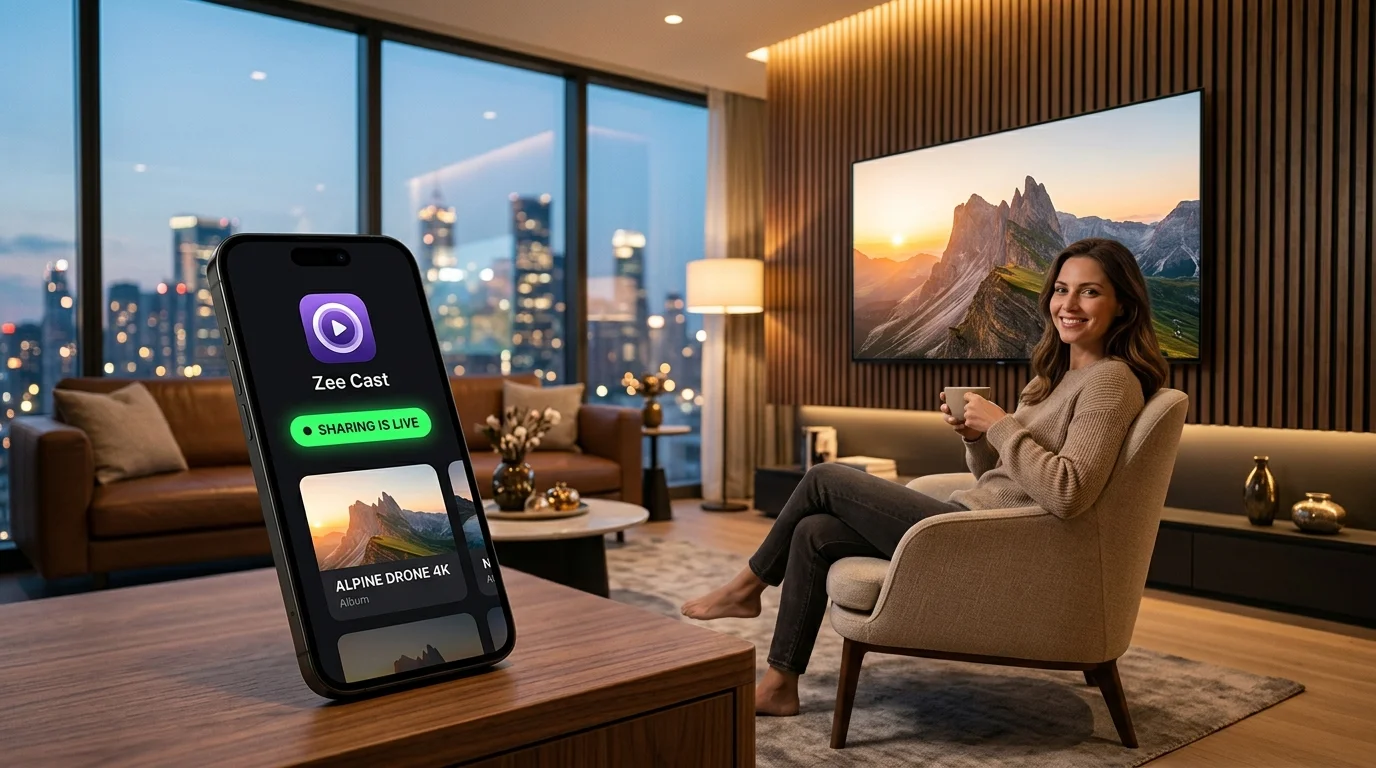
- Zee Cast eliminates desktop reliance entirely, turning your smartphone into an on-demand UPnP/DLNA server that works 100% locally with zero cloud auth.
The Dreaded Living Room Screen: "Server is Unavailable"
You gather family in front of the TV to watch videos from a recent family reunion or show vacation photos. You launch the Plex app on your Samsung, LG, or Roku TV, only to be greeted by a spinning wheel followed by the infuriating warning:
⚠️ Plex Error: Server is Currently Unavailable
"Please check that your server is turned on and connected to the internet. If you are experiencing repeated issues, verify your network settings or secure connections."
Suddenly, instead of enjoying memories with loved ones, you are running up to your office or basement to see why your computer went to sleep, checking router IP tables, or searching Twitter to see if plex.tv cloud authentication servers are down.
The 5 Root Causes of Plex Offline Errors & How to Fix Them
1. Desktop PC Sleep & Power State Transitions
Unless you own a commercial 24/7 server chassis, desktop operating systems (Windows 11 and macOS) are engineered aggressively to conserve energy. After 15–30 minutes of inactivity, the operating system enters Modern Standby (S0) or Sleep (S3):
- Network interfaces drop into low-power listening modes that terminate active TCP sockets on port 32400.
- Wake-on-LAN (WoL) over Wi-Fi rarely works because wireless chipsets do not maintain continuous packet listeners when host memory is suspended.
Fix: Navigate to your computer's OS Power Settings > Set Put the computer to sleep to Never when plugged into AC power. Disable "Allow the computer to turn off this device to save power" in Network Adapter properties.
2. DNS Rebinding Protection Blocking *.plex.direct
To provide secure HTTPS encryption on your local network, Plex issues custom Let's Encrypt certificates mapped to dynamic subdomains like https://192-168-1-50.hash.plex.direct:32400.
Modern consumer routers (including ASUS, Netgear, eero, and open-source firewalls like pfSense and OpenWrt) implement DNS Rebinding Protection. When your TV asks the router to resolve plex.direct and receives a private local IP (192.168.x.x), the router assumes a malicious web attacker is trying to penetrate your LAN and silently drops the DNS response.
Fix: In your router's administrative dashboard, find the DNS Rebind Protection configuration and add plex.direct to the whitelist exception list.
3. plex.tv Cloud Authentication Dependency
Many users do not realize that Plex is fundamentally a cloud-brokered system. When your Smart TV opens the Plex app, it does not search your Wi-Fi directly; it reaches out to https://plex.tv/api/v2 over the public internet to authenticate your user token and obtain your server's connection list.
If your internet service provider experiences a brief drop, or if Plex's central authentication servers suffer an outage, your Smart TV will declare your local server "Unavailable" - even though both devices are sitting on the exact same local Wi-Fi router.
Fix: Open Plex Web > Settings > Network > Show Advanced > List of IP addresses and networks that are allowed without auth > Enter your subnet (e.g. 192.168.1.0/24).
4. Dynamic DHCP IP Address Drift
If your home router reboots or reassigns local DHCP leases, your desktop computer's IP address might change from 192.168.1.45 to 192.168.1.88. Until Plex's cloud relay updates its records (which can take hours), smart TV clients will attempt to establish connections with the stale, non-existent IP address.
Fix: Access your router's DHCP reservation table and lock your server's MAC address to a permanent, static local IP address.
5. Local Subnet & Guest Network Isolation
If your Smart TV is connected to your router's 5 GHz band or "Guest Wi-Fi" network, and your desktop computer is on Ethernet or 2.4 GHz, your router may be isolating the clients via AP Isolation or VLAN segmentation. Devices cannot exchange packets across separated subnets.
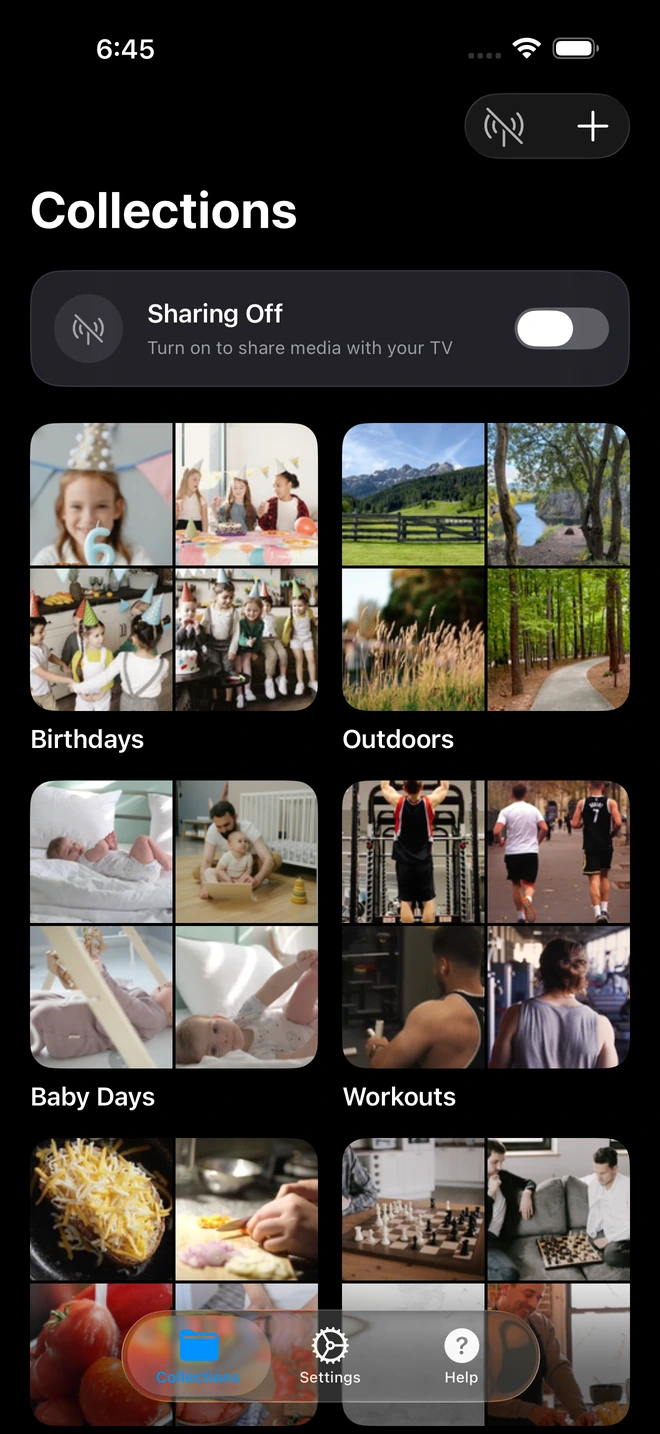
- 1Curated collections isolate shared media from your camera roll.
Why Running a 24/7 Desktop Just for Phone Media Is Obsolete
Maintaining a dedicated desktop media server makes sense if you are hosting 5,000 ripped 4K Blu-ray movies. But if your goal is simply to watch your vacation photos, kids' school plays, or 4K camera roll clips on the big screen, a 24/7 desktop server is an expensive, fragile headache:
- Wasted Electricity: A desktop PC drawing 80W costs between $75 and $120 every year in electricity just to stay powered on.
- Double File Storage: You must duplicate photos from your phone onto PC hard drives before Plex can even see them.
- Constant Maintenance: Operating system updates, graphics driver crashes, and Plex database corruption constantly threaten uptime.
The Permanent Fix: On-Demand Mobile DLNA with Zee Cast
Why depend on a desktop PC in another room when your smartphone already contains your entire photo and video library?
Zee Cast turns your iPhone or Android phone into an ultra-fast, local UPnP/DLNA Media Server in a single tap:
- Zero Desktop Hardware: Runs directly on your phone with zero computer hardware, zero NAS drives, and zero electricity bills.
- Zero Cloud Outages: Operates 100% locally using standard UPnP discovery (SSDP) and HTTP range streaming. It works even if your internet is completely dead.
- Native TV Playback: Your Samsung, LG, Sony, or Roku TV detects your phone directly in its native Connected Devices or Sources menu. You don't even need the Plex app installed on your TV.
- Bit-Perfect 4K HDR Direct Play: Serves original camera sensor bitstreams (up to 120+ Mbps) directly to your TV's hardware decoder with zero transcoding or quality loss.
How to Switch to Zee Cast in 3 Easy Steps
- 1
Install Zee Cast Free
Download Zee Cast from the Apple App Store or Google Play Store. No user accounts, passwords, or credit cards required.
- 2
Create a Collection & Tap 'Turn On Sharing'
Select the photos and 4K videos you want to share. Tap Turn on sharing. Zee Cast starts broadcasting immediately on your Wi-Fi.
- 3
Play on Your Smart TV
Grab your TV remote, open the native Media Player or Sources menu, select Zee Cast, and enjoy instant playback that never goes offline.
Frequently Asked Questions
Why does my Smart TV say 'Plex Server is Unavailable' even though my computer is on?
The most common culprit is Plex's secure connection handshake combined with DNS Rebind Protection in modern Wi-Fi routers. Plex routes local traffic through encrypted '*.plex.direct' domains. If your router blocks public DNS records resolving to private 192.168.x.x addresses, the TV's Plex app refuses to connect. Other frequent causes include Windows Firewall blocking port 32400, PC sleep mode, or plex.tv cloud authentication outages.
Can Plex stream locally if my home internet connection goes down?
By default, no. The Plex Smart TV client requires an active internet connection to authenticate with plex.tv cloud servers before connecting to your local server. Unless you have manually configured your local subnet under 'List of IP addresses and networks that are allowed without auth' in Plex server settings ahead of time, any internet outage locks you out of your local server.
Why does Wake-on-LAN (WoL) fail to wake up my Plex computer from the TV?
Wake-on-LAN packets (Magic Packets) are broadcast over UDP. Most modern smart TV Plex apps do not broadcast WoL packets when launched. Furthermore, if your server PC is connected via Wi-Fi rather than hardwired Ethernet, standard Wi-Fi sleep states disable the wireless NIC's ability to receive low-power wake triggers.
What is DNS Rebind Protection and how does it break Plex?
DNS Rebind Protection is a router security feature designed to prevent malicious external websites from querying devices on your private local network. Because Plex uses official SSL certificates tied to dynamic hostnames (like '192-168-1-50.randomhash.plex.direct'), your router flags this local IP resolution as an attack and silently drops the DNS response.
How does Zee Cast eliminate 'Server Unavailable' issues?
Zee Cast eliminates the desktop server entirely. It runs directly on your iPhone or Android phone as a native UPnP/DLNA Digital Media Server (DMS). It uses direct local IP discovery (SSDP) and raw HTTP byte-range transfers. There are zero cloud authentication servers, zero DNS rebind hurdles, zero firewall ports to open, and zero sleep-mode headaches.
Do I have to keep my PC running 24/7 to stream home videos with Zee Cast?
No! Zee Cast runs on your phone on-demand. When you want to watch photos or 4K videos on your TV, you tap 'Turn on sharing'. When you are done, sharing stops. You never have to leave a power-hungry 100W desktop computer running day and night just to browse personal memories.
Will Zee Cast work on my Samsung, LG, or Roku TV without the Plex app?
Yes! You don't even need the Plex app on your TV. Modern smart TVs from Samsung (Tizen), LG (webOS), Sony, and Roku feature native media players built directly into their operating systems. They discover Zee Cast automatically under 'Sources' or 'Connected Devices' using universal DLNA standards.
Does Zee Cast require port forwarding or router configuration?
Zero router configuration is needed. Zee Cast communicates strictly within your local wireless subnet. It requires no port forwarding (no port 32400 exposure), no dynamic DNS, and no external IP mapping.
What should I do if my TV still can't discover any media server?
Check that your phone and smart TV are connected to the same Wi-Fi network and that your router does not have 'Client Isolation', 'AP Isolation', or 'Guest Mode' enabled. These features prevent wireless devices from talking directly to each other over local IP sockets.


