
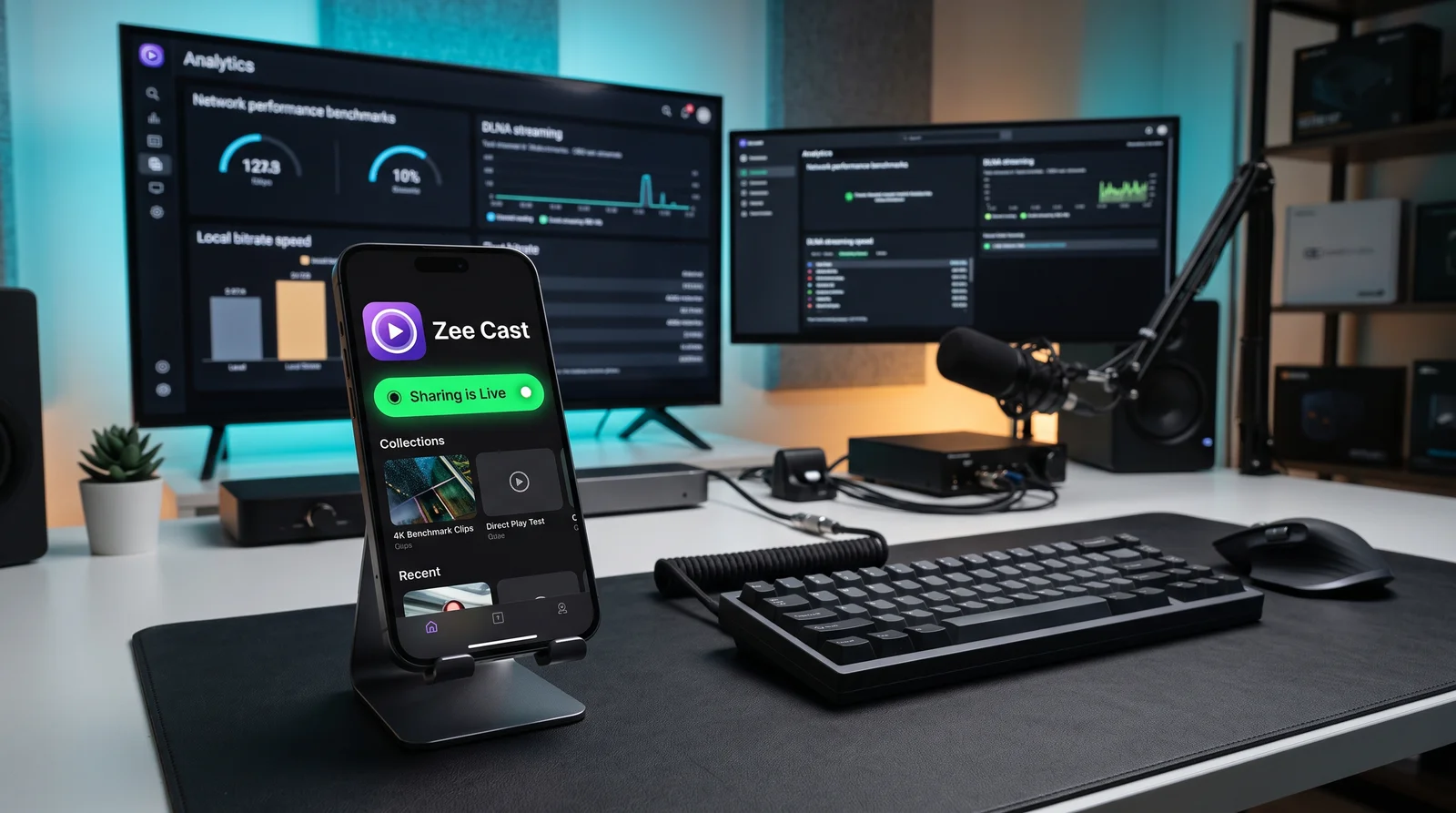
 ⚡ At a Glance: Wireless Media Replacement Specs ⚡ At a Glance: Wireless Media Replacement Specs | |
|---|---|
| Target Platform & OS | Trade Show Rental TVs & Digital Displays (Samsung, LG, Sony, Roku, Hisense) |
| Protocol & Port | DLNA 1.5 MediaServer, Port 8080 (Local HTTP Range Serving) |
| Connection Type | Direct Hotspot or Local Wi-Fi (No physical drive or port access needed) |
| Transcoding | None (Direct Play original camera roll / local master file to TV chip) |
| Typical Setup Time | < 60 seconds (Wire-free local discovery via phone) |
The Annual Trade Show Ritual: Scrambling Over Broken USB Drives
Every event manager, corporate marketer, and AV technician knows the feeling: the exhibition hall opens in 45 minutes, thousands of attendees are lining up outside the badge turnstiles, and your booth's main 75-inch 4K rental display is completely black.
The AV team handed you a generic USB thumb drive loaded with the company's new 4K product demonstration reel. You climbed a ladder behind the booth backdrop to plug it into the television, only to encounter one of five catastrophic failure modes that strike USB flash drives at trade shows every year.
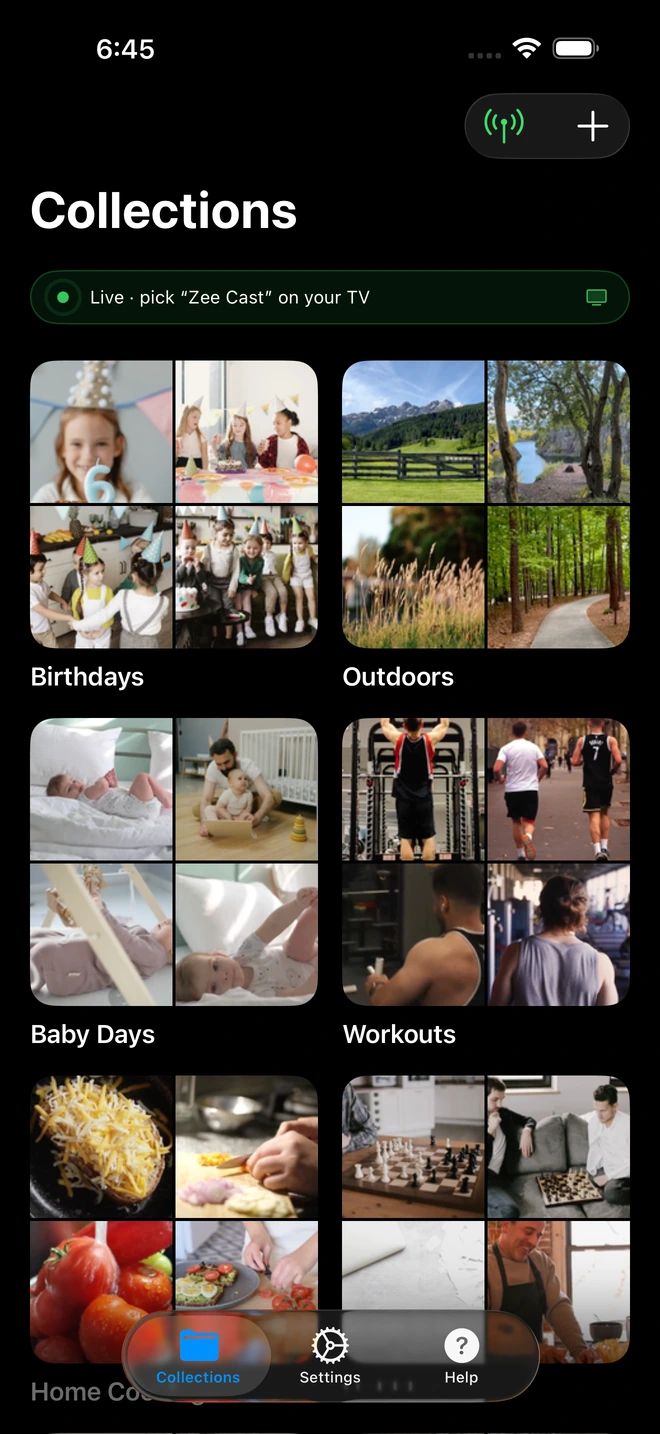
- 1Sharing is Live: TV detects Zee Cast under Connected Devices.
- 2Direct Play streams full-resolution photos & videos without mirroring.
The 5 Fatal Flaws of USB Drives on Commercial Rental TVs
1. The 4GB FAT32 Limitation
To ensure cross-compatibility between macOS and Windows laptops, corporate USB drives are commonly formatted in FAT32. However, FAT32 has an unbreakable architectural constraint: it cannot store any single file larger than 4 gigabytes.
A professional 4K product walkthrough exported at standard high bitrates (30–50 Mbps) consumes roughly 15 to 22 GB per hour. Attempting to copy a 15-minute 4K video onto a FAT32 thumb drive either fails during export or results in an incomplete, corrupted file that halts playback abruptly after 8 minutes.
2. Inaccessible Flush Wall Mounts
Exhibition AV rental contractors use low-profile, fixed-mount wall brackets to keep screens looking sleek against booth backdrops or metal trussing. On many Samsung, LG, and Sony commercial TVs, USB ports are mounted on the rear casing rather than the side. With less than 0.75 inches of clearance between the back of the TV and the solid booth wall, it is physically impossible to insert a USB stick without unbolting a 70-pound display.
3. Incompatible File Systems (exFAT vs. NTFS vs. macOS Extended)
If you reformat the drive to exFAT to bypass the 4GB file boundary, rental TVs running older commercial firmware often fail to mount the drive entirely, showing: "USB Device Not Recognized" or "Unsupported File System". Commercial displays in venue rental pools often lag three to five years behind consumer firmware updates.
4. Primitive TV Firmware Media Players and Crash Loops
Consumer smart TVs are not dedicated digital signage players. Their built-in USB media players frequently lack an automated Repeat / Infinite Loop setting. Even when a loop setting is enabled, firmware memory leaks often cause the player to freeze after a few hours of continuous playback, leaving the display stuck on a static error dialog in front of important clients.
5. Inability to Update Content on the Fly
What happens when your marketing leadership requests a last-minute change to fix a pricing typo or replace a customer logo on Day 2? Updating a USB drive requires finding an AV staff member with a laptop, unmounting the screen, writing the file, and re-mounting the hardware.
The 1-Tap Wireless Solution: Zee Cast Local Media Server
Zee Cast eliminates every single physical, mechanical, and formatting failure point of USB thumb drives by turning your smartphone into an instant, high-performance local media server:
| Failure Point | Physical USB Thumb Drive | Zee Cast Wireless Media Server |
|---|---|---|
| Max File Size | Hard capped at 4GB on FAT32 drives | Unlimited (Supports 100GB+ 4K masters) |
| Physical Port Access | Blocked by flush TV brackets and trussing | Zero physical contact; 100% wireless |
| File System Support | Frequent exFAT / NTFS mount rejections | Bypassed (Streams via standard HTTP Range) |
| Mid-Show Updates | Requires laptop, re-formatting, and unmounting | Instant wireless update via AirDrop / phone |
| Loop Stability | USB players crash from memory leaks | Robust native DLNA hardware decoder loop |
How to Transition from USB Drives to Zee Cast at Your Next Expo
Step 1: Keep Your Master Video Files on Your Phone
Store your 4K exhibition video files directly in your phone's photo library or local storage. Modern smartphones feature high-speed NVMe flash storage capable of read speeds over 2,000 MB/s - far faster and more reliable than cheap promo USB thumb drives.
Step 2: Connect the Rental TV Wirelessly
Turn on your phone's Personal Hotspot. Grab the TV remote control and connect the rental display to your hotspot in Settings. You never need to touch the back of the television or squeeze your fingers behind the wall mount.
Step 3: Tap 'Turn on sharing' in Zee Cast
Open Zee Cast, add your 4K video reel to a collection, and tap Turn on sharing. On the TV, open Connected Devices, Photo & Video, or Media Player and select Zee Cast.
Step 4: Engage Full 4K Looping with TV Remote
Start playback and toggle the television's Repeat setting to Repeat All. The display streams the uncompressed video directly across the local wireless link, leveraging the TV's native hardware decoder for silky-smooth, crash-free 4K playback all day.
Frequently Asked Questions
Why do USB flash drives frequently fail on trade show rental TVs?
USB flash drives are notorious failure points at conventions for five main reasons: (1) The FAT32 file system cannot store files larger than 4GB, corrupting high-bitrate 4K files; (2) Rental TV firmware often rejects newer exFAT or NTFS formatting; (3) Rental TVs are mounted flush against booth backdrops or metal trussing, physically sealing off rear USB ports; (4) Built-in TV USB media players lack critical audio/video codecs or crash after 30 to 60 minutes; and (5) USB drives are easily stolen, lost, or corrupted by staff unplugging them without unmounting.
What is the 4GB FAT32 file boundary, and why does it break 4K video playback?
Historically, USB thumb drives are formatted in the legacy FAT32 file system for broad operating system compatibility. However, FAT32 cannot mathematically allocate any individual file exceeding 4,294,967,295 bytes (4GB). A pristine 4K video exported at 35 Mbps consumes approximately 16GB per hour. Attempting to copy a 20-minute 4K master demo reel onto a FAT32 drive results in an immediate 'File Too Large for Destination Volume' error or produces a truncated, corrupted video file that freezes mid-playback.
What happens when an exhibition TV mount blocks the USB port?
Exhibition AV contractors prioritize speed and clean aesthetics, using ultra-slim, fixed-mount wall brackets to bolt 65-inch to 85-inch screens flat against plywood booth walls, aluminum trussing, or fabric displays. The clearance between the back of the TV and the wall is often less than one inch. USB ports on many Samsung, LG, and Sony TVs face straight backward rather than sideways, making it physically impossible to insert a USB drive without unbolting the heavy display from its mount.
Why does TV firmware often fail to loop videos on USB flash drives?
Consumer and commercial TV operating systems treat USB flash drives as removable storage for casual viewing, not permanent digital signage. Many default TV USB players automatically return to the file browser grid after playing a single video file, lacking an infinite repeat function. Even when a loop setting exists, memory leaks in basic TV firmware frequently cause the media player to freeze, crash, or display a blank black screen after three or four consecutive playback cycles.
How does Zee Cast eliminate all physical port and formatting issues?
Zee Cast streams video entirely over the local Wi-Fi or phone hotspot network using standard UPnP/DLNA protocols and HTTP byte-range requests. No physical drive is plugged into the television. Video files are stored directly on your phone's modern APFS (iOS) or ext4/F2FS (Android) storage systems, completely bypassing FAT32 limits and USB port access barriers.
Can I update demo videos mid-show without interrupting booth operations?
Yes! If your executive team or creative agency delivers a revised product reel or customer testimonial on Day 2 of the expo, you do not need to hunt down a laptop with USB ports. Simply save the new video to your phone via AirDrop, Slack, or Google Drive, add it to your Zee Cast collection, and it is instantly available on the booth TV remote menu without touching a single cable.
How does Zee Cast ensure video codecs play correctly on rental TVs?
When exporting for Zee Cast, using universal standard MP4 containers with H.264 (AVC) or H.265 (HEVC) video codecs and AAC stereo audio guarantees seamless direct playback on the hardware decoder of every major smart TV brand (Samsung Tizen, LG webOS, Sony Google TV, Roku OS, Hisense, and TCL) with zero transcoding delay.
Does Zee Cast require internet access or Wi-Fi infrastructure at the venue?
No. Zee Cast requires zero broadband internet and zero venue Wi-Fi infrastructure. By enabling your phone's Personal Hotspot, you establish an isolated, high-speed wireless link between your phone and the television. All media streams locally, consuming 0 MB of cellular data.
What if someone accidentally unplugs the booth television power cord?
With a physical USB thumb drive, sudden power drops often corrupt the flash memory's master boot record, rendering the drive completely unreadable upon reboot. With Zee Cast, the television simply powers back on, reconnects to your phone's hotspot within seconds, and lets you resume playback with a single click on the TV remote. Your source files on your phone are safely protected.


