
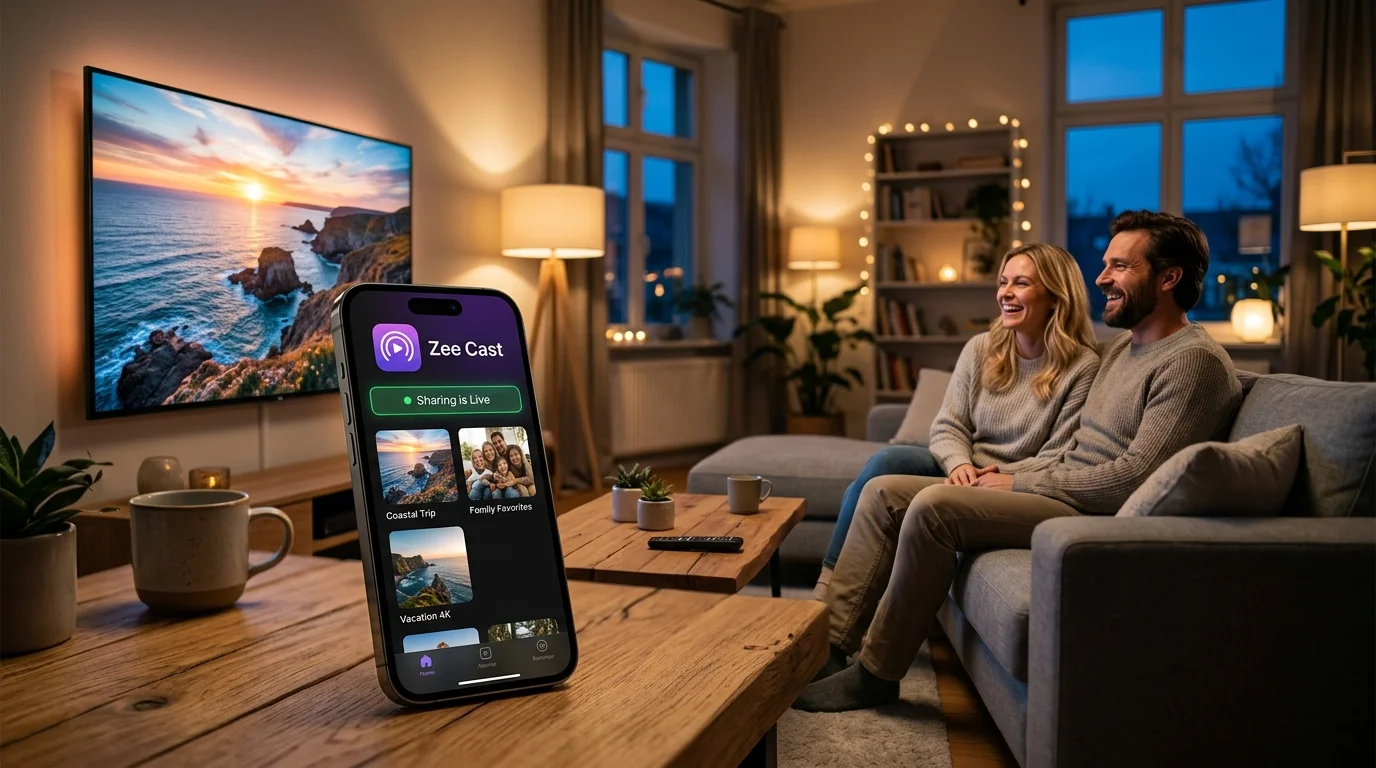
 ⚡ At a Glance: Samsung Connected Devices / DLNA Specs ⚡ At a Glance: Samsung Connected Devices / DLNA Specs | |
|---|---|
| Target Platform & OS | Samsung Smart TVs (Tizen OS 3.0 to 8.0, 2016–2026) |
| Protocol & Port | DLNA 1.5, UPnP MediaServer, HTTP Port 8080 |
| Connection Type | Direct iPhone Personal Hotspot (172.20.10.x LAN) |
| Transcoding | Direct Play (Native 4K 60fps HEVC, MP4, AAC, FLAC) |
| Typical Setup Time | ~2 minutes (Zero cellular data consumed) |
Key takeaways
- Samsung Tizen OS disables Apple AirPlay when mobile hotspot networks lack active internet uplinks.
- Samsung's built-in DLNA media engine operates 100% locally and discovers Zee Cast immediately across the hotspot.
- Streaming local photos and 4K videos from your iPhone consumes 0 KB of cellular internet data.
- Enabling 'Maximize Compatibility' on iPhone ensures older 2.4 GHz Samsung TVs connect without issues.
The Samsung AirPlay Trap: Why It Fails on Mobile Hotspot
Samsung Smart TVs running Tizen OS include built-in Apple AirPlay 2 support. However, when you connect your Samsung TV to an iPhone’s Personal Hotspot—such as in a vacation cabin, campervan, or hotel room with poor cell reception—AirPlay frequently fails with the error: "Unable to connect to AirPlay".
This happens because Samsung’s firmware requires an active internet connection to authenticate AirPlay security tokens with Apple servers. When internet connectivity is offline or intermittent, AirPlay shuts down completely.
The solution is native DLNA Direct Play: Samsung TVs feature a separate, deeply integrated media playback engine located under Sources → Connected Devices. This engine requires zero internet verification and streams high-bitrate 4K media from Zee Cast across your local hotspot with zero lag.
Step-by-Step Tutorial: iPhone Hotspot to Samsung TV
Follow these four simple steps to get smooth playback on your Samsung TV:
- 1
Turn On iPhone Personal Hotspot
Open Settings → Personal Hotspot on your iPhone. Turn on Allow Others to Join. If your Samsung TV was manufactured before 2020, make sure to enable Maximize Compatibility to broadcast a 2.4 GHz Wi-Fi signal.
- 2
Connect Your Samsung TV to the Hotspot
On your Samsung TV remote, press Settings → General → Network → Network Settings → Wireless. Select your iPhone from the list and enter your hotspot password.
- 3
Launch Zee Cast and Pick Your Media
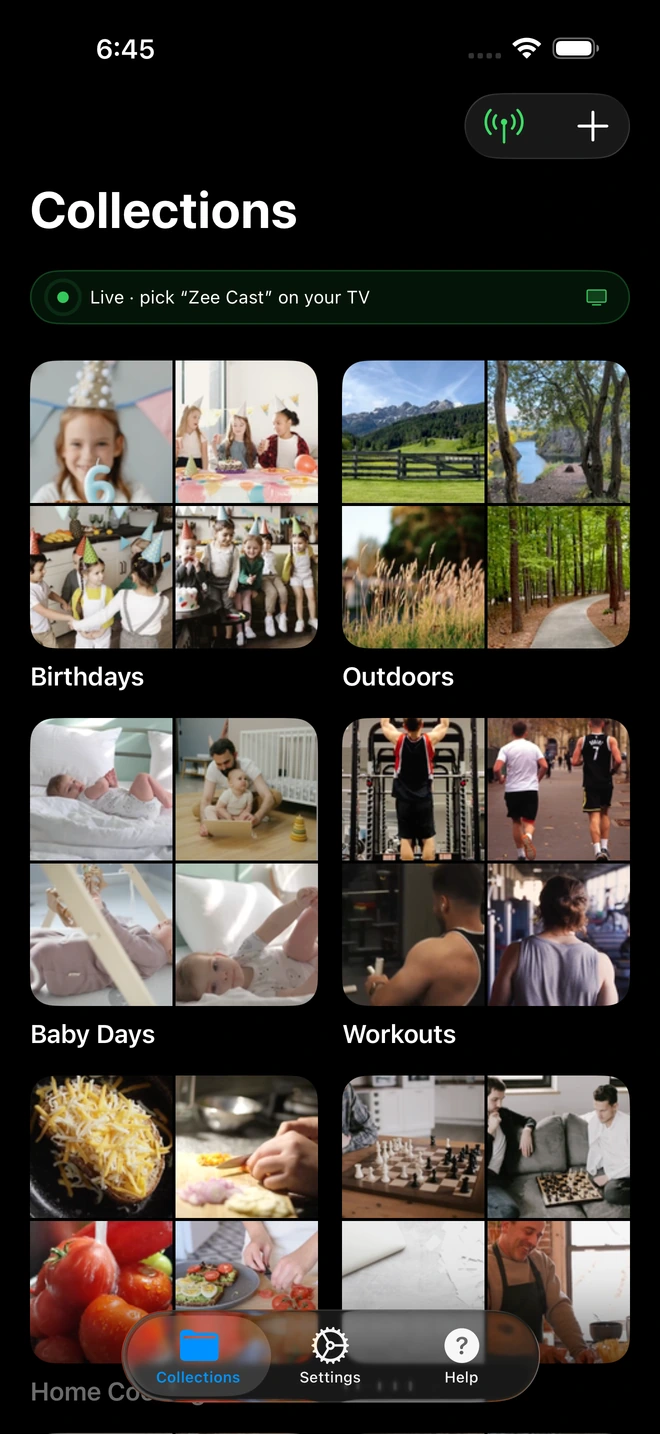
Open Zee Cast on your iPhone. Group the photos, 4K camera roll videos, or music albums you want to stream into a collection. Tap Turn on sharing to start the local media server.
- 4
Select Zee Cast on Samsung TV
Press the Home button on your Samsung remote and navigate to Connected Devices (or Sources). Click on Zee Cast to browse your collections and enjoy full-screen 4K playback.
Why Samsung QLED & OLED TVs Excel with Zee Cast
Samsung’s Neural Quantum Processor and Crystal 4K engines are specifically optimized for hardware-decoding local video files. When you stream via Zee Cast:
- The raw HEVC 10-bit bitstream is decoded directly on the TV panel, avoiding color subsampling compression.
- Full 60fps frame rates are maintained without the micro-stutter typical of screen mirroring apps.
- Your iPhone stays cool, saving substantial battery power during long family viewing sessions.
Frequently Asked Questions
Why does Apple AirPlay fail on Samsung TV when using a mobile hotspot?
Samsung Tizen OS includes an online verification routine for Apple AirPlay 2. When the connected network lacks active broadband internet (or when cellular data is limited), the AirPlay handshake fails, showing an error like 'Unable to connect to AirPlay'. Zee Cast circumvents this completely by using Samsung's built-in DLNA media engine, which operates 100% offline without internet checks.
Does streaming from iPhone to Samsung TV use cellular data?
No. When your Samsung TV connects to your iPhone's Personal Hotspot, a local Wi-Fi subnet (172.20.10.x) is created. Streaming media through Zee Cast travels purely over the wireless antennas between phone and TV. Zero bytes of media data travel over cellular cell towers.
Why doesn't my Samsung TV see my iPhone Hotspot?
Modern iPhones (iPhone 12 and newer) broadcast their hotspot on the 5 GHz Wi-Fi band by default. Many Samsung TVs (especially Series 6, 7, and Crystal UHD models) only support 2.4 GHz Wi-Fi. Go to Settings → Personal Hotspot on your iPhone and switch on 'Maximize Compatibility' to enable 2.4 GHz broadcasting.
What Samsung TV models are compatible with this setup?
All Samsung Smart TVs running Tizen OS from 2016 to 2026 are fully compatible, including Samsung Neo QLED, OLED, QLED, The Frame, The Serif, and Crystal UHD models.
Can I stream 4K 60fps HDR video recorded on iPhone to Samsung TV?
Yes! Samsung TVs feature dedicated hardware HEVC decoders. Zee Cast streams original 4K 60fps video files via HTTP byte-range requests directly to the TV processor, preserving full dynamic range and frame rates.
Do I need the Samsung SmartThings app installed?
No. You do not need to install SmartThings, create a Samsung account, or sign in to any online service. The TV's native DLNA player discovers Zee Cast automatically.
Can I lock my iPhone while watching videos on the Samsung TV?
Yes. Zee Cast operates as an efficient background service on iOS. Once video playback starts on your Samsung TV, you can lock your iPhone, answer phone calls, or chat without interrupting the stream.
How do I stop others on the hotspot from seeing my photos?
Zee Cast only publishes the exact photos and videos you group into a collection—your broader camera roll remains completely private. In addition, Zee Cast Pro's Device Approval firewall alerts you whenever a new device connects, letting you allow or deny access with one tap.


