
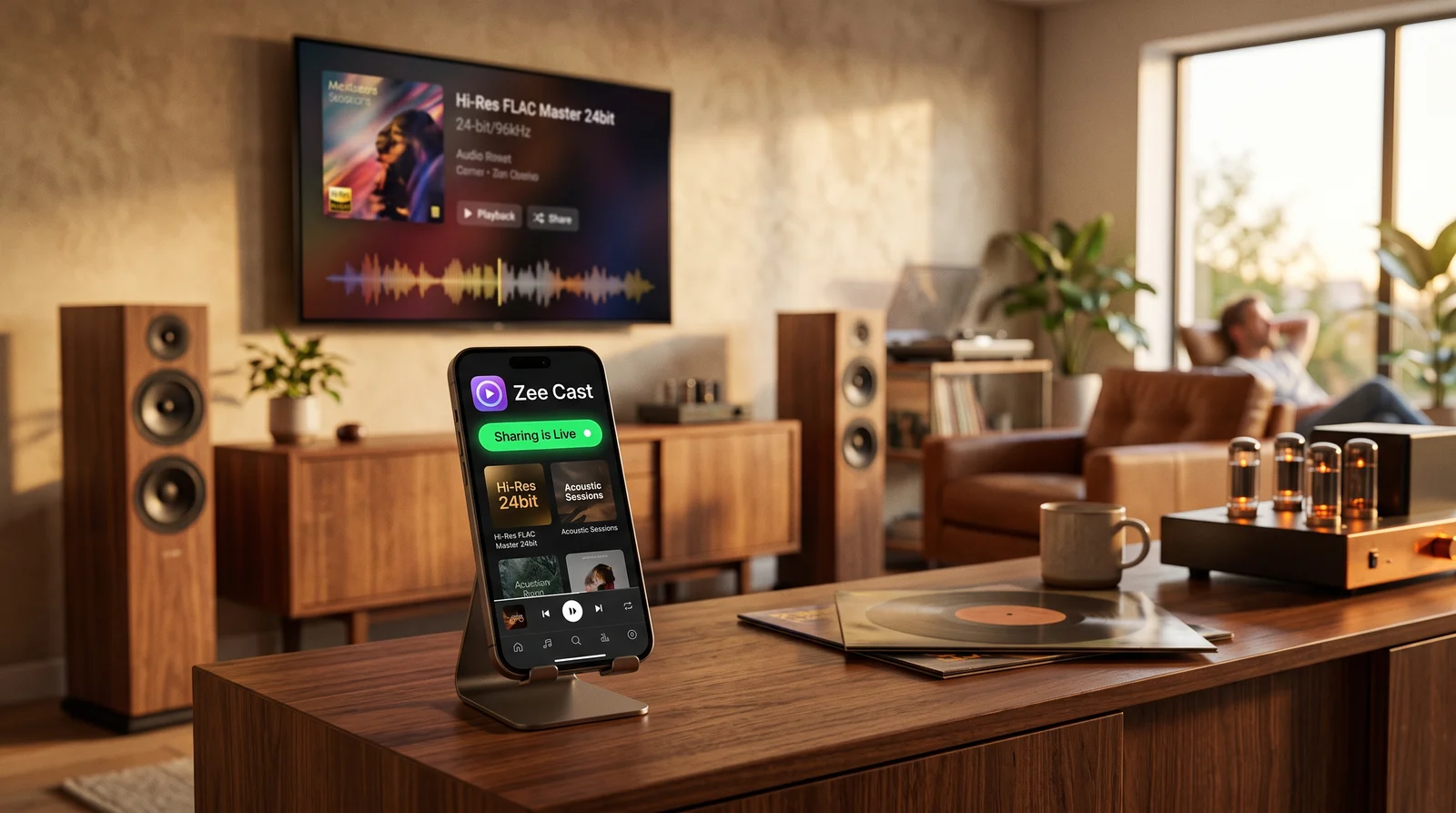
 ⚡ At a Glance: Sonos Lossless FLAC Hi-Res Specs ⚡ At a Glance: Sonos Lossless FLAC Hi-Res Specs | |
|---|---|
| Target Platform & OS | Sonos Wireless Audio Ecosystem (Era 100/300, Five, Arc, Beam, Move 2) |
| Protocol & Port | DLNA 1.5 / UPnP MediaServer, Port 8080 (HTTP Byte-Range) |
| Connection Type | Home 5 GHz Wi-Fi or SonosNet (0 MB Cloud Data) |
| Transcoding | None (Bit-perfect bitstream direct play of 24-bit/96kHz FLAC, ALAC, WAV) |
| Typical Setup Time | ~2 minutes (Direct hardware pull, bypasses Bluetooth/AirPlay limitations) |
The Audiophile Problem: Lossy Compression on Premium Sonos Hardware
If you have invested in high-fidelity wireless speakers like the Sonos Era 300, Sonos Five, or Sonos Arc, you expect to hear every nuance of studio master recordings: delicate acoustic decay, deep bass extension, and expansive spatial imaging.
Yet most users feed their \$500+ speakers with compromised wireless audio protocols:
- Bluetooth Compression: Connecting an iPhone or Android phone to a Sonos Era 100 or Move 2 via Bluetooth routes your music through lossy compression codecs (AAC at ~256 kbps), stripping subtle micro-dynamics and dynamic headroom.
- AirPlay 2 Resampling: While AirPlay 1 supported 16-bit/44.1kHz ALAC, AirPlay 2 downsamples and dynamically compresses 24-bit studio masters, frequently downgrading to lossy AAC buffering when multi-room grouping is activated.
- Cloud Dependency: Streaming your owned music through cloud lockers requires uploading gigabytes of FLAC files and paying recurring monthly subscriptions.
The Bit-Perfect Solution: UPnP Direct Play with Zee Cast
Under the hood, Sonos speakers were engineered from day one around the open UPnP (Universal Plug and Play) audio architecture. When you run Zee Cast on your phone, you transform your device into an ultra-low-latency UPnP Music Server.
Instead of your phone pushing an encoded audio stream through Bluetooth, your Sonos speaker directly requests the raw, unaltered 24-bit FLAC container over Wi-Fi and decodes it inside its internal high-performance DAC.
- 1Direct stream playback preserves original bit-perfect audio quality.
4-Step Setup: Streaming 24-Bit FLAC to Sonos
Enjoy bit-perfect high-resolution listening across your Sonos system in under two minutes:
- 1
Stage Lossless Audio on Your Phone
Store your high-resolution 24-bit FLAC, ALAC, or WAV albums in the Files app on iOS or internal storage on Android.
- 2
Create an Audio Collection in Zee Cast
Open Zee Cast on your phone. Tap Create Collection, select your lossless music files or folders, and tap Turn on sharing to start the local UPnP server.
- 3
Connect Your Sonos Controller to Zee Cast
Open the Sonos S2 app or launch a DLNA audio controller app (such as mconnect Player or BubbleUPnP):
Sonos S2 System · Menu NavigationOpen Sonos S2 → Navigate to Browse → Select Music Library / Media Servers → Choose Zee Cast
UPnP Control Point (mconnect / BubbleUPnP) · Menu NavigationSelect Play To: Sonos Speaker → Select Library: Zee Cast → Tap Play on 24-bit FLAC
- 4
Experience Bit-Perfect Audio & Multi-Room Sync
Your Sonos speakers stream the original FLAC bitstream directly from your phone. You can group additional Sonos speakers throughout your home for bit-perfect whole-home sound while your phone stays cool and responsive.
Audio Quality Comparison: UPnP Direct Play vs. AirPlay & Bluetooth
Here is a direct technical comparison of audio playback quality across different wireless protocols:
| Audio Pipeline Spec | Bluetooth AAC / SBC | Apple AirPlay 2 | Zee Cast (UPnP Direct Play) |
|---|---|---|---|
| Bit Depth Support | Lossy 16-bit compressed | 16-bit max (Resamples 24-bit) | Native Bit-Perfect 24-Bit |
| Sample Rate Support | 44.1 kHz / 48 kHz | 44.1 kHz / 48 kHz | Up to 96 kHz (Studio Master) |
| Effective Bitrate | ~256 kbps (Lossy) | ~256 kbps to 1,411 kbps | 3,000–9,216 kbps (Lossless FLAC) |
| Dynamic Compression | Present (Codec clipping) | Slight buffer limiter | Zero (Full 144 dB dynamic range) |
| Mobile CPU Burden | Heavy live re-encoding | Moderate system daemon | Near Zero (Passive HTTP server) |
| Phone Calls & Alerts | Interrupts playback loudly | Can interrupt audio | Silent: Music plays independently |
Sonos Multi-Room Clock Synchronization
When you stream high-resolution audio through Zee Cast, you don't lose the magic of Sonos multi-room audio. Because Zee Cast supplies standard HTTP byte-range chunks, the primary Sonos speaker buffers the raw FLAC data and distributes synchronized audio frames across all grouped rooms via SonosNet or your local 5 GHz Wi-Fi.
💡 Pro Tip: Using mconnect Player with Zee Cast for iOS Users
On iPhone, the popular mconnect Player app acts as a dedicated UPnP AV controller. In mconnect, set your Play To destination to your Sonos speaker group, and set your Library to Zee Cast. This grants you instant visual browsing of your phone's FLAC album art and track metadata with instant one-tap streaming to Sonos!
Frequently Asked Questions
Can Sonos speakers play 24-bit/96kHz FLAC files natively?
Yes. Sonos S2-compatible speakers (including Sonos Era 100, Era 300, Five, Arc, Beam Gen 2, Amp, Port, and Move 2) feature digital-to-analog converters (DACs) and processing firmware that natively decode 24-bit audio up to 48kHz and 96kHz. When fed through local UPnP/DLNA streaming, Sonos plays these high-resolution tracks bit-for-bit without downsampling.
Why is UPnP streaming superior to Apple AirPlay 2 for audiophiles?
Apple AirPlay 2 caps audio transmission at 16-bit/44.1kHz (CD quality) or 16-bit/48kHz, automatically downsampling 24-bit hi-res studio masters. Furthermore, when streaming to multiple AirPlay 2 endpoints, iOS frequently falls back to lossy 256 kbps AAC compression for network buffering. UPnP direct play bypasses Apple's audio pipeline entirely, delivering pristine 24-bit FLAC container bits directly to the speaker's internal processor.
Why avoid Bluetooth when streaming to Sonos Era 100/300 or Move 2?
Bluetooth uses lossy, bandwidth-constrained audio codecs. On iPhones, Bluetooth audio is strictly limited to lossy AAC (~256 kbps). On Android, standard Bluetooth compresses the dynamic range, clips peaks, and introduces latency and transmission jitter. UPnP streams over your high-bandwidth home Wi-Fi network at the full uncompressed bitrate (typically 3,000–9,000 kbps for 24-bit FLAC).
Does streaming hi-res FLAC files drain my phone battery?
No. Unlike Bluetooth or screen mirroring, which constantly encode audio on your phone's processor in real time, Zee Cast acts as a lightweight HTTP file server. It merely serves the static file blocks as requested by the Sonos speaker's network buffer, resulting in virtually undetectable battery drain.
Does multi-room synchronized playback still work with Zee Cast?
Yes. Once the audio stream begins on a Sonos master zone, the Sonos S2 operating system manages clock synchronization, group volume, and room grouping across your entire home. All grouped Sonos speakers remain perfectly in sync with microsecond precision.
Does Zee Cast support gapless playback for live albums and classical music?
Yes. Because Zee Cast responds to standard HTTP/1.1 byte-range requests, Sonos hardware prefetches the subsequent audio tracks into memory before the current song finishes, ensuring seamless, gapless transitions between tracks.
Which Sonos models support high-resolution 24-bit playback?
All modern Sonos hardware running the S2 operating system supports 24-bit audio: Sonos Era 300, Era 100, Five, Arc, Arc Ultra, Beam (Gen 2), Sub (Gen 3), Move 2, Roam 2, Amp, and Port. Legacy S1-only products (such as Play:5 Gen 1 or older ZonePlayers) are limited to 16-bit/44.1kHz.
Do I need a paid streaming service like Tidal or Qobuz?
No. You don't need monthly subscriptions to Tidal, Qobuz, Apple Music, or Amazon Music Unlimited. You can play your own owned collection of Bandcamp downloads, HDtracks purchases, vinyl rips, and CD rips directly from your phone's storage.


