
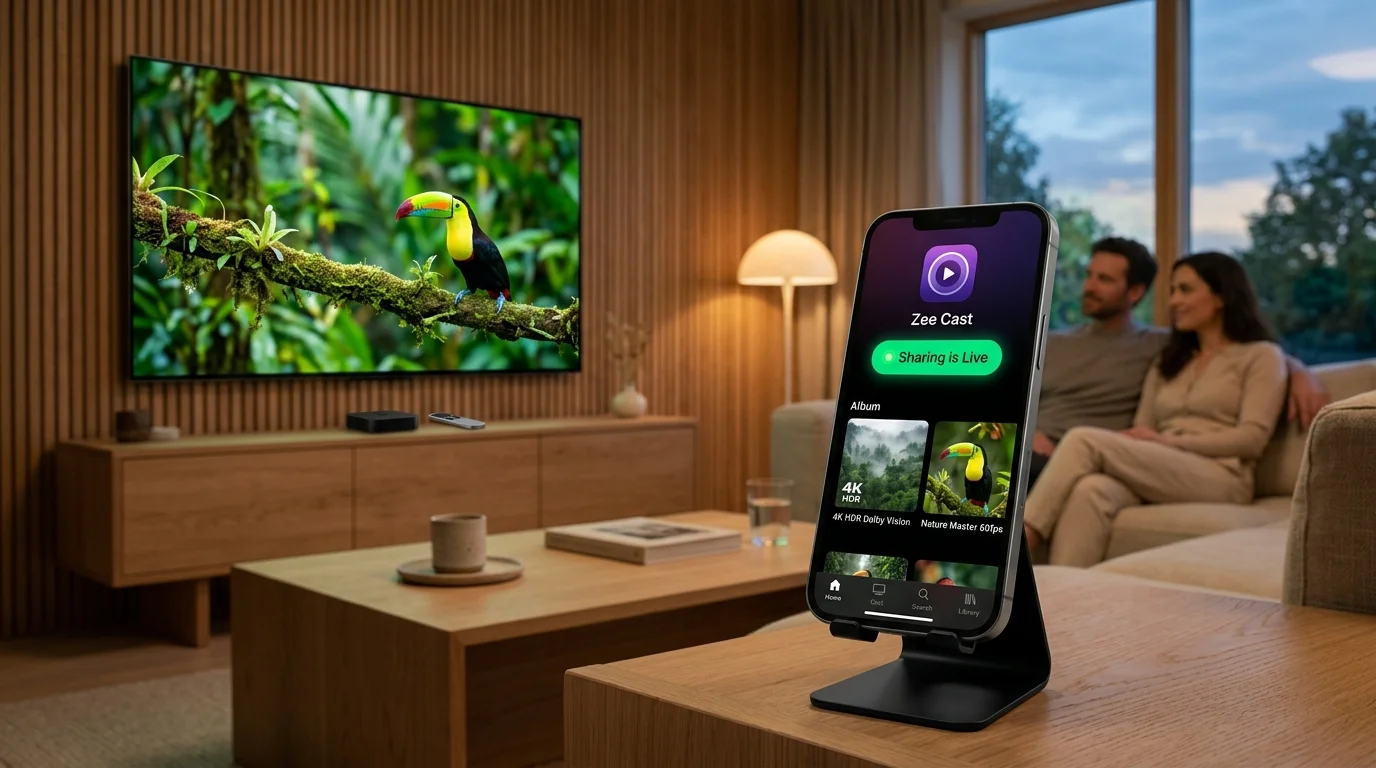
 ⚡ At a Glance: Apple TV 4K Specs ⚡ At a Glance: Apple TV 4K Specs | |
|---|---|
| Target Platform & OS | Apple TV 4K (1st, 2nd, 3rd Gen) & Apple TV HD running tvOS 14–18+ |
| Protocol & Port | DLNA 1.5 / UPnP MediaServer, Port 8080 (HTTP Byte-Range) |
| Connection Type | Local Wi-Fi (5 GHz recommended) or Ethernet LAN (0 MB Internet Data) |
| Transcoding | None (Apple Silicon Direct Play via VLC or Infuse native decoders) |
| Typical Setup Time | ~2 minutes (Free tvOS app, zero cloud accounts) |
The Mixed-Ecosystem Living Room Problem
The Apple TV 4K is widely regarded as the premier streaming box on the market. With its blazingly fast Apple Silicon processors (A15 Bionic), frame rate matching, Dolby Vision support, and fluid, ad-free tvOS interface, it sits proudly in millions of living rooms.
However, many households are multi-platform: while the living room television is anchored by an Apple TV 4K, family members and guests often carry Android smartphones - such as the Samsung Galaxy S24/S25, Google Pixel 9 Pro, OnePlus, or Xiaomi.
🚫 The Ecosystem Wall: No AirPlay, No Google Cast
Apple TV only accepts media pushed via Apple's proprietary AirPlay protocol. Android devices do not include native AirPlay senders. Conversely, Apple TV does not support Google Cast. When an Android user wants to show family vacation photos or a 4K 60fps video on the living room Apple TV, they hit a brick wall.
Most users assume they are stranded, resorting to cumbersome workarounds: uploading albums to Google Photos or iCloud on the web, emailing files back and forth, or installing bug-ridden "AirPlay sender" apps from the Play Store that require paid monthly subscriptions and broadcast laggy, compressed screen mirrors.
Fortunately, there is an open, elegant, zero-cost architecture that completely bridges Android and Apple TV 4K.
The Zero-Cost Solution: Zee Cast + VLC / Infuse on tvOS
Instead of trying to emulate Apple's proprietary AirPlay protocol, the solution leverages the open Universal Plug and Play (UPnP) / DLNA standard.
By running Zee Cast on your Android phone, your phone transforms into a high-speed local media server. On the Apple TV 4K, you simply launch a media player app that natively understands DLNA:
- VLC for Apple TV: The world's most trusted open-source media player, completely free on the tvOS App Store. It features a built-in "Local Network" browser that detects Zee Cast instantly.
- Firecore Infuse: The gold-standard cinematic player for Apple TV. It automatically indexes DLNA media servers under "Available Shares" with rich metadata, hardware-accelerated HDR playback, and advanced network caching.
With this setup, your Apple TV 4K pulls the original media files directly from your Android phone across your local Wi-Fi. The Apple TV's dedicated A15 Bionic video decoder handles playback, delivering pristine 4K 60fps quality while your Android phone stays cool, private, and free to use.
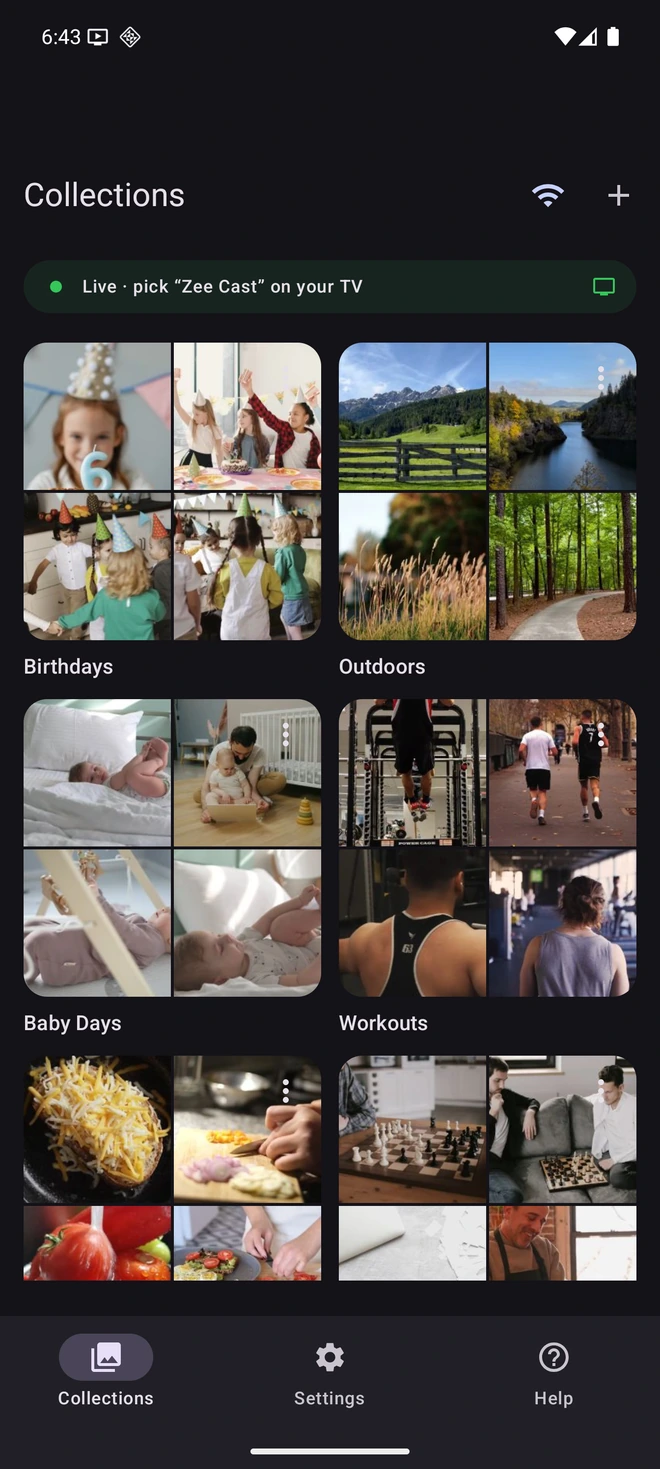
- 1Sharing is Live: TV discovers your device instantly via SSDP.
- 2Direct Play streams original 4K video files without Chromecast.
Step-by-Step Setup: Stream Android to Apple TV in 4 Steps
Follow this simple step-by-step guide to connect your Android phone to Apple TV 4K in under two minutes:
- 1
Connect to the Same Wi-Fi Network
Verify that your Android phone and your Apple TV 4K are connected to the same local Wi-Fi network. For silky-smooth 4K 60fps video playback, connecting to your router's 5 GHz band (or connecting your Apple TV via Ethernet) is strongly recommended.
- 2
Open Zee Cast on Android & Turn On Sharing
Launch Zee Cast on your Android phone. Create a collection containing the photos and videos you want to share. Tap Turn on sharing. Zee Cast begins broadcasting standard UPnP discovery beacons across your home network.
- 3
Open VLC or Infuse on Apple TV
On your Apple TV 4K, open the tvOS App Store and download VLC (free) or Infuse if you don't already have them. Open the player and navigate to the network tab:
Apple TV 4K (VLC) · Menu NavigationLaunch VLC → Select Local Network tab → Click Zee Cast
Apple TV 4K (Infuse) · Menu NavigationLaunch Infuse → Open Add Files → Select Zee Cast under Available Shares
- 4
Navigate with Your Siri Remote & Enjoy 4K
Use your Apple TV Siri Remote touch surface or clickpad to browse your photo albums and video folders. Click any photo for a crisp, full-screen view or select a 4K video for instant playback. Your Android phone remains completely untouched.
Technical Comparison: AirPlay vs. Cloud vs. Zee Cast DLNA
Review how Zee Cast compares to standard Apple ecosystem sharing methods and cloud workarounds:
| Feature | Apple AirPlay | Cloud Uploads (Google Photos / iCloud) | Zee Cast + VLC / Infuse |
|---|---|---|---|
| Cross-Platform Support | Apple-only (No native Android sender) | Requires browser or third-party TV app | Universal: Any Android phone to Apple TV |
| Video Streaming Quality | Compressed mirror stream | Cloud re-compressed / Bandwidth limited | 100% Bit-for-Bit Direct Play (Up to 4K 60fps) |
| Internet Bandwidth Required | 0 MB (Local) | Massive (Upload full files then re-download) | 0 MB (Strictly local Wi-Fi / LAN) |
| Account Requirements | Apple ID / Device pairing | Mandatory Google / Apple cloud account | Zero Accounts / 100% Anonymous |
| Phone Multitasking & Lock | Phone screen locked during mirror | Varies | 100% Free: Lock phone, make calls, text |
| Privacy Protection | Mirror shows live notifications | Uploaded to public cloud datacenters | Total Privacy: Local LAN only, zero cloud |
Why Apple TV 4K Hardware Makes This Incredible
When you stream high-bitrate media from Zee Cast to Apple TV 4K, you tap into one of the most powerful consumer media processing pipelines ever built:
- Apple Silicon Video Decoders: The Apple A12, A15, and newer Bionic processors feature dedicated hardware decoders capable of chewing through 100+ Mbps 4K 60fps HEVC and H.264 streams effortlessly.
- Siri Remote Precision: Scrubbing through hours of home video on Apple TV is intuitive and fluid. The Siri Remote touch surface provides smooth frame-by-frame scrubbing without stuttering.
- Multi-Channel Audio Passthrough: Personal videos recorded with stereo or spatial audio on Android phones are delivered intact to Apple TV, outputting uncompressed PCM or Dolby Digital to your soundbar or HomePod stereo pair.
- Infuse Advanced Caching: When using Infuse on tvOS, the app pre-buffers minutes of high-bitrate video directly into Apple TV's high-speed flash storage, guaranteeing completely buffer-free playback even over congested Wi-Fi.
💡 Pro Tip for Apple TV Users
In Infuse on Apple TV, you can press and hold the center clickpad on the Zee Cast folder to select Add to Favorites. This pins your Zee Cast media server directly to Infuse's home screen, so whenever you turn on sharing on your Android phone, your photos and videos appear on your Apple TV home screen in one click!
Frequently Asked Questions
Can an Android phone cast directly to Apple TV without AirPlay?
Yes. While Android lacks Apple's proprietary AirPlay transmitter and Apple TV lacks Google Cast receiver software, Apple TV has access to the tvOS App Store. By installing a free, open-source media player like VLC for Apple TV or Firecore Infuse, your Apple TV can discover and stream from any open UPnP/DLNA media server running on your Android phone, such as Zee Cast.
Which tvOS app is better for streaming from Zee Cast: VLC or Infuse?
Both work brilliantly. VLC is 100% free and open-source, with zero sign-ups or subscriptions; it automatically discovers Zee Cast under the 'Local Network' tab. Infuse provides an ultra-slick, cinematic poster interface with advanced caching and HDR tone-mapping; it detects Zee Cast under 'Add Files' > 'Available Shares'. For quick photo viewing and video playback, VLC is instant; for extensive 4K HDR home movie libraries, Infuse offers premium caching.
Do I need to pay for an Apple TV app or subscription to stream from Android?
No. VLC for Apple TV is completely free with no in-app purchases, advertisements, or tracking. Infuse also provides free UPnP/DLNA local network browsing and standard playback out of the box without requiring an Infuse Pro subscription for standard home formats.
Can I stream 4K 60fps HEVC videos from Samsung Galaxy or Google Pixel to Apple TV?
Yes. Modern Android flagships record 4K 60fps video in HEVC/H.265. Because Zee Cast streams the original bit-for-bit file via HTTP byte-range requests without downscaling, Apple TV 4K's powerful A15 or A12 Bionic processor decodes the raw video stream in native silicon. You experience buttery-smooth 60fps playback with zero dropped frames.
Are my private photos and videos uploaded to Apple or Google servers?
Never. Zee Cast establishes an encrypted, direct point-to-point connection over your local home Wi-Fi between your Android smartphone and your Apple TV 4K. Zero bytes of media data ever leave your living room, and no cloud accounts (neither iCloud nor Google Photos) are required.
Can I lock my Android phone screen while the video is playing on Apple TV?
Yes. Zee Cast runs as a background media service on Android. Once you start video playback or a photo slideshow on Apple TV, you can lock your phone screen, answer phone calls, or use messaging apps without interrupting playback on the television.
What should I do if Zee Cast does not appear under Local Network on Apple TV?
First, verify that both your Android phone and Apple TV 4K are connected to the same Wi-Fi SSID (ensure one is not on a 2.4 GHz Guest network with client isolation enabled). Second, ensure 'Sharing Active' is toggled on in Zee Cast. In VLC on tvOS, swipe down to refresh the Local Network list, which triggers a new SSDP multicast search across your router.


